EN
EN DE
DE ES
ES FR
FR NL
NL PT
PT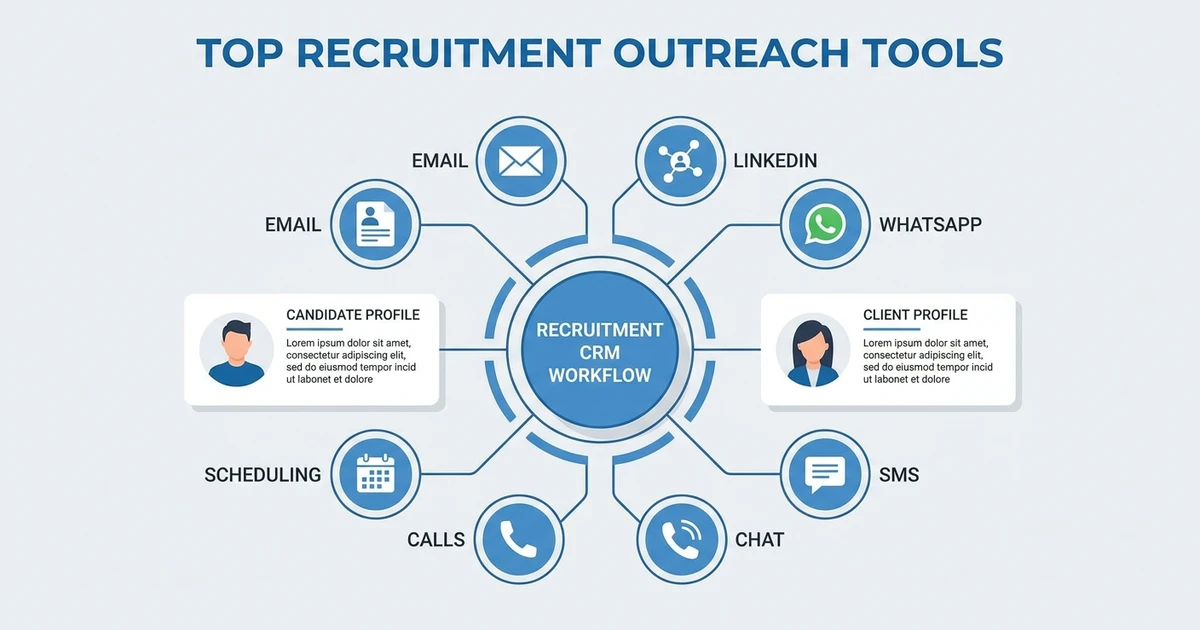



Quick Answer: The best recruitment outreach tools help agencies contact candidates and clients across email, LinkedIn, WhatsApp, SMS, phone, and scheduling without losing context. Choose a tool that connects outreach to candidate records, client relationships, jobs, follow-up history, and recruiter activity reporting.
TL;DR: Best recruiter outreach tools
Recruitment outreach works only when the message, timing, audience, and context are right. A tool can help you send more messages, but the better tool helps your recruiters send better follow-ups to the right people.
Use this as a quick fit guide:
- ATZ CRM: best fit for agencies that want outreach tied to ATS, CRM, jobs, notes, and recruiter activity.
- LinkedIn Recruiter: useful when passive candidate sourcing is the main channel.
- Apollo: useful when sourcing, enrichment, and outbound sequences need to sit together.
- SourceWhale: useful for dedicated recruiting outreach workflows.
- Gem: useful for talent CRM teams that run candidate nurture programs.
- Lemlist: useful for personalized outbound email campaigns.
- Mailshake: useful for sales-style recruiting or client development outreach.
- Lusha: useful when contact discovery and enrichment are the main gap.
- Mailchimp: useful for broader recruiter nurture emails and newsletters.
- Twilio: useful when you need SMS and calling infrastructure rather than a recruiter UI.
- Calendly: useful for turning replies into booked calls or interviews.
- Zapier: useful for connecting edge outreach workflows without making it the source of truth.
- Metaview: useful when sourced shortlists should go straight into email sequences.
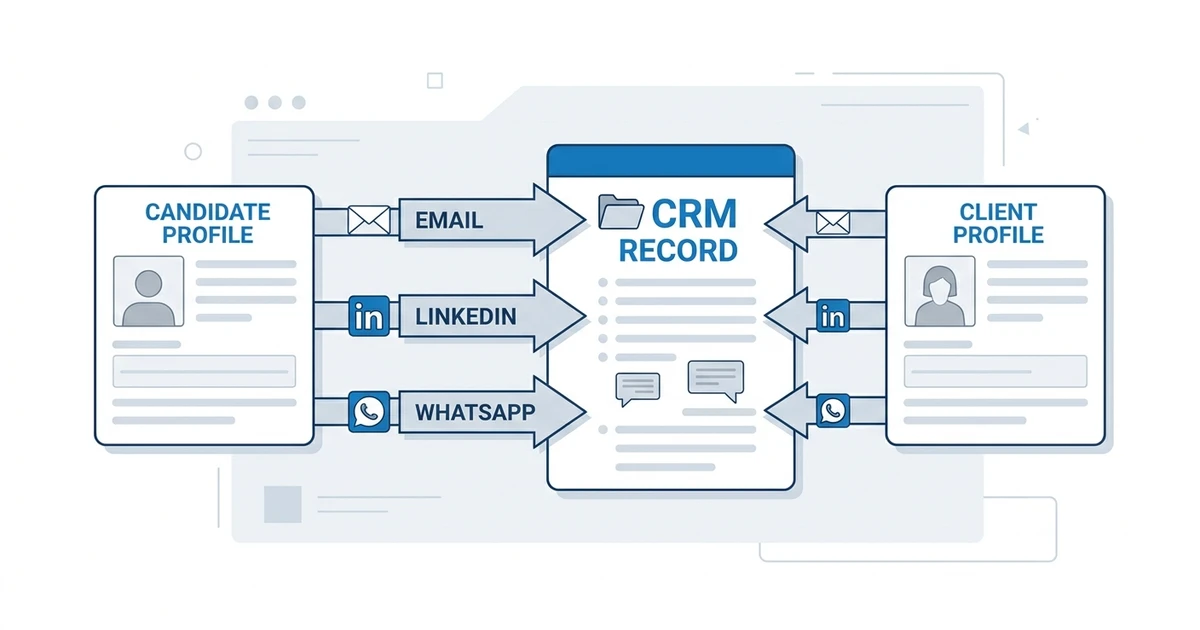
The safest buying rule is simple: do not buy an outreach tool that creates another isolated database. Candidate messages, client follow-ups, job context, and recruiter activity should return to the system your team already uses.
What are recruiter outreach tools?
Recruiter outreach tools help agencies contact candidates, clients, prospects, hiring managers, and talent pools across different channels. They can support sourcing, email campaigns, LinkedIn messages, SMS, WhatsApp follow-ups, phone activity, templates, scheduling, automation, and reporting.
The category is broad. A sourcing tool helps you find people. A sequence tool helps you follow up. A CRM helps you remember the relationship. A messaging integration helps recruiters communicate where candidates already respond.
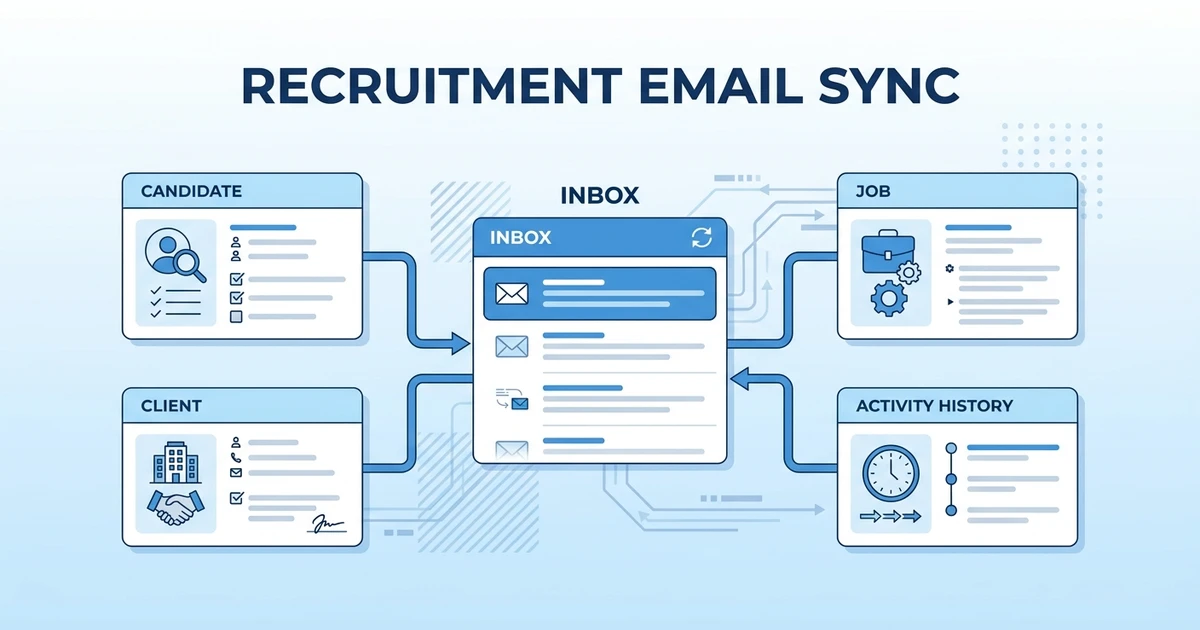
The best outreach stack connects these jobs. If one tool owns candidate data, another sends messages, another tracks replies, and another stores client notes, recruiters lose context. That is how agencies end up with high activity and weak conversion.
Outreach is becoming more digital, but it still needs human judgment and clean data. The tool should help recruiters understand who they are contacting and why, not only push more messages into the market.
Why agencies need multi-channel outreach software
Agency recruiters rarely win with one channel. A passive candidate may ignore email but reply on LinkedIn. A contractor may prefer WhatsApp. A hiring manager may respond only after a calendar follow-up. A dormant candidate may re-engage after a relevant job alert.
Multi-channel outreach software helps your team coordinate those touchpoints without turning every recruiter into a spreadsheet operator. The value is not just volume. It is timing, context, tracking, and consistency.
LinkedIn’s Future of Recruiting report found that companies whose recruiters use AI-Assisted Messaging most are 9% more likely to make a quality hire than those using it least according to LinkedIn data. The lesson is not that AI should write every message. The lesson is that assisted outreach can improve speed and relevance when recruiters still control the relationship.
The risk is tool sprawl. If your team buys one tool for email, one for enrichment, one for LinkedIn, one for SMS, and one for scheduling, outreach activity can become impossible to audit. Managers need to know who was contacted, why, when, and what happened next.
Quick comparison: Best recruitment outreach tools
| Rank | Tool | Best fit | Outreach strength | Pricing note |
|---|---|---|---|---|
| 1 | ATZ CRM | Recruitment agencies that want connected outreach | ATS plus CRM outreach across candidate and client records | Public plans start at $12/user/month |
| 2 | LinkedIn Recruiter | Professional network sourcing | Candidate discovery and InMail-style outreach | Public pricing varies by region and contract |
| 3 | Apollo | Sourcing and contact discovery | Prospecting, enrichment, and outbound sequences | Public plans vary by package |
| 4 | SourceWhale | Recruiting outreach workflows | Candidate sequencing and recruiter productivity | Quote-based or plan-based |
| 5 | Gem | Talent CRM outreach | Candidate nurture and pipeline engagement | Quote-based |
| 6 | Lemlist | Outbound email sequencing | Personalized email campaigns | Public plans vary by tier |
| 7 | Mailshake | Sales-style outbound recruiting | Email and phone-oriented outbound workflows | Public plans vary by tier |
| 8 | Lusha | Prospecting and enrichment | Contact discovery and enrichment | Public plans vary by credits |
| 9 | Mailchimp | Email nurture campaigns | Broadcast and nurture emails | Public plans vary by audience size |
| 10 | Twilio | SMS and calling infrastructure | Programmable messaging and voice | Usage-based pricing varies by region |
| 11 | Calendly | Scheduling conversion | Interview and meeting booking | Public plans vary by tier |
| 12 | Zapier | Workflow automation | Connecting outreach tools to other systems | Public plans vary by tasks |
| 13 | Metaview | Agencies that want sourcing and outreach in one flow | Shortlists from a brief feeding automated email sequences | Per-agent plans, including a free plan |
Top 13 outreach tools for recruitment agencies
1. Connected ATS plus CRM outreach
Tool reviewed: ATZ CRM.
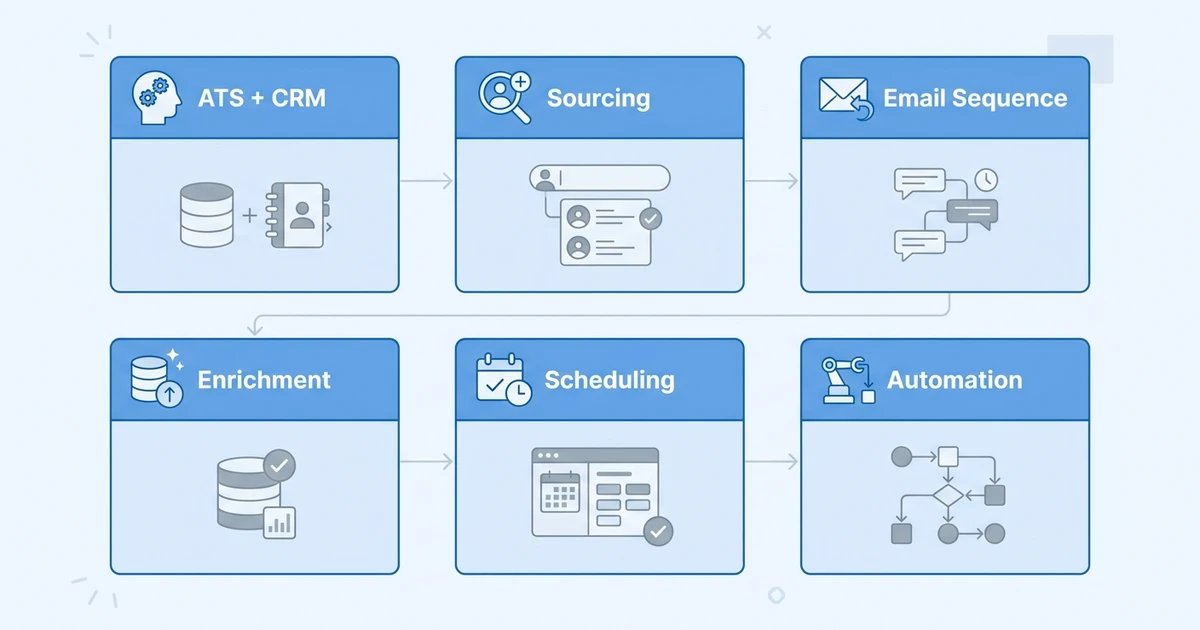
Overview: ATZ CRM is an ATS plus CRM built for recruitment agencies that need outreach tied to candidate records, client records, jobs, communication history, and recruiter activity. It is best for teams that do not want outreach data scattered across inboxes, spreadsheets, and standalone sequence tools.
Because outreach lives close to the recruiting workflow, recruiters can follow up with context. They can see the job, candidate history, client relationship, notes, and next action without switching between tools.
Key features:
- Multi-channel recruitment outreach software for agency teams
- Outreach sequences for recruiters
- Email campaigns for recruiters
- WhatsApp messaging for recruiters
- LinkedIn and SMS support on relevant plans
- Activity tracking and recruiter reporting
Pros:
- Connects outreach to ATS and CRM records
- Useful for both candidate and client follow-up
- Reduces manual activity tracking
- Public pricing starts at $12/user/month on annual billing according to ATZ CRM pricing
- Strong fit for agencies that want fewer disconnected outreach tools
Cons:
- Agencies that only need one-off email campaigns may not need the full platform
- Data cleanup may be needed before migration
- Highly specialized sales outbound teams may still use extra enrichment tools
Pricing: ATZ CRM has public pricing. The Pro plan starts at $12/user/month on annual billing, while Business and Enterprise plans add deeper communication, automation, and support features according to the pricing page.
2. Professional network outreach
Tool reviewed: LinkedIn Recruiter.
Overview: LinkedIn Recruiter is a sourcing and outreach tool for finding professional candidates and contacting them through LinkedIn. It is best for agencies that source passive candidates in professional, technical, executive, or niche markets.
It should usually sit beside your ATS plus CRM, not replace it. LinkedIn can help you discover and contact people, but your agency still needs a system of record for notes, ownership, jobs, submissions, and client context.
Key features:
- Candidate search and filters
- Saved projects and talent pools
- InMail-style messaging
- Collaboration for recruiting teams
- Candidate profile review
- AI-assisted message support in eligible experiences
Pros:
- Strong professional candidate database
- Useful for passive sourcing
- Familiar to recruiters
- Good fit for niche and senior searches
Cons:
- Not an agency CRM
- Outreach context can stay outside your ATS
- Pricing can be significant for small teams
- Candidate ownership should be managed carefully
Pricing: Public pricing varies by region, package, and contract. Agencies should confirm seat cost, message limits, and whether advanced features are included.
3. Sourcing database with outreach
Tool reviewed: Apollo.
Overview: Apollo is a prospecting, enrichment, and outbound platform commonly used by sales teams, but it can support recruiting outreach when agencies need contact discovery and sequenced messaging. It is best for teams that treat client business development and candidate prospecting as structured outbound work.
Recruiters should be careful with data quality and relevance. A large contact database is useful only when the message matches the role, candidate, and relationship.
Key features:
- Contact search and enrichment
- Email sequencing
- Prospect lists
- CRM integrations
- Activity tracking
- Workflow automation
Pros:
- Strong prospecting database
- Useful for business development outreach
- Helps structure outbound campaigns
- Can support sourcing when used carefully
Cons:
- Not built specifically for agency recruiting
- Candidate context may not live in the ATS
- Deliverability and compliance need attention
- Contact data should be validated
Pricing: Public pricing varies by plan, credits, and billing model. Agencies should confirm contact credits, email limits, and CRM integration requirements before choosing it.
4. Recruiting-specific outreach workflow
Tool reviewed: SourceWhale.
Overview: SourceWhale is designed around recruiting outreach, candidate engagement, and recruiter productivity. It is best for sourcing-heavy agencies that want structured campaigns, personalization, and workflow support.
It can be a good layer for candidate engagement, especially when recruiters need to run outreach at scale. The key question is whether activity syncs cleanly with the agency’s ATS plus CRM.
Key features:
- Candidate outreach sequences
- Personalization workflows
- Recruiter productivity views
- Integrations with recruiting systems
- Email and social touchpoints
- Campaign analytics
Pros:
- Recruiting-specific outreach focus
- Useful for sourcing teams
- Helps standardize follow-up
- Supports personalization at scale
Cons:
- May need integration to avoid split records
- Pricing may not be simple for small teams
- Best value comes when recruiters follow a consistent process
Pricing: Pricing is typically plan-based or quote-based. Agencies should confirm seats, integrations, campaign limits, and onboarding support.
5. Talent CRM outreach
Tool reviewed: Gem.
Overview: Gem is a talent CRM and candidate engagement platform used by recruiting teams that need pipeline nurture and outreach visibility. It is best for organizations that want structured talent pools and long-term candidate relationships.
For agencies, the fit depends on whether Gem complements or complicates the existing ATS plus CRM workflow. Candidate relationship data should not become another isolated system.
Key features:
- Talent CRM pipelines
- Candidate nurture campaigns
- Outreach tracking
- Pipeline analytics
- Team collaboration
- ATS integrations
Pros:
- Strong candidate nurture orientation
- Useful for long-term pipeline building
- Good analytics for outreach activity
- Helpful for structured talent teams
Cons:
- May be more enterprise-oriented than some agencies need
- Needs integration discipline
- Not a full agency operating system
- Pricing may be custom
Pricing: Pricing is commonly quote-based. Agencies should confirm package scope, integrations, implementation, and analytics access.
6. Outbound email sequences
Tool reviewed: Lemlist.
Overview: Lemlist is an outbound email sequencing tool known for personalization and campaign workflows. It is best for agencies that need dedicated email outreach and want to test messaging, follow-ups, and reply generation.
It is useful when email is the main outreach channel. It is less complete when recruiters also need ATS ownership, candidate stages, client notes, and placement reporting in the same system.
Key features:
- Email sequences
- Personalization options
- Reply tracking
- Campaign testing
- Deliverability support
- Integrations with other tools
Pros:
- Strong email campaign workflow
- Good for structured outbound testing
- Helpful personalization features
- Useful for client prospecting campaigns
Cons:
- Not recruitment-specific by default
- Candidate context may stay outside the ATS
- Needs deliverability discipline
- Multi-channel recruiting still requires other tools
Pricing: Public pricing varies by tier and billing term. Agencies should confirm sending limits, warm-up, enrichment, and integration costs.
7. Sales-style recruiting outreach
Tool reviewed: Mailshake.
Overview: Mailshake is an outbound outreach tool for email and sales workflows. It can fit agencies that run business development campaigns to prospective clients or outreach campaigns to targeted candidate lists.
It works best when your agency has clear lists, clear messaging, and a process to sync replies back to the CRM. Otherwise, outreach results can become hard to track.
Key features:
- Email outreach sequences
- Campaign tracking
- Phone and social workflow support
- Templates
- CRM integrations
- Reply management
Pros:
- Simple outbound workflow
- Useful for business development
- Helps standardize follow-up
- Easy for sales-minded recruiters to understand
Cons:
- Not built as a recruiting database
- Requires careful list quality
- ATS context depends on integrations
- Can encourage volume over relevance if misused
Pricing: Public pricing varies by plan and billing term. Agencies should check email limits, phone features, integrations, and team management.
8. Prospecting and enrichment
Tool reviewed: Lusha.
Overview: Lusha is a contact enrichment and prospecting tool. It is best for agencies that need verified contact details for business development, sourcing, or targeted outreach lists.
It should not be treated as the outreach system itself. It is a data layer that helps recruiters find contact information, then the actual outreach should be tracked in the ATS plus CRM.
Key features:
- Contact discovery
- Data enrichment
- Prospect list building
- Browser extension
- CRM integrations
- Credit-based access
Pros:
- Useful for finding contact details
- Helps business development teams build lists
- Can support candidate sourcing
- Simple enrichment workflow
Cons:
- Not an outreach platform by itself
- Data accuracy should be checked
- Credit limits can affect cost
- Compliance and consent still matter
Pricing: Public pricing varies by plan, credits, and team size. Agencies should check credit usage, export limits, and CRM integration rules.
9. Nurture email campaigns
Tool reviewed: Mailchimp.
Overview: Mailchimp is an email marketing platform that can support talent newsletters, client updates, candidate nurture, and broad audience communication. It is best for agencies that want marketing-style email campaigns rather than recruiter-to-candidate sequences.
It is not ideal for one-to-one recruiting context. Use it for nurture and audience communication, then keep active candidate conversations inside the ATS plus CRM.
Key features:
- Email campaigns
- Audience segmentation
- Templates
- Automation journeys
- Reporting
- Forms and landing pages
Pros:
- Familiar email marketing workflow
- Good for newsletters and nurture campaigns
- Strong template and audience tools
- Useful for agency marketing teams
Cons:
- Not built for recruiter pipeline management
- One-to-one candidate context is limited
- Audience management can get messy
- Active job outreach may need a recruiting platform
Pricing: Public pricing varies by audience size, email volume, and plan. Agencies should confirm contact limits and automation access.
10. SMS and calling infrastructure
Tool reviewed: Twilio.
Overview: Twilio provides messaging and voice infrastructure that powers SMS, calling, and communication workflows. It is best for agencies with technical resources or platforms that need programmable messaging.
Most staffing agencies should not buy it as a standalone recruiter tool unless they can integrate it properly. It works best behind a platform that turns messages into tracked recruiting activity.
Key features:
- SMS messaging
- Voice calling
- WhatsApp messaging support in some use cases
- APIs
- Delivery tracking
- Usage-based communication infrastructure
Pros:
- Flexible messaging infrastructure
- Useful for custom workflows
- Can support SMS-heavy staffing models
- Scales across regions and use cases
Cons:
- Requires technical setup
- Not a recruiter interface by itself
- Compliance setup matters
- Costs vary by usage and region
Pricing: Pricing is usage-based and varies by message type, phone number, country, and communication channel. Agencies should model expected volume before choosing an API-first setup.
11. Scheduling after outreach
Tool reviewed: Calendly.
Overview: Calendly helps recruiters convert outreach into meetings, screens, interviews, and client calls. It is best for reducing the back-and-forth that happens after a candidate or client replies.
It is not an outreach database, but it can improve outreach conversion. The key is sending scheduling context back to the candidate or client record.
Key features:
- Booking links
- Calendar sync
- Routing rules
- Meeting reminders
- Team scheduling
- Integrations with video and CRM tools
Pros:
- Reduces scheduling friction
- Easy for candidates and clients
- Useful for interviews and intake calls
- Works well around existing outreach tools
Cons:
- Does not manage outreach campaigns
- Candidate context depends on integrations
- Complex routing may require higher tiers
- Recruiters still need activity tracking elsewhere
Pricing: Public pricing varies by plan and seat. Agencies should confirm routing, team scheduling, reminders, and integration needs.
12. Automation connectors
Tool reviewed: Zapier.
Overview: Zapier connects apps and can automate simple outreach workflows, such as creating tasks, sending alerts, moving records, or updating spreadsheets when a form is submitted. It is best for edge workflows around your core recruiting platform.
It should not become the core outreach system. Use it to connect tools, not to replace the ATS plus CRM.
Key features:
- Workflow automation between apps
- Triggers and actions
- Task routing
- Alerts and notifications
- Form-to-CRM workflows
- Simple data movement
Pros:
- Useful for connecting point tools
- Fast to test lightweight automation
- Helps reduce manual steps
- Good for edge cases outside the core platform
Cons:
- Automations can become fragile
- Does not own candidate or client records
- Task usage can affect cost
- Complex workflows need governance
Pricing: Public pricing varies by task volume, plan, and feature needs. Agencies should estimate monthly task usage before relying on it for core outreach operations.
13. AI sourcing with built-in outreach sequences
Tool reviewed: Metaview.
Overview: In Metaview, the Agentic Recruiting Platform, outreach sequences are built into the sourcing flow. The sourcing agent turns a plain-language brief into a shortlist and explains why each candidate matched, and recruiters then add the people they want to an automated email sequence.
It fits agencies that want the search and the first message in one place. Metaview supplies verified emails and phone numbers, and fetches them from your ATS when they’re already on file there. When a reply turns into an interview, the Notetaker can join it as a visible participant, then turn the conversation into a transcript and structured notes.
Key features:
- Sourcing agent that builds a shortlist from a natural-language brief
- Match reasoning shown for every sourced candidate
- Automated email sequences fed from sourcing shortlists or a CSV upload
- Verified emails and phone numbers, fetched from your ATS when already on file
- AI email personalization, plus mailbox delegation for sending on behalf of teammates
- Sequence performance view showing what drives replies across roles, teams, and steps
Pros:
- Candidates move from a sourcing shortlist into a sequence without a second tool
- Recruiters see why each candidate was surfaced before reaching out
- Contact details arrive without manual enrichment or list uploads
- Recruiters can send on behalf of teammates
- Interview notes from the Notetaker sit in the same product as sourcing and outreach
Cons:
- Not an agency ATS or CRM, so it sits alongside your system of record
- Finding new contact details uses credits
- Integration depth varies by ATS, so check how yours connects before rollout
Pricing: Metaview charges per agent, and its pricing page lists a free plan. Sequences are free to send, and finding new contact details uses credits.
Best recruiter outreach tools by use case
Choose ATZ CRM if you want outreach connected to candidates, clients, jobs, communication history, and recruiter activity. It is the strongest fit when you want one operating layer for agency outreach and pipeline management.
Choose LinkedIn Recruiter if passive candidate sourcing is your main priority. Pair it with a CRM so candidate ownership, notes, and job context do not stay trapped in sourcing projects.
Choose SourceWhale or Gem if your agency has a dedicated sourcing function and needs structured candidate engagement workflows. These tools make the most sense when integrations keep your ATS current.
Choose Lemlist or Mailshake if you mainly need outbound email sequences for client development or targeted candidate campaigns. Use clear sending rules and keep replies connected to the CRM.
Choose Metaview if your recruiters source from a brief and want shortlisted candidates to go straight into an email sequence.
Choose Twilio if messaging infrastructure matters more than an off-the-shelf recruiter interface. Choose Calendly to convert replies into meetings. Choose Zapier to connect edge workflows without turning it into the system of record.
How to choose a recruitment outreach tool
Start with your outreach channels. If your agency uses email only, a sequence tool may be enough. If your recruiters use email, LinkedIn, WhatsApp, SMS, calls, and scheduling, you need a system that can track touchpoints across the whole relationship.
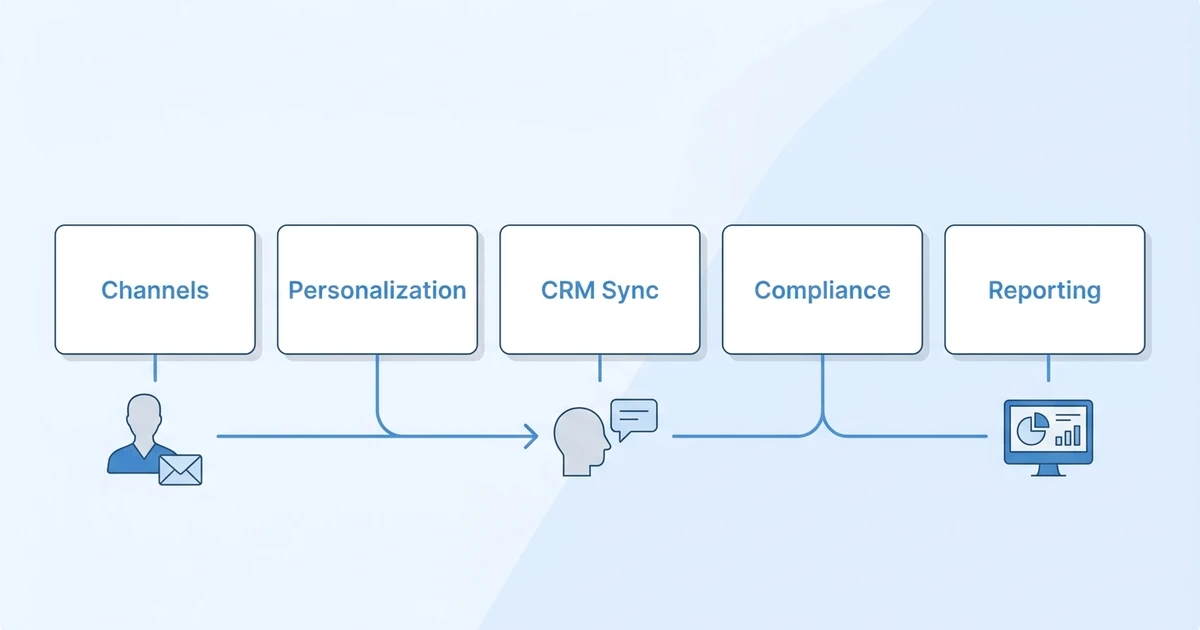
Then decide where context should live. Candidate notes, client history, job context, submissions, and follow-up reminders should live in your ATS plus CRM. Outreach tools should support that record, not replace it.
Use this checklist:
- Does the tool support your main outreach channels?
- Can recruiters personalize messages without slowing down?
- Does activity sync back to the candidate or client record?
- Can managers see outreach performance by recruiter?
- Does the tool support opt-outs and compliance workflows?
- Can pricing stay predictable as volume grows?
- Will the tool improve quality, not only volume?
LinkedIn has reported that AI-Assisted Messages see a 44% higher acceptance rate and are accepted over 11% faster than non-AI messages according to LinkedIn product data. That kind of lift is useful only if recruiters still send relevant messages to the right people.
Is ATZ CRM right for agency outreach?
ATZ CRM is right for agencies that want outreach sequences for recruiters inside the same platform that manages candidates, clients, jobs, pipelines, activity history, and reporting.
It is especially useful when your current outreach stack forces recruiters to jump between inboxes, LinkedIn, spreadsheets, SMS tools, and CRM notes. ATZ CRM gives the team a single place to manage the relationship and the next step.
It may not replace every specialist tool. Agencies that rely on large-scale enrichment, custom APIs, or advanced sales outbound may still use point tools. The goal is to make sure those tools feed the recruiting workflow instead of creating another shadow database.
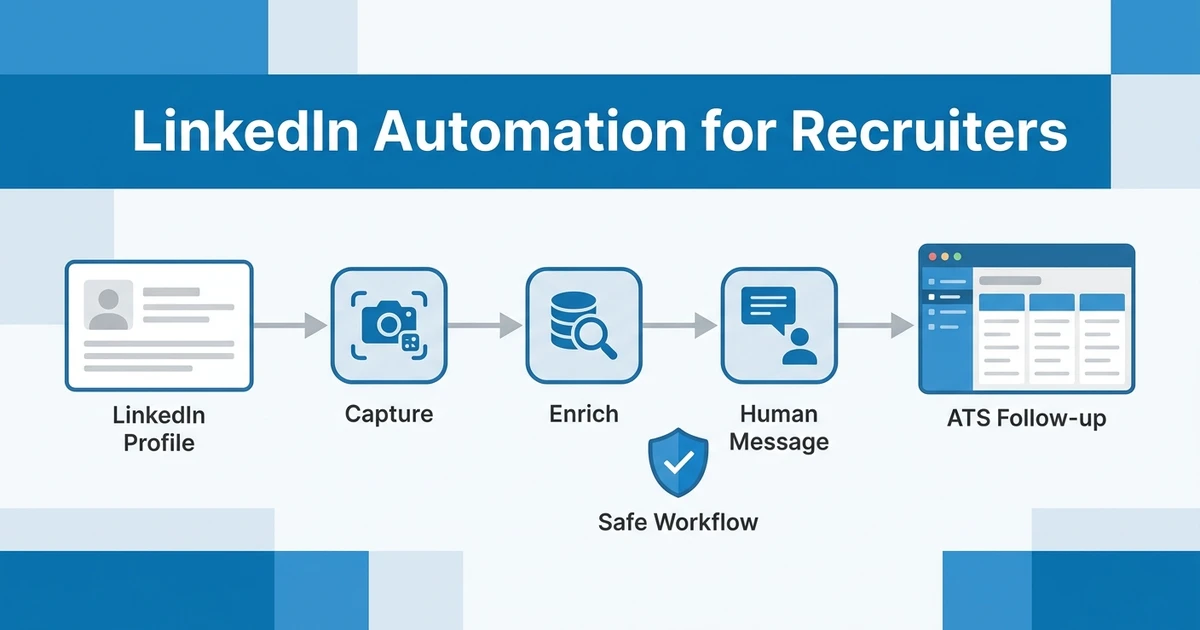
For deeper channel-specific strategy, pair this article with ATZ CRM’s guides to recruitment email marketing, LinkedIn automation for recruiters, and WhatsApp CRM for recruiters.
Frequently Asked Questions
What are the best recruitment outreach tools?
The best recruitment outreach tools include ATZ CRM, LinkedIn Recruiter, Apollo, SourceWhale, Gem, Lemlist, Mailshake, Lusha, Mailchimp, Twilio, Calendly, Zapier, and Metaview. The best choice depends on whether you need sourcing, sequencing, messaging, scheduling, automation, or a connected ATS plus CRM workflow.
What channels should recruiter outreach software support?
A strong outreach stack should support email, LinkedIn, SMS, WhatsApp, phone activity, scheduling, and reminders. Not every tool needs every channel, but your agency needs a clear way to track all touchpoints in one candidate or client record.
Is ATZ CRM good for candidate outreach?
Yes. ATZ CRM supports email campaigns, outreach sequences, LinkedIn and WhatsApp messaging support, SMS, calling, templates, and activity tracking. It is best when you want candidate outreach connected to jobs, notes, submissions, and recruiter performance.
Should agencies use separate email outreach tools?
Separate email outreach tools can help when your team needs advanced outbound testing or dedicated sending workflows. They become risky when replies, notes, and follow-ups do not sync back to your recruitment CRM.
How do recruiters avoid spammy outreach?
Recruiters avoid spammy outreach by targeting smaller lists, personalizing based on job fit, spacing follow-ups, respecting opt-outs, and using real context from the candidate record. Outreach software should help recruiters be relevant, not just louder.
Conclusion
The best outreach tool is not the one that sends the most messages. It is the one that helps your recruiters contact the right person, through the right channel, with the right context, then track what happens next.
For recruitment agencies, that usually means keeping outreach close to the ATS plus CRM. Specialist tools can help with sourcing, enrichment, scheduling, or automation, but the relationship record should stay central.
Book a demo with ATZ CRM to compare your current outreach stack against a connected ATS plus CRM workflow for agency recruiters.