EN
EN DE
DE ES
ES FR
FR NL
NL PT
PT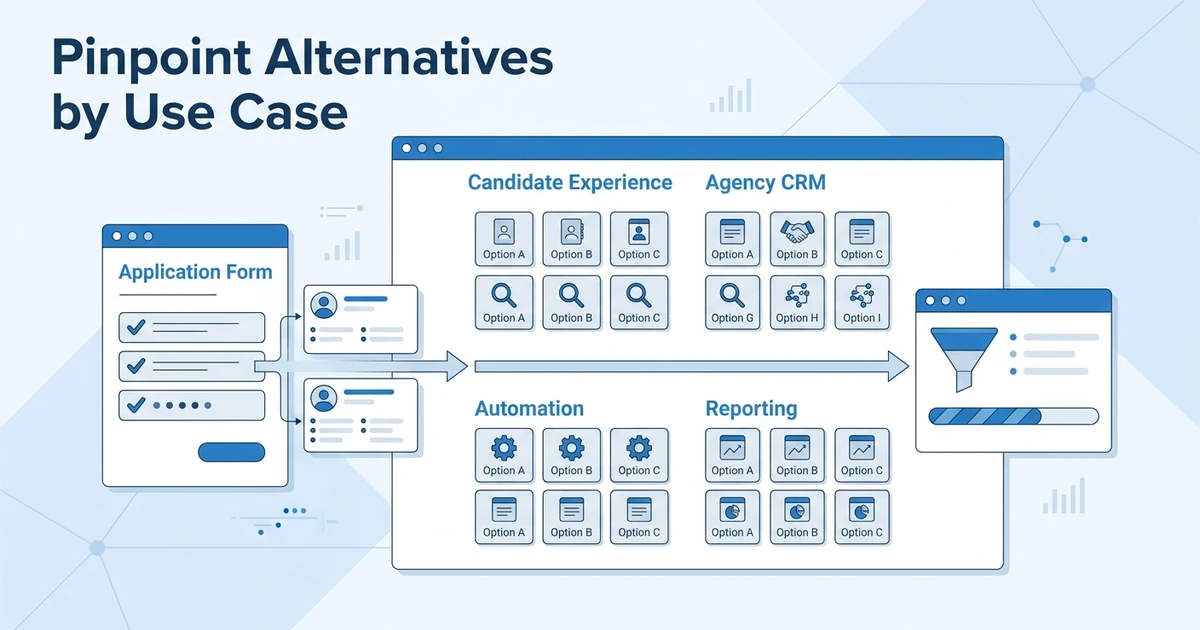



Quick Answer: The best Pinpoint alternatives depend on whether you need candidate experience, easier recruiter adoption, deeper CRM, sourcing, reporting, or agency-ready client workflows. This guide ranks options by use case so you can compare usability, automation, pricing visibility, and migration risk before shortlisting platforms.
Pinpoint alternatives usually enter the conversation when a team likes the idea of a clean ATS but needs more than a polished hiring interface. That is especially true for recruitment agencies, where candidate experience is only one part of the workflow.
Your recruiters also need client records, job orders, candidate ownership, submissions, outreach, reporting, and clear pipeline visibility.
Pinpoint can be a strong option for teams that care about candidate journey and hiring team adoption. But if your agency needs ATS + CRM depth, the shortlist should include platforms built for both candidate delivery and client management.
For a focused category, pricing, and migration view, use the Pinpoint alternatives guide alongside this longer shortlist.
This guide ranks 20 options by use case so you can decide which platform deserves a demo.
Why teams compare Pinpoint alternatives
Teams usually compare Pinpoint alternatives for one of four reasons. They need deeper CRM, better sourcing, more flexible reporting, or a stronger agency workflow.
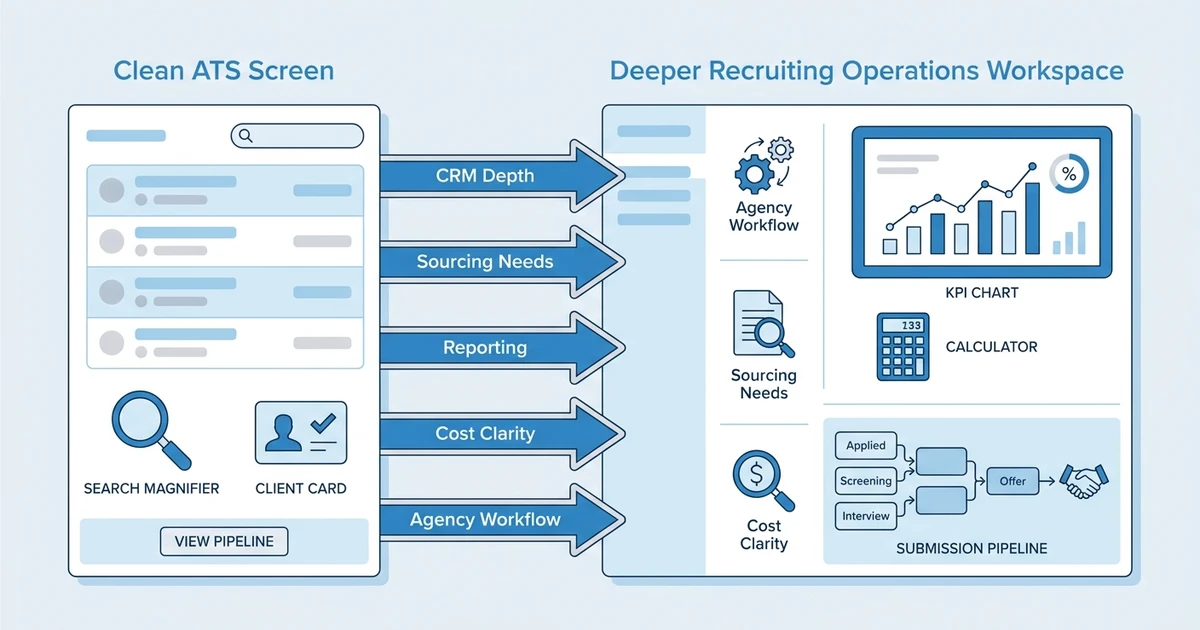
Those needs are not cosmetic. They change how recruiters spend the day. A good ATS helps you manage applicants. A good recruiting system helps you manage the full path from open job to sourced candidate to client feedback to placement.
SHRM reports that 51% of organizations face too few applicants, 50% struggle with losing talent to competitors, and 41% cite candidate ghosting in its State of Recruiting 2025 analysis. That means the platform has to support speed, follow-up, and data quality.
AI is also changing what teams expect from recruiting software. SHRM found that AI adoption in HR tasks increased to 43% in 2025 from 26% in 2024 in its 2025 Talent Trends research. For recruiters, the value is not AI for its own sake. The value is faster matching, better outreach, cleaner notes, and fewer manual updates.
You may need a Pinpoint alternative if:
- Your ATS is easy to use but too light for agency CRM.
- Hiring managers collaborate well, but recruiters lack client visibility.
- Reporting looks clean but misses revenue or recruiter activity.
- Candidate experience is strong, but sourcing and outreach need more depth.
- Migration feels risky because candidate history is scattered.
- Pricing is hard to compare with your actual seat and workflow needs.
The right choice depends on whether you are an in-house hiring team, a small business, a recruitment agency, or a staffing firm.
How we evaluated the best Pinpoint alternatives
Pinpoint is often associated with usability and candidate experience, so this ranking does not ignore those areas. But it also looks beyond them.
For a recruitment agency, ease of use means little if the system cannot handle clients, submissions, sales activity, and recruiter reporting. For an internal TA team, CRM depth may matter less than hiring manager participation and employer brand.
We evaluated each tool against these practical criteria:
- Usability for recruiters and hiring teams.
- ATS depth for jobs, candidates, applications, stages, and notes.
- CRM depth for clients, contacts, deals, follow-ups, and submissions.
- Candidate experience and employer branding.
- Sourcing and outreach workflows.
- AI features that support real recruiting actions.
- Reporting for pipeline, activity, sources, and revenue.
- Pricing visibility before a sales call.
- Migration support and implementation effort.
LinkedIn reports that companies using AI-assisted messaging the most are 9% more likely to make a quality hire than those using it least in its Future of Recruiting 2025 research. That finding matters here because candidate communication is often where simple ATS workflows break down.
Gartner says AI and cost pressure are shaping talent acquisition strategy in 2026 in its recruiting trends analysis. A good alternative should help you move faster and understand cost before rollout.
Quick comparison of the top Pinpoint alternatives
Use this table to shortlist tools by workflow fit. Then use the ranked reviews to decide which demos are worth your time.
| Rank | Tool | Best for | Ease of use | CRM depth | Agency fit | AI and automation | Pricing visibility |
|---|---|---|---|---|---|---|---|
| 1 | ATZ CRM | Agency ATS plus CRM | High | High | High | Strong | Public pricing |
| 2 | Greenhouse | Structured enterprise hiring | Medium | Low | Low | Moderate | Not publicly listed |
| 3 | Lever | Relationship-led talent pipelines | Medium | Medium | Medium | Moderate | Not publicly listed |
| 4 | Ashby | Startup recruiting operations | High | Medium | Medium | Strong | Not publicly listed |
| 5 | Workable | Simple SMB hiring | High | Low | Low | Moderate | Public plans available |
| 6 | SmartRecruiters | Global enterprise hiring | Medium | Low | Low | Strong | Not publicly listed |
| 7 | Recruitee | Collaborative hiring | High | Low | Medium | Moderate | Public plans available |
| 8 | Teamtailor | Career site-led hiring | High | Low | Low | Moderate | Not publicly listed |
| 9 | Breezy HR | Lightweight visual pipeline | High | Low | Low | Basic | Public plans available |
| 10 | BambooHR | HR suite with hiring basics | High | Low | Low | Basic | Package-dependent |
| 11 | JazzHR | Budget ATS | High | Low | Low | Basic | Public plans available |
| 12 | Zoho Recruit | Zoho ecosystem users | Medium | Medium | Medium | Moderate | Public plans available |
| 13 | Manatal | Affordable AI recruiting | High | Medium | Medium | Strong | Public plans available |
| 14 | Recruiterflow | Agency email automation | Medium | High | High | Strong | Public plans available |
| 15 | Loxo | Sourcing-led teams | Medium | Medium | High | Strong | Not publicly listed |
| 16 | Bullhorn | Enterprise staffing | Medium | High | High | Strong | Not publicly listed |
| 17 | CEIPAL | Staffing workforce workflows | Medium | Medium | High | Moderate | Package-dependent |
| 18 | Crelate | Relationship-heavy agencies | Medium | High | High | Moderate | Public entry point |
| 19 | JobAdder | Established agency ATS CRM | Medium | High | High | Moderate | Not publicly listed |
| 20 | iCIMS | Compliance-heavy enterprise TA | Medium | Low | Low | Strong | Not publicly listed |
Top 20 Pinpoint alternatives by use case
1. Best for agency ATS plus CRM
Tool reviewed: ATZ CRM.
Overview: ATZ CRM is the strongest first choice if your team wants the usability of a modern recruiting platform plus the depth of an agency-ready ATS + CRM. It brings candidates, clients, jobs, outreach, AI matching, reports, and migration support into one workspace.
That matters when your team has outgrown a candidate-experience-only view of recruiting. Agencies need a system that helps recruiters work with candidates and clients without maintaining separate databases.
Pros:
- Combines AI-powered applicant tracking system workflows with recruitment CRM for agencies.
- Supports AI matching, outreach automation, client workflows, reporting, and migration.
- Public pricing makes it easier to compare cost early.
- Strong fit for agencies moving from a simple ATS to a revenue-aware platform.
Cons:
- Not a full HRIS for employee management.
- Enterprise TA teams with heavy compliance needs should map requirements first.
Pricing: ATZ CRM pricing starts at $12/user/month for Pro, with Business at $24/user/month and Enterprise at $60/user/month on annual billing. Annual billing saves 20%, and an unlimited free trial is available on the ATZ CRM pricing page.
Best fit: Recruitment agencies, staffing firms, and growing recruiting teams that want ATS + CRM in one readable workflow.
2. Best for structured enterprise hiring
Tool reviewed: Greenhouse.
Overview: Greenhouse is best for companies that need structured hiring, scorecards, interview plans, approvals, and hiring team governance. It can be a strong fit for internal talent acquisition teams with mature process needs.
For agencies, the issue is not whether it can track candidates. The issue is whether it supports client relationships, business development, and submissions in the way agency recruiters actually work.
Pros:
- Strong structured hiring workflows.
- Useful for hiring manager consistency.
- Mature enterprise presence.
Cons:
- Not built around recruitment agency CRM.
- Pricing and implementation effort may require deeper discovery.
Pricing: Pricing is not publicly listed. Expect custom quotes based on package and team requirements.
Best fit: In-house enterprise teams that need structured interview governance.
3. Best for relationship-led talent pipelines
Tool reviewed: Lever.
Overview: Lever is relevant for in-house teams that want a recruiting platform with candidate relationship management concepts. It can help teams manage nurtured talent and applicant workflows together.
The agency fit depends on how well it handles client-side work. If your workflow includes job orders, client feedback, submissions, and sales follow-up, test that path carefully.
Pros:
- Strong relationship-driven recruiting model.
- Useful for proactive talent pipelines.
- Good for internal recruiting collaboration.
Cons:
- Agency CRM depth should be validated.
- Pricing is usually handled through sales.
Pricing: Pricing is not publicly listed. Confirm contract structure, implementation, and add-ons during evaluation.
Best fit: In-house recruiting teams that need candidate relationship workflows.
4. Best for startup recruiting operations
Tool reviewed: Ashby.
Overview: Ashby suits fast-growing teams that care about analytics, scheduling, recruiter operations, and a modern user experience. It often works well for startup and scaleup TA teams that want stronger operational visibility.
Agencies should compare how it handles clients and revenue workflows. Great recruiting analytics are useful, but agency reporting also needs client, job, submission, and placement context.
Pros:
- Strong analytics and recruiting operations.
- Modern workflow design.
- Good for high-growth internal teams.
Cons:
- Not primarily an agency CRM.
- Pricing may require a quote.
Pricing: Pricing is not publicly listed. Ask about package scope, seats, and implementation needs.
Best fit: Scaling in-house recruiting teams that want analytics and operational structure.
5. Best for simple SMB hiring
Tool reviewed: Workable.
Overview: Workable is a sensible Pinpoint alternative for SMBs that want quick setup, job posting, basic candidate tracking, and hiring team collaboration. It is often easier to evaluate early because public plans are available.
Recruitment agencies need to go deeper. If you need client records, deal tracking, submissions, and recurring outreach, compare those workflows before choosing an ATS built mainly for in-house hiring.
Pros:
- Fast setup for small hiring teams.
- Good job posting and candidate tracking basics.
- Public plans support budget screening.
Cons:
- CRM depth is limited for agencies.
- May require extra tools for business development.
Pricing: Public plans are available. Confirm the plan that matches your roles, seats, automations, and integrations.
Best fit: Small and mid-sized in-house teams that need a practical ATS.
6. Best for global enterprise hiring
Tool reviewed: SmartRecruiters.
Overview: SmartRecruiters is best for larger companies that need enterprise workflows, global hiring, marketplace integrations, and process control across business units.
It can be too much if the real need is recruiter speed and client CRM. Agencies should evaluate admin effort, implementation, and daily workflow complexity before putting it ahead of agency-focused tools.
Pros:
- Strong global enterprise TA coverage.
- Broad marketplace and integrations.
- Good fit for complex internal hiring processes.
Cons:
- Can feel heavy for smaller teams.
- Not centered on agency revenue workflows.
Pricing: Pricing is not publicly listed. Expect quote-based packaging.
Best fit: Global companies with complex talent acquisition operations.
7. Best collaborative hiring interface
Tool reviewed: Recruitee.
Overview: Recruitee fits teams that want a collaborative hiring workspace, employer brand support, and a simple way for hiring managers to participate. It is a good candidate-experience shortlist option.
For agencies, collaboration needs to include clients, not only internal hiring managers. Test how the platform handles client feedback, submissions, and CRM notes.
Pros:
- Clean collaborative hiring experience.
- Useful career site and employer brand features.
- Public plans make it easier to price early.
Cons:
- Agency CRM workflows may need workarounds.
- Less focused on staffing operations.
Pricing: Public plans are available. Check plan limits, automation, and team collaboration needs.
Best fit: In-house teams that prioritize hiring manager collaboration.
8. Best for career site-led hiring
Tool reviewed: Teamtailor.
Overview: Teamtailor is a strong fit for organizations that see recruiting through employer brand, career pages, and candidate experience. It can help companies present a polished hiring journey.
That value is different from agency CRM. Agencies should compare whether it can support client relationships, candidate submissions, and sales visibility before choosing it as a broader platform.
Pros:
- Strong employer branding.
- Candidate experience-focused workflows.
- Good for teams investing in career pages.
Cons:
- Less suited to agency sales workflows.
- Pricing may require a quote.
Pricing: Pricing is not publicly listed. Ask about career site, user, and feature package requirements.
Best fit: In-house teams that lead with employer brand and candidate journey.
9. Best lightweight visual pipeline
Tool reviewed: Breezy HR.
Overview: Breezy HR is a simple visual ATS for small teams that want applicant tracking without a complicated rollout. It can work well when the pipeline is straightforward.
It becomes less compelling when CRM and reporting become important. Agencies should treat it as a simple ATS, not a full recruiting operations platform.
Pros:
- Easy visual pipeline.
- Good for lean teams.
- Public plans support quick screening.
Cons:
- Limited CRM depth.
- Can become too light as workflows grow.
Pricing: Public plans are available. Confirm automation, seats, and candidate workflow needs.
Best fit: Small businesses that need simple applicant tracking.
10. Best HR suite with hiring basics
Tool reviewed: BambooHR.
Overview: BambooHR can work for small companies that want HR records and hiring basics in the same suite. It is not usually chosen for deep recruiting operations.
For agencies, it is generally the wrong center of gravity. Recruiting agencies need candidate pipelines and client workflows more than employee record management.
Pros:
- Good HRIS orientation.
- Helpful for small-company employee management.
- Simple hiring basics.
Cons:
- Not agency-first.
- Limited recruiting CRM depth.
Pricing: Pricing depends on package and company requirements. Confirm hiring functionality before comparing.
Best fit: Small companies that want HR software with basic hiring.
Book an ATZ CRM demo to see how AI matching, outreach automation, client CRM, and reporting work together inside one recruiting workspace.
11. Best budget ATS for small teams
Tool reviewed: JazzHR.
Overview: JazzHR is a budget-friendly applicant tracking option for lean teams. It can make sense when you need a basic ATS without a complex implementation.
The limitation is growth. Once you need CRM, automation, reporting, and sourcing depth, a simple ATS can create manual work around the edges.
Pros:
- Simple and budget-conscious.
- Public plans are available.
- Good for basic internal hiring.
Cons:
- Limited CRM and agency workflow depth.
- Not ideal for staffing operations.
Pricing: Public plans are available. Review plan limits and feature access before comparing.
Best fit: Small teams that need basic applicant tracking at a lower cost.
12. Best for Zoho ecosystem users
Tool reviewed: Zoho Recruit.
Overview: Zoho Recruit works best when your team already uses Zoho tools and wants ATS plus CRM-style functionality inside that ecosystem. It can be cost-effective for teams that accept suite configuration.
Agencies should test usability. A lower price is less helpful if recruiters need too many clicks or custom fields to complete daily work.
Pros:
- Affordable ecosystem option.
- ATS and CRM concepts in one suite.
- Public pricing supports early comparison.
Cons:
- Interface can feel busy.
- Best suited to teams already comfortable with Zoho.
Pricing: Public plans are available. Confirm automation, portals, and reporting requirements.
Best fit: Budget-conscious teams already using Zoho.
13. Best affordable AI-assisted recruiting
Tool reviewed: Manatal.
Overview: Manatal is a lightweight recruiting platform with AI-assisted matching and simple applicant tracking. It can work for teams that want accessible AI without enterprise complexity.
For agencies, test CRM and reporting depth before choosing. AI should support client delivery and placements, not just candidate ranking.
Pros:
- Affordable AI-assisted workflows.
- Simple interface and setup.
- Public plans support quick evaluation.
Cons:
- Less enterprise depth.
- Agency workflows should be tested carefully.
Pricing: Public plans are available. Confirm user limits, data needs, and automation scope.
Best fit: Smaller teams that want accessible AI-assisted recruiting.
14. Best for agency email automation
Tool reviewed: Recruiterflow.
Overview: Recruiterflow is an agency-focused ATS + CRM with useful automation and outreach workflows. It can be a strong shortlist option for firms that rely on email sequences and pipeline management.
Compare it with ATZ CRM if your priorities include AI matching, reporting, client workflows, pricing clarity, and migration support.
Pros:
- Agency-oriented ATS + CRM.
- Useful email automation.
- Public pricing helps early evaluation.
Cons:
- AI depth and reporting fit should be compared.
- Implementation experience should be validated.
Pricing: Public plans are available. Confirm automation limits and package details.
Best fit: Agencies that prioritize email automation and recruiter pipeline visibility.
15. Best for sourcing-led teams
Tool reviewed: Loxo.
Overview: Loxo is relevant for recruiting teams that prioritize sourcing, talent data, and outbound workflows. It can be useful when candidate discovery is the main bottleneck.
Agencies should compare post-sourcing workflows too. Once candidates are found, the platform still needs to support client submissions, feedback, deals, and reporting.
Pros:
- Strong sourcing orientation.
- Useful outreach capabilities.
- Good fit for proactive recruiting.
Cons:
- Pricing visibility may require sales contact.
- Broader agency workflow fit should be validated.
Pricing: Pricing is not publicly listed. Confirm sourcing data, outreach, and user package details.
Best fit: Search-led teams that need stronger candidate sourcing.
16. Best for enterprise staffing operations
Tool reviewed: Bullhorn.
Overview: Bullhorn is a well-known staffing platform for larger firms that need enterprise workflows, broad ecosystem support, and complex staffing operations.
It may not be the best fit for smaller agencies that want a faster rollout. Compare the cost and complexity against the workflows your recruiters use every day.
Pros:
- Deep staffing market presence.
- Strong ecosystem and partner network.
- Good for large staffing firms.
Cons:
- Can be complex to implement.
- Pricing is usually quote-led.
Pricing: Pricing is not publicly listed. Expect custom quotes and implementation planning.
Best fit: Larger staffing firms with enterprise operating needs.
17. Best for staffing and workforce workflows
Tool reviewed: CEIPAL.
Overview: CEIPAL can fit staffing firms with workforce management, onboarding, compliance, and vendor-related workflows. It is broader than a simple ATS.
Smaller agencies should test day-to-day usability. A system with many modules still needs to feel fast for recruiters.
Pros:
- Staffing-specific workflow coverage.
- Useful for workforce and compliance needs.
- Broader than basic applicant tracking.
Cons:
- Can feel dense for lean teams.
- Recruiter adoption should be checked.
Pricing: Public package details may vary. Confirm modules and implementation scope.
Best fit: Staffing firms with workforce and compliance workflows.
18. Best for relationship-heavy recruiting agencies
Tool reviewed: Crelate.
Overview: Crelate is a recruiting CRM and ATS option for agencies that manage relationship-heavy recruiting. It can fit search firms that want flexible pipelines and contact management.
The main question is configuration. Flexibility helps only when your team agrees on clean stages, data rules, and reporting.
Pros:
- Strong relationship tracking.
- Flexible pipelines.
- Agency-relevant CRM orientation.
Cons:
- Configuration requires planning.
- Reporting consistency depends on workflow discipline.
Pricing: Public entry-level information may be available, but buyers should confirm the full package and feature scope.
Best fit: Recruiting agencies with relationship-heavy search workflows.
19. Best for agencies needing familiar ATS CRM workflows
Tool reviewed: JobAdder.
Overview: JobAdder is an established recruitment agency platform with ATS and CRM workflows. It can be relevant for agencies that want familiar market coverage and a broad recruiting workflow.
Compare it against ATZ CRM if your priority is AI matching, pricing clarity, adoption speed, and a modern unified workspace.
Pros:
- Agency market familiarity.
- ATS + CRM workflow coverage.
- Useful for recruitment operations.
Cons:
- Pricing may require a quote.
- Workflow fit should be tested against daily recruiter tasks.
Pricing: Pricing is not publicly listed. Confirm package, users, and implementation needs.
Best fit: Agencies that want an established recruitment platform.
20. Best for compliance-heavy enterprise TA
Tool reviewed: iCIMS.
Overview: iCIMS remains relevant if your team needs enterprise talent acquisition control, process depth, compliance, and integrations. It may still be the best fit if those are your non-negotiables.
If you are considering replacing it, be clear about the reason. Switching because the system feels heavy is different from switching because your workflow has moved toward agency CRM, sourcing, and revenue reporting.
Pros:
- Enterprise TA depth.
- Process and compliance orientation.
- Strong fit for large internal hiring operations.
Cons:
- Can feel heavy for lean teams.
- Not centered on recruitment agency workflows.
Pricing: Pricing is not publicly listed. Expect custom quotes.
Best fit: Large internal TA teams with compliance-heavy hiring needs.
How to choose a Pinpoint alternative by workflow
Do not start with a feature checklist. Start with the work your team performs most often.
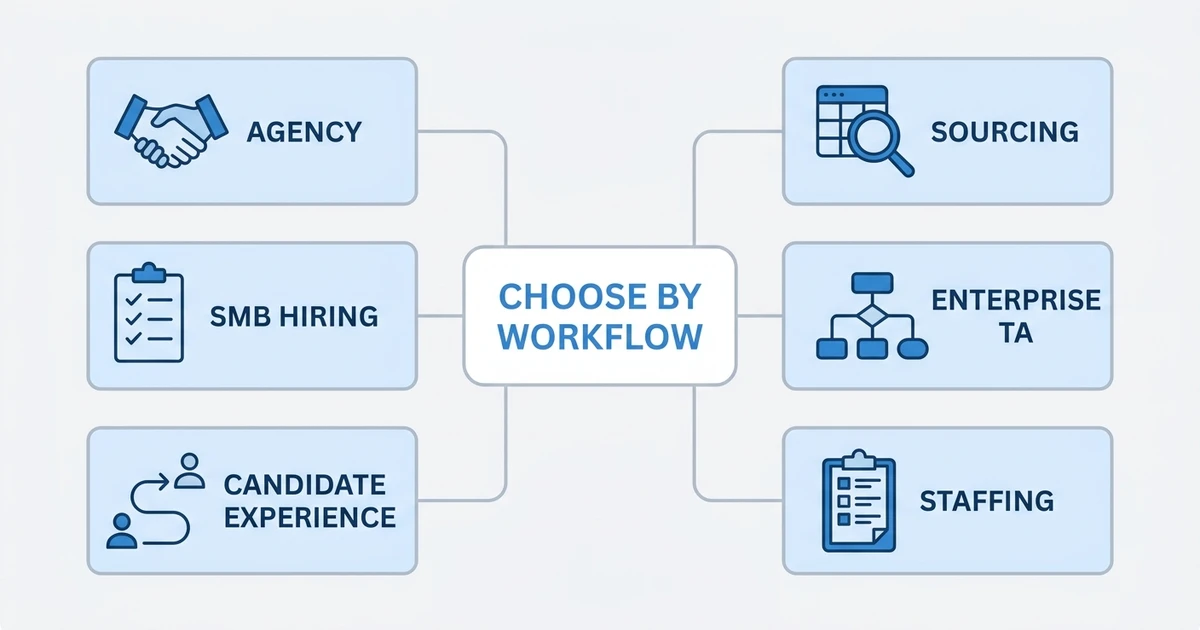
If you are an in-house hiring team, candidate experience and hiring manager collaboration may deserve more weight. If you are a recruitment agency, CRM and client workflow should move to the top of the list.
Use this framework:
| Workflow need | What to prioritize | Best-fit direction |
|---|---|---|
| Recruitment agency | ATS + CRM, submissions, client visibility | ATZ CRM, Recruiterflow, Crelate |
| Small business hiring | Fast setup, basic ATS, public pricing | Workable, Breezy HR, JazzHR |
| Candidate experience | Career sites, clean applications, hiring manager adoption | Pinpoint, Teamtailor, Recruitee |
| Sourcing-led recruiting | Talent database, outreach, automation | Loxo, ATZ CRM, Manatal |
| Enterprise TA | Process control, compliance, integrations | Greenhouse, SmartRecruiters, iCIMS |
| Staffing firm | Job orders, clients, candidate delivery, reporting | ATZ CRM, Bullhorn, CEIPAL |
Then run a live demo script. Ask each vendor to show one role from job intake through sourcing, outreach, shortlist, client or hiring manager feedback, and reporting.
If the platform cannot show that path clearly, it may not fix the friction your team feels today.
Is ATZ CRM right for your recruitment team?
ATZ CRM is right for you if the ATS alone is not enough. That usually happens when your team needs both candidate workflow and client workflow in the same system.
It is especially useful for agencies that want recruiters to manage roles, candidates, clients, email, notes, submissions, and reports without bouncing between tools. The client portal for recruitment workflows also helps when clients need visibility without constant manual follow-up.
ATZ CRM may not be your best fit if your priority is a consumer-grade career site or a broad HRIS. It is built for recruiting execution, not general employee administration.
For agencies, that focus is the point. You need software that helps recruiters place candidates and keep clients moving.
What to check before switching ATS platforms
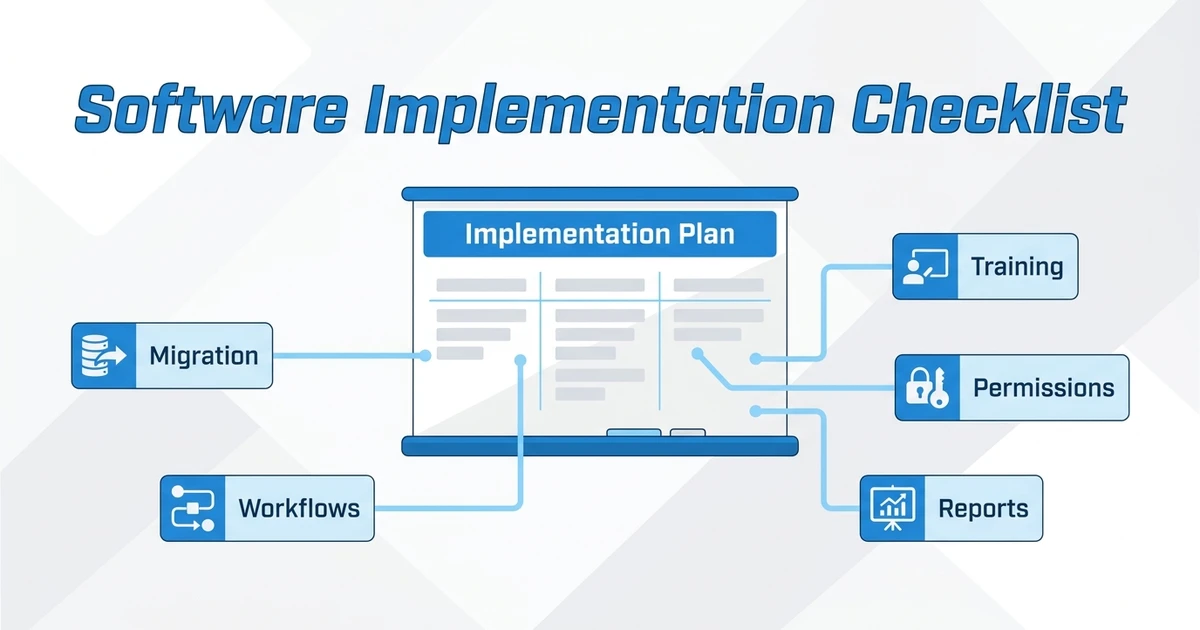
Switching ATS platforms is easier when you define the workflow before the migration. Do not wait until after import to discover that key fields do not map cleanly.
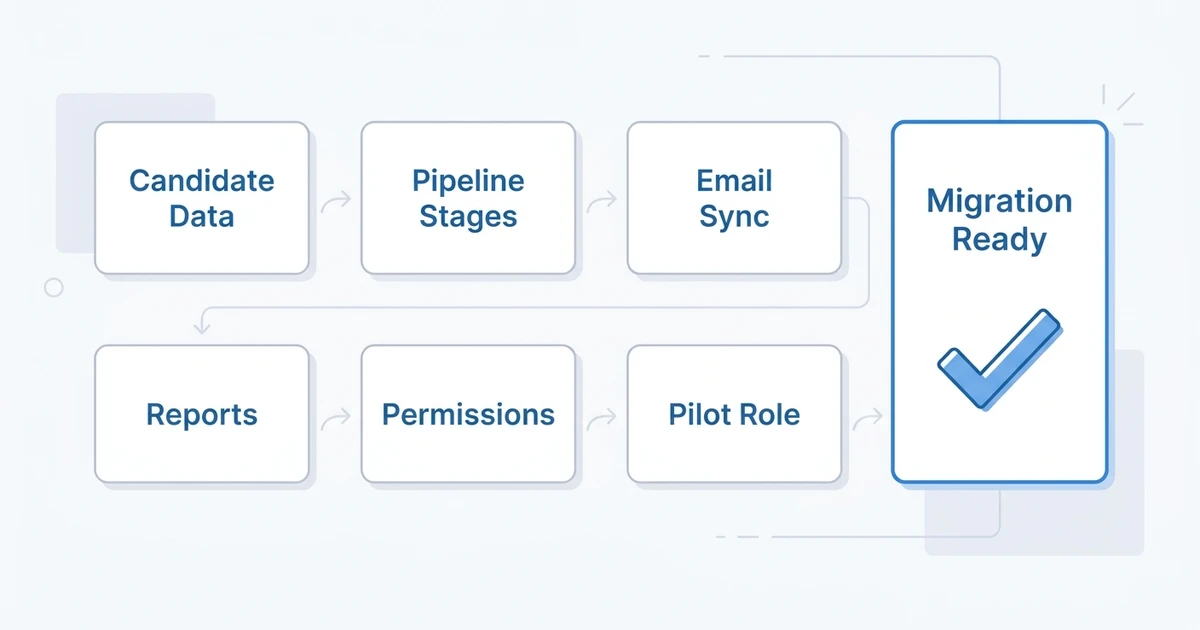
Use this checklist:
- Export sample candidate, contact, job, note, and activity records.
- Map pipeline stages from your current ATS to the new system.
- Decide which fields should be cleaned before migration.
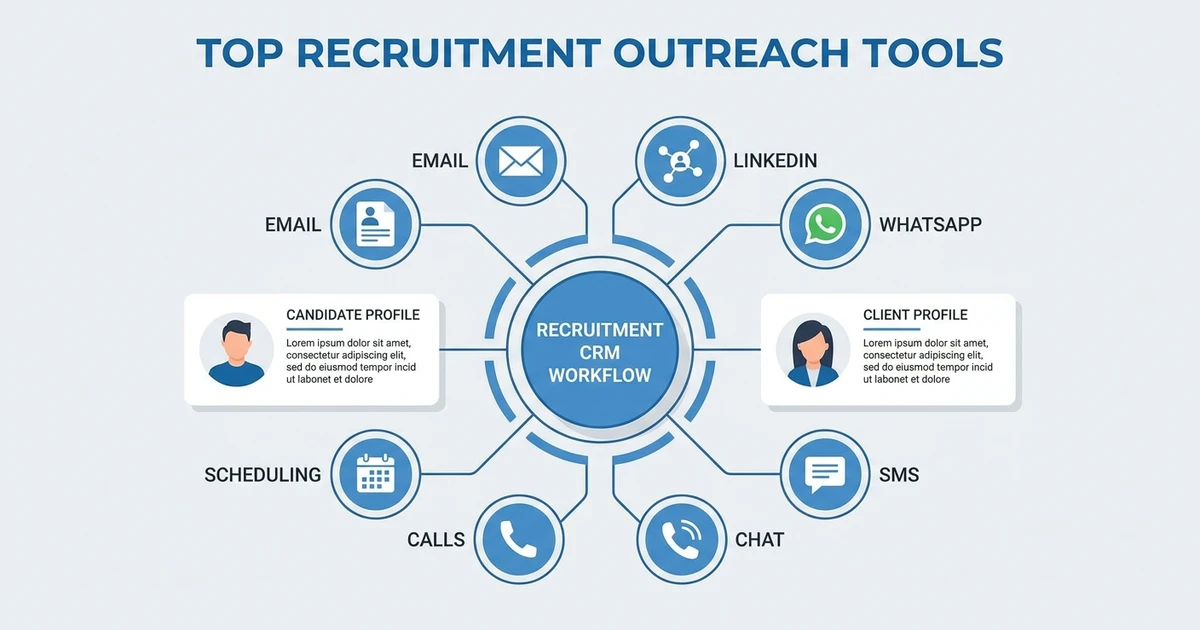
- Test email sync, templates, and outreach automation.
- Rebuild key reports before full rollout.
- Confirm permissions for recruiters, managers, admins, and clients.
- Run a pilot role with real data.
- Train recruiters on the daily workflow.
The recruitment software implementation guide can help you turn those checks into a rollout plan.
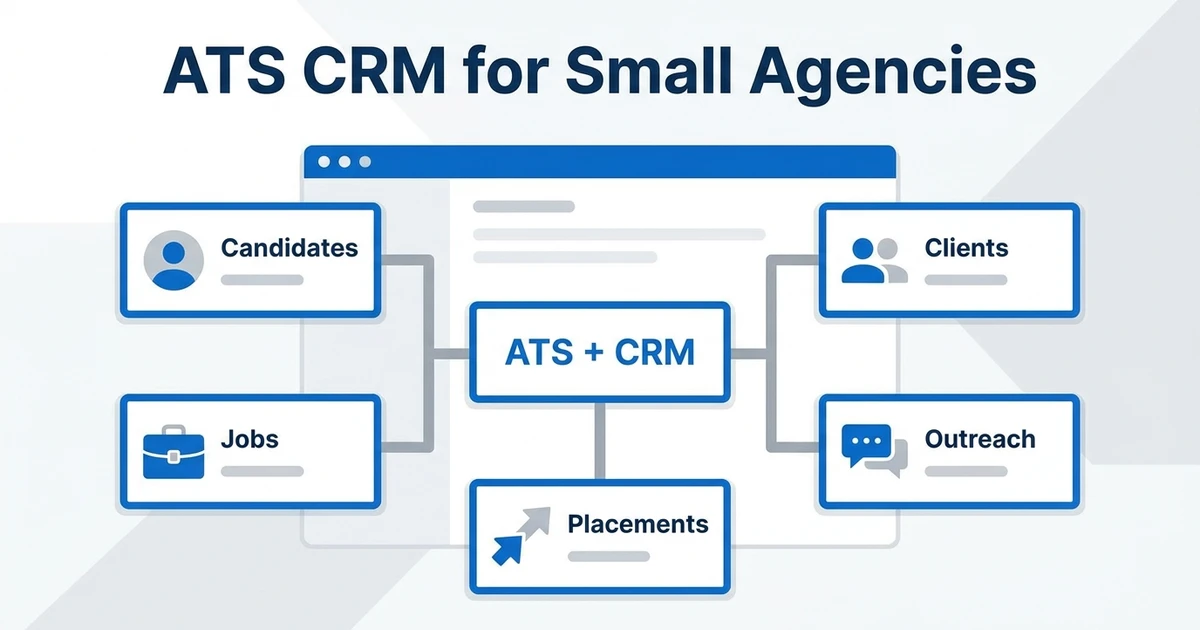
For smaller agencies, also read the ATS and CRM for small agencies guide before you decide whether to buy a simple ATS or a full recruiting workspace.
Frequently Asked Questions
What are the best Pinpoint alternatives for recruitment agencies?
The best Pinpoint alternatives for recruitment agencies are tools that combine applicant tracking, CRM, sourcing, outreach, submissions, reporting, and migration support. ATZ CRM is a strong first option because it connects candidate and client workflows in one platform.
Are Pinpoint competitors better for small businesses?
Some Pinpoint competitors may be better for small businesses that only need simple applicant tracking or public pricing. Agencies and staffing firms should compare deeper workflow needs before choosing a lightweight ATS.
Which Pinpoint alternative is best for candidate outreach?
The best option for candidate outreach depends on whether you need basic templates or full recruiting automation. ATZ CRM is a strong fit when outreach needs to connect with AI matching, candidate records, CRM notes, and reporting.
Should I choose a candidate experience platform or an ATS + CRM?
Choose a candidate experience platform if career pages and hiring manager collaboration are the main problem. Choose ATS + CRM if your team also manages clients, job orders, submissions, outreach, and revenue reporting.
Can ATZ CRM help with ATS migration?
Yes. ATZ CRM supports migration planning and helps teams move candidate, client, job, and activity data into a cleaner recruiting workspace. You should still audit fields, duplicates, stages, and reports before switching.
Conclusion
The best Pinpoint alternative depends on the reason you are switching.
If you need candidate experience and employer branding, career-site-led tools may fit. If you need enterprise process, an enterprise ATS may belong on the shortlist. If you need agency growth workflows, start with ATS + CRM.
ATZ CRM is the best first evaluation for recruitment agencies that want usability, AI matching, outreach, client CRM, reporting, and migration support together.
Compare ATZ CRM pricing before you shortlist tools with unclear packaging or quote-only buying paths.