EN
EN DE
DE ES
ES FR
FR NL
NL PT
PT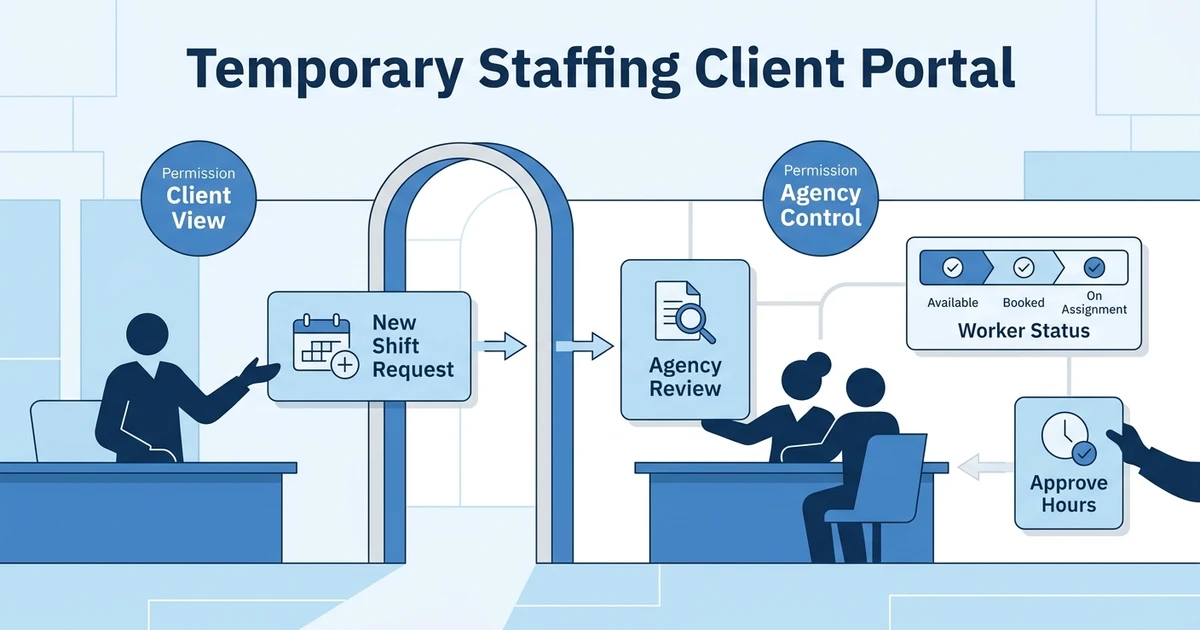





Quick Answer: A temporary staffing client portal gives employers a secure place to submit shift requests, review booking details, track worker status, and approve timesheets without relying on email threads. For agencies, the value is faster client communication, cleaner approval trails, and better visibility across shifts, candidates, placements, and timesheets.
Temporary staffing depends on speed, but speed breaks when client requests live across calls, emails, spreadsheets, and chat messages. A portal gives clients a controlled way to send demand into your agency.
It also protects your recruiters from retyping the same information into the system later. The goal is not to hand over control of your desk. The goal is to give clients visibility while keeping your workflow clean.
Staffing provided job and career opportunities for about 11 million employees in 2024 according to the American Staffing Association. ASA also reported that U.S. staffing companies employed an average of two million temporary and contract workers per week in Q4 2025 in its quarterly staffing update.
What Is a Temporary Staffing Client Portal?
A client portal for temp agencies is a secure client-facing workspace for shift requests, job requisitions, booking updates, worker visibility, and timesheet approvals. It gives hiring managers one place to act instead of sending every request through a recruiter.
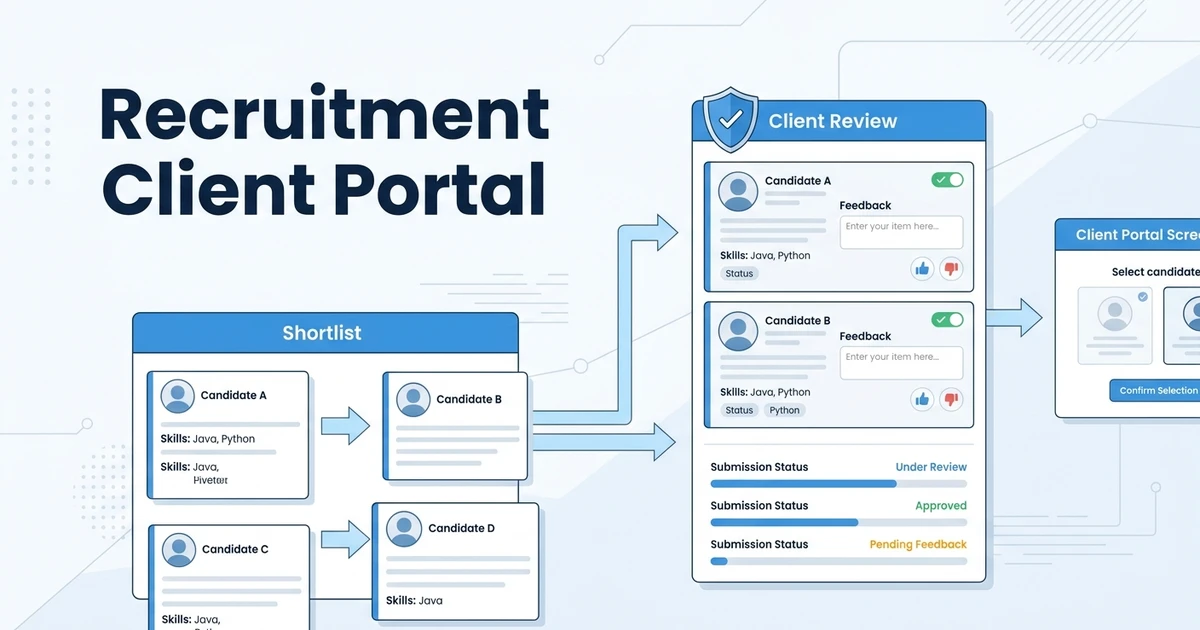
This is different from a general recruitment client portal. A general portal often focuses on candidate submissions, CV review, and feedback. A temp staffing portal needs to support operational movement after the worker is placed.
For example, a warehouse manager may need extra workers for a night shift, a care home may need urgent cover, or a hotel may need to approve weekly hours. Those actions should create clear records inside your staffing workflow.
Why Temp Staffing Clients Need Self-Service Access
Temporary staffing clients often work under time pressure. They may need to request cover quickly, adjust worker numbers, confirm booking details, or approve timesheets before payroll and billing move forward.
If every update depends on a phone call, your team becomes the bottleneck. Recruiters spend time translating client messages into system records instead of filling roles and managing relationships.
Self-service does not mean clients should see everything. A good portal uses permissions so clients can only access the actions and information your agency chooses to expose.
Client Portal Features for Temporary Staffing Agencies to Look For
The best portal features are practical. They reduce back-and-forth without making your data messy.
Look for:
- Shift request submission
- Job requisition details
- Controlled worker or candidate visibility
- Booking status
- Timesheet review and approval
- Notes and communication history
- Reporting or request history
- Secure access and role permissions
- Mobile-friendly access
- Connection to ATS and CRM records
The final point matters most. If portal activity does not connect to your ATS and CRM, your team still has to copy information into the real system of record.
ATZ CRM supports recruitment client portal software and a client portal workflow for recruitment agencies, so client activity can stay closer to your recruiting records.
If client requests and approvals are scattered across calls and inboxes, use ATZ CRM to test a client portal workflow for job requisitions, candidate visibility, shifts, and timesheet approvals. Request a demo with your current client process.
Client Portal vs Candidate Portal in Temporary Staffing
A client portal is built for employers. They can submit requirements, review details, check status, and approve work depending on the permissions you set.
A candidate portal is built for workers and applicants. They may update their profile, manage documents, apply for jobs, or submit timesheets through the candidate portal.
Temporary staffing works best when both sides connect to the same workflow. Clients request and approve. Candidates submit and update. Your agency sees the record behind both actions.
How ATZ CRM Connects Client Portal Workflows with Temp Staffing
ATZ CRM connects client portal activity with ATS and CRM records, so your team can manage client relationships and recruiting delivery in one place. That matters for temp staffing because a client request needs to become an actionable job, shift, or placement record.
Clients can submit job requisitions through the client portal and teams can manage job requisitions inside the workflow. For temp-focused teams, temporary staffing software adds the contracts, shifts, candidate portal timesheets, and redeployment context.
This helps agencies serve clients faster without losing internal control. Your team still owns the recruiting workflow, but clients get a cleaner front door for requests and approvals.
Is ATZ CRM Right for Your Client Portal Workflow?
ATZ CRM is a strong fit if clients submit repeat shift needs, if recruiters chase approvals manually, or if your agency needs temporary and permanent workflows together. It also fits teams that want client-facing visibility without relying on long email threads.
It may not be the first fit if you only need a static document upload portal or a standalone vendor management system replacement. A client portal should support your staffing workflow, not become another disconnected place to check.
The best test is to follow a real client request. Can the client submit it clearly? Can your team act on it quickly? Can approval activity stay tied to the correct job, candidate, and placement?
Frequently Asked Questions
What is a client portal for temporary staffing?
A client portal for temporary staffing is a secure workspace where clients request shifts, review booking details, track status, and approve timesheets. It helps staffing agencies reduce scattered communication while keeping client activity tied to their ATS and CRM.
How does a client portal help with shift requests?
A client portal turns shift requests into structured information instead of free-form messages. Clients can submit role, timing, location, and requirement details in a format your team can act on faster.
Can clients approve timesheets in a staffing portal?
Yes. A staffing portal can let clients review submitted hours, approve them, or raise a query. This gives your agency a clearer approval trail than email alone.
What is the difference between a client portal and candidate portal?
A client portal serves employers and hiring managers. A candidate portal serves workers and applicants who need to manage profile details, documents, applications, or timesheets.
Does ATZ CRM include client portal workflows for staffing agencies?
Yes. ATZ CRM supports client portal workflows, candidate portal workflows, job requisitions, candidate pipeline visibility, and temporary staffing features such as contracts, shifts, and candidate portal timesheets.
Give Clients Visibility Without Losing Workflow Control
A client portal for temp agencies should make client action easier while keeping your agency in control of permissions, records, and workflow quality. That is the balance that matters.
When requests, approvals, candidates, shifts, and timesheets connect to your ATS and CRM, your team gets a cleaner operating model. Clients get visibility, and recruiters get fewer loose ends.
Book a demo and walk through how your clients would request shifts, review updates, and approve work inside ATZ CRM.