


Quick Answer:
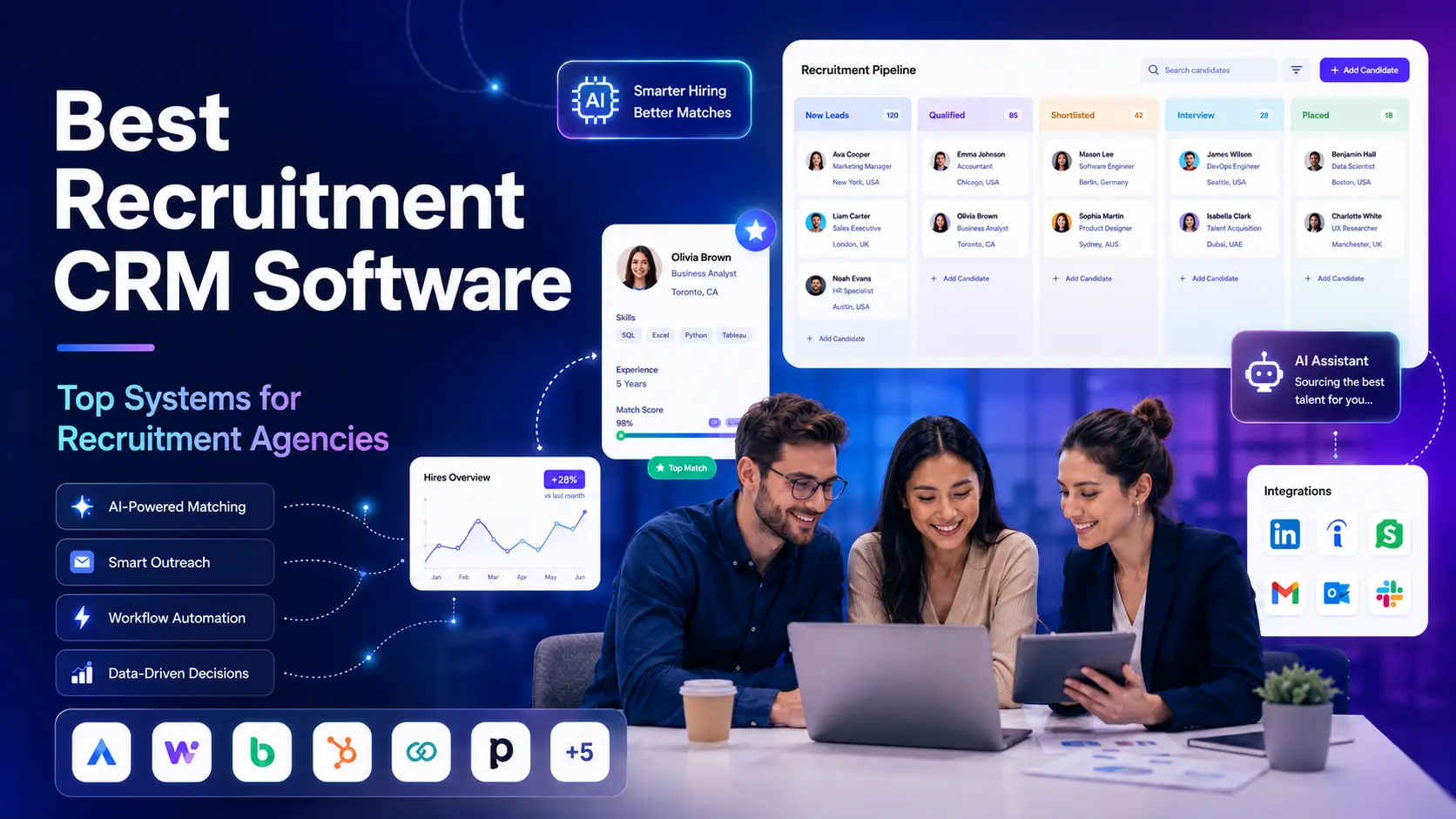
The best CRM for recruitment agencies in 2026 runs both sides of the desk in one system: candidate delivery and client business development. ATZ CRM does that with a full ATS and agency CRM in a single platform. It includes workflow automation across 2,000+ apps with no separate automation tool, an MCP server that connects ChatGPT, Claude, or Gemini to your CRM data, six built-in reports, custom development of anything you need that the product does not already do, and pricing from $12 per user per month.
Most recruitment agencies do not lose deals because their software is missing a feature. They lose them in the gaps. A client conversation that never made it out of an inbox. A candidate who was perfect for a role six months ago and is now impossible to find. A submission nobody chased. A report that takes three hours to put together because the candidate data and the client data live in different tools.
That is the problem a recruitment CRM is supposed to solve, and it is why the best CRM for recruitment agencies is rarely the best CRM overall. Generic sales CRMs model a pipeline of accounts. Agency work is two pipelines running at once, and they cross constantly.
This review covers ATZ CRM against that standard: what it does, how far it bends to your process, what you can automate without buying a second tool, what it reports on, and what it costs. For outside validation, Research.com covers ATZ CRM in its best ATS software analysis and published a full ATZ CRM review.
ATZ CRM at a glance
| ATZ CRM | |
|---|---|
| Best for | Recruitment, staffing, and executive search agencies, from solo desks to multi-team firms |
| Category | Combined ATS + recruitment CRM |
| Standout capability | Workflow automation across 2,000+ apps, with no third-party automation subscription |
| Customization | Custom fields with dependencies, custom talent funnels, job statuses, forms, list layouts |
| Custom development | Missing functionality built for you and included in your subscription |
| AI assistant access | MCP server connects ChatGPT, Claude, or Gemini to your CRM data (Enterprise plan) |
| Reporting | Six built-in reports covering pipeline, velocity, team, and client performance |
| Pricing | From $12 per user / month (Pro), $24 (Business), $60 (Enterprise) |
| Free trial | Yes |
What is ATZ CRM?
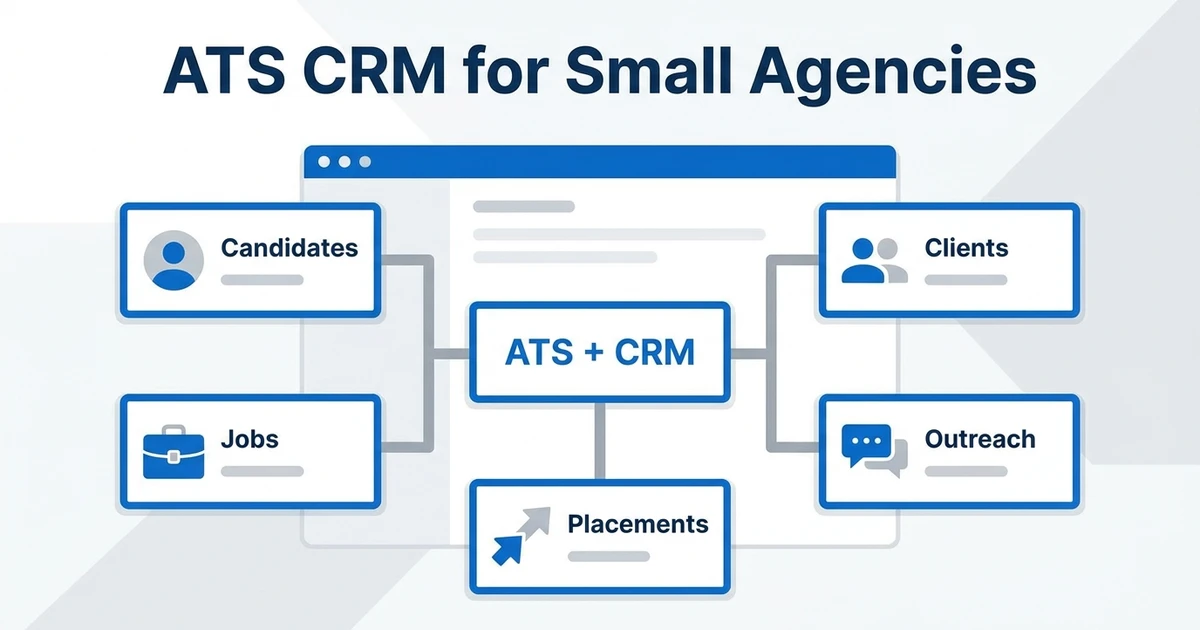
ATZ CRM is a cloud-based applicant tracking system and recruitment CRM built for agencies rather than internal HR teams. One workspace holds candidates, contacts, client organizations, jobs, deals, and placements, so the recruiter working a role and the account manager working the client are looking at the same records.
In a split stack, candidate history lives in the ATS and client history lives in the CRM, and nobody owns the join between them. In ATZ CRM, a candidate’s submission history, a client’s open roles, the deal value attached to them, and the email thread that produced all three sit on the same timeline.
Why agencies need ATS and CRM in one platform
An internal talent team hires for one company. An agency sells the role and fills the role, and the same person often does both. Splitting that across two systems causes problems you can predict in advance:
- Business development runs blind. Your CRM knows a client has three open roles. It does not know that you already submitted four strong candidates and two reached final round, which is the information that actually earns you the next role.
- Candidate rediscovery breaks. Silver-medal candidates are the cheapest source of placements an agency has, and you can only find them if past submissions, notes, and client feedback stay attached to the person.
- Forecasting becomes guesswork. Revenue lives with deals and delivery risk lives with pipelines. Leaders need both in one view to know which placements are real.
- Every integration is a liability. A sync between two vendors is one more thing that can fail quietly on a Friday.
The ATS side of ATZ CRM handles job posting, applicant tracking, resume storage and parsing, interview scheduling, talent funnels, and submissions. The CRM side handles contacts, client organizations, deals, activity logging, and revenue. Since they are the same product, there is no join to maintain.
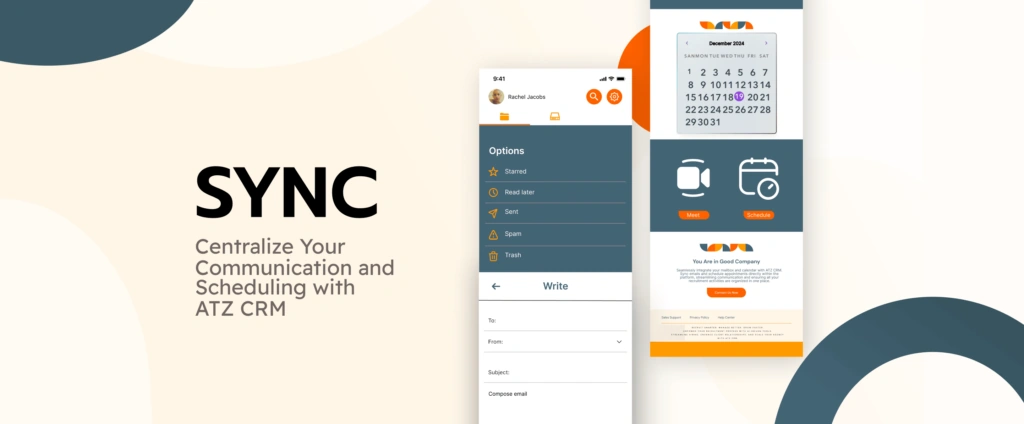
If you are still deciding whether you need one, the other, or both, our breakdown of ATS vs CRM for recruiters walks through the decision in detail.
Customization: the system fits your agency, not the reverse
Recruitment software usually fails at the fit layer. The platform assumes a hiring process, your agency runs a different one, and within a month recruiters are keeping the real process in a spreadsheet. ATZ CRM handles this at three levels: what you configure yourself, what our team sets up with you, and what we build for you when the feature does not exist yet.
What you can configure yourself
- Custom fields on every entity. Add fields to candidates, contacts, jobs, organizations, deals, and placements so the platform tracks the data your desk actually runs on, such as clearance level, visa status, rate card, notice period, practice area, or region.
- Dependent (nested) fields. Set parent-child rules so a selection on one field reveals the right child field and limits it to valid options. A form that asks the right next question is a form recruiters finish.
- List layouts per view. Show, hide, and reorder columns on candidate, job, contact, organization, deal, and placement lists, so each team sees its own working view.
- Custom talent funnels and hiring stages. Build funnels that match how your agency actually works a role, add or reorder stages, and keep separate funnels for contract, permanent, and executive search delivery.
- Custom job statuses. Extend the predefined statuses to control hiring workflow tracking, active job visibility, and job board publishing behavior.
- Customized job application forms. Ask for the information your clients require at application instead of a generic default set.
- Custom activity types, note types, email signatures, and invoice formats, so logged work and client-facing documents match your agency’s language and branding.
What we set up with you
Configuration options only help if someone sets them up correctly. During onboarding, our team maps your existing process, including your funnels, fields, statuses, reporting definitions, and your data from your previous system, then builds the workspace around it. You do not get handed an empty account and a link to the help center.
What we build for you
If what you need does not exist in ATZ CRM’s standard functionality, we build it. Custom development for customer requirements is included in your subscription, not quoted as a separate professional services project. Tell us the workflow, the field logic, the report, or the integration behavior your desk depends on, and it gets built into your ATZ CRM.
We work this way on purpose. Recruitment agencies do not run identical processes, and a platform that forces every firm into the same funnel is really asking that firm to change its business to suit the software. We would rather change the software. Requirements raised by one agency regularly become functionality that every customer gets.
This is worth the most to boutique agencies and executive search firms, where the process is the differentiator and there is no spare operations hire to run an implementation. It also matters to agencies leaving an enterprise platform, where a single custom field meant a change request and an invoice.
Workflow automation across 2,000+ apps, built in
This is where ATZ CRM separates itself from most recruitment CRMs at a similar price. Automation is not an add-on you wire up through a third-party tool. It is part of the platform.
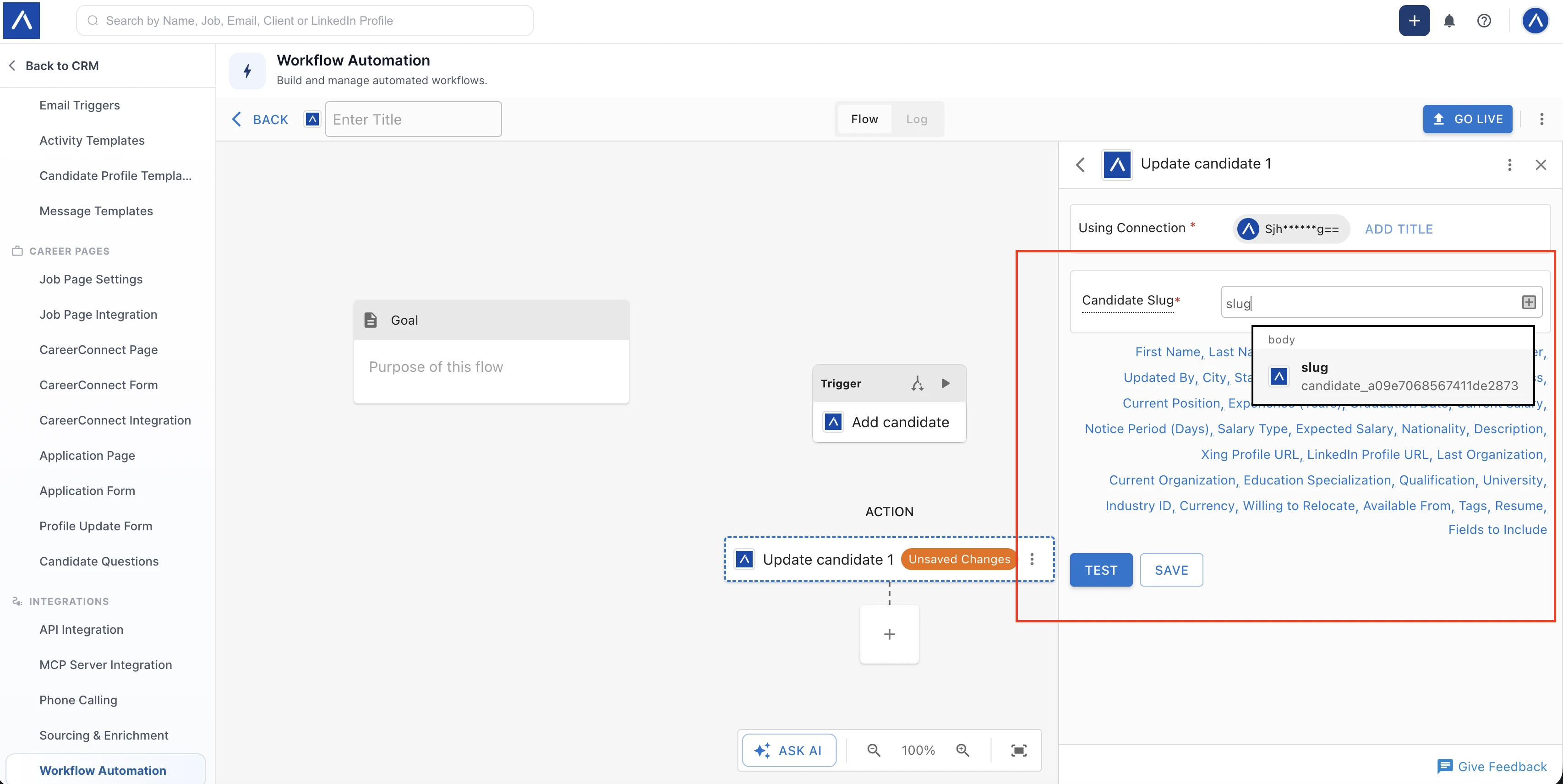
Open Admin Settings → Integrations → Workflow Automation and you get a full automation builder, powered by viaSocket, with access to 2,000+ app integrations and built-in tools. No separate Zapier or Make subscription, no per-task billing from another vendor, no second admin console to learn.
How a flow works
An automation is called a flow, and it has two parts:
- A trigger, which is the event that starts it. A candidate is added, a deal moves, a contact changes stage, a job is created.
- One or more actions, which are what happens next. Update the candidate, add a note, post to Slack, write a row to Google Sheets, send data to your finance tool, or call an external API.
You connect ATZ CRM once with your API key, then map values between steps using data pills, which are field values passed forward from an earlier trigger or action, such as candidate name, email, slug, or tags. Save the steps, select Go Live, and the flow runs. Every run is recorded in a History log, so you can confirm what fired and troubleshoot what did not.
If an app is not in the catalog, you can add a custom connection or call the app’s open API through the custom API step.
What agencies actually automate
| Trigger | Action | Result |
|---|---|---|
| New candidate added | Enrich record, add note, notify owner in Slack | Nobody re-keys data or misses a new applicant |
| Candidate reaches submission stage | Draft the client submission email, log the activity | Faster submissions and a complete audit trail |
| Deal moves to won | Create placement record, push details to accounting | Invoicing stops depending on someone remembering |
| Contact goes quiet for 30 days | Add to nurture sequence, create follow-up task | Client relationships do not decay silently |
| Job created | Post to job boards, alert the sourcing team | One action instead of six |
| Any ATZ CRM event | Send to ChatGPT or Claude, write the result back | AI steps inside your own workflow, on your own data |
For a small agency, the practical effect is that work you keep describing as “we should really systematize that” becomes a fifteen-minute build. Full setup instructions are in our guide on how workflow automation works in ATZ CRM, and the workflow automation feature page covers it at product level.
Connect ChatGPT, Claude, or Gemini to your CRM with MCP
Workflow automation covers the tasks you can define in advance. The MCP server covers the ones you cannot, which is the ad-hoc research, briefing, and admin work that eats a recruiter’s afternoon.
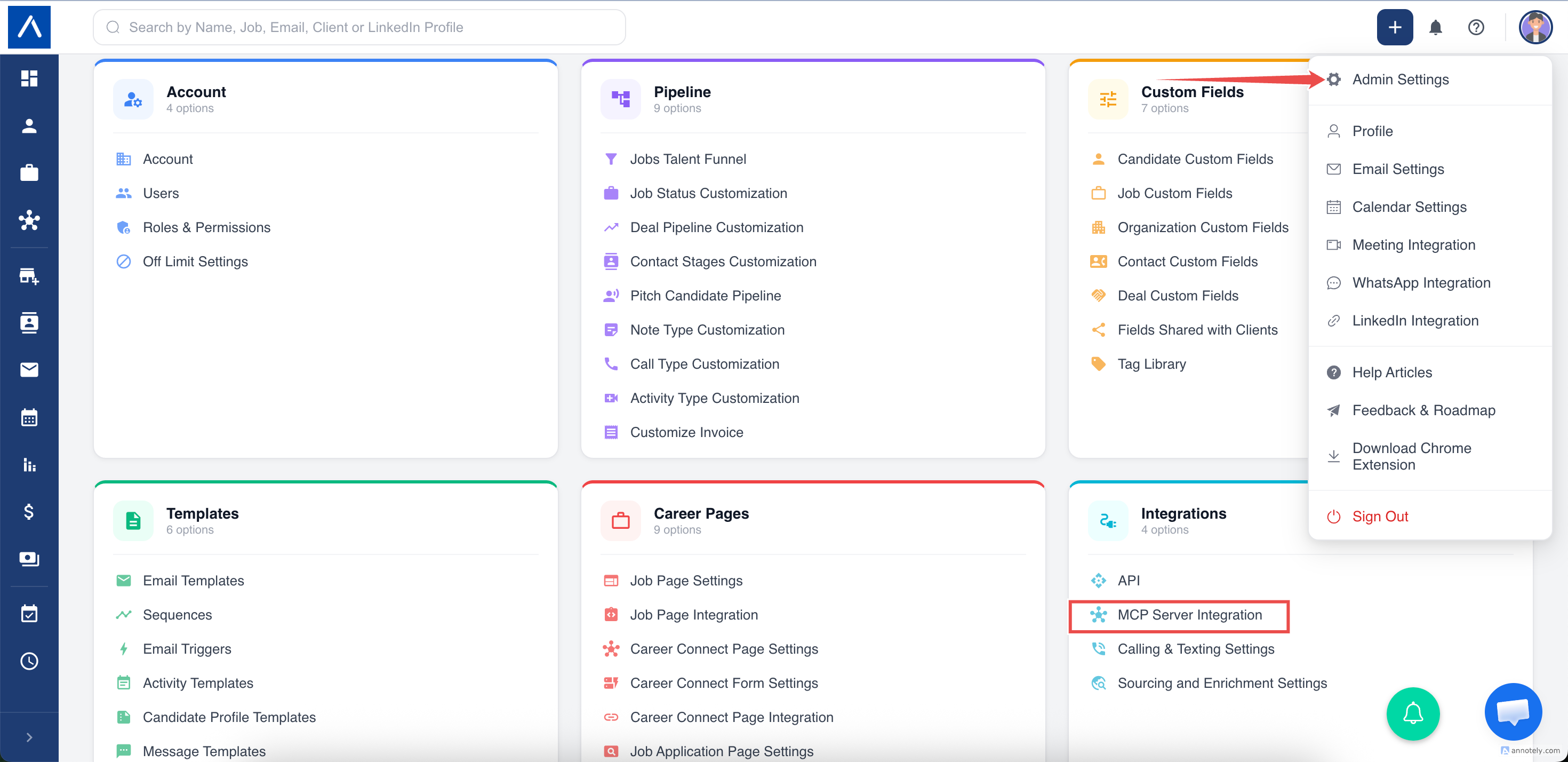
MCP stands for Model Context Protocol. It is an open standard that lets an AI assistant connect to an outside system and work with real data instead of whatever you paste into a chat window. It is also what turns ATZ CRM into an AI-powered ATS and CRM you can actually talk to, rather than one with an AI feature bolted onto a screen. The ATZ CRM MCP Server puts your own CRM behind that connection, so ChatGPT, Claude, Gemini, or any compatible client can search your candidates, read your jobs, and update your records with your approval.
Setup is short. An Enterprise admin generates an MCP Server URL from Admin Settings > Integrations > MCP Server Integration, adds a custom connector in the AI client, and pastes the URL in. The URL is itself the credential, so no separate API key is needed, and it can be rotated or switched off at any time.
What this looks like on a recruiter’s desk
| What you ask the assistant | What it does with your CRM |
|---|---|
| ”Find candidates with React experience in London. Show the top 10 with current role, company, skills, and location.” | Runs a Boolean search across profiles, resumes, work history, and custom fields, then returns a shortlist as a table |
| ”Prepare an interview brief for Priya Sharma for the Senior Backend Engineer role.” | Reads the candidate, the job, and the notes on both, then writes the brief |
| ”Build me a client meeting brief for Acme Ltd.” | Pulls the organization, its key contacts, open jobs, and recent notes into one page before your call |
| ”Summarize the pipeline for the Head of Data role. Group by stage, find the bottleneck, suggest next actions.” | Reads every match on the job, groups them by stage, and flags where candidates are stalling |
| ”Add a note to Priya Sharma: available for interviews next week, prefers remote.” | Writes the note to her record, so the call you just finished is logged before you forget it |
| ”Log an outgoing call with Priya, 5 minutes, left a voicemail, trying again tomorrow.” | Creates the call log against her record with your notes attached |
| ”Move Priya to interview stage for the Senior Backend Engineer role and note that the client asked for a technical round.” | Updates the match stage and records the reason on the timeline |
| ”Add a work history entry for Priya: Senior React Engineer at Acme Ltd, London, started April 2023, full time.” | Adds that one row to her history without touching the rest of her profile |
The searches are the part recruiters notice first. You can ask in plain English and the assistant translates it into Boolean operators against your database, so React AND London, Java OR Kotlin, and "Account Manager" AND SaaS NOT contractor all work without you writing them yourself. Everything it finds is your own data, which is the difference between an AI that guesses at a candidate summary and one that reports what is actually on the record.
What it can and cannot touch
Write access is deliberately limited. The assistant can create and update candidates, jobs, organizations, contacts, notes, activities, call logs, matches, and folders. It cannot delete, merge, archive, or bulk-delete anything, and deals are read-only. When it tries to create a record that already exists, ATZ CRM returns the existing one and fills only the blank fields rather than overwriting what is there.
Your AI client asks you to approve each action before it runs, so nothing is written to your CRM without a recruiter seeing it first. Full details are in the help articles on the ATZ CRM MCP Server and the available MCP actions and fields, and the MCP server feature page covers it at product level.
MCP Server Integration is available on the Enterprise plan, and generating the URL needs admin settings access and integration management permission.
Integrations: what ATZ CRM connects with, including your existing ATS
Beyond the automation layer, ATZ CRM integrates with the tools agencies already run. That includes two-way email and calendar sync for Gmail, Outlook and Microsoft 365, or any IMAP mailbox; LinkedIn and free job boards; a Chrome extension for sourcing; Slack, Google Sheets, Airtable, HubSpot, Salesforce and accounting tools through workflow automation; and AI models including OpenAI and Claude.
Agencies mid-contract on another ATS often ask for a recruiting CRM that integrates with the ATS they already own. ATZ CRM does, through workflow automation, the ATZ CRM API, or a custom API step, and it is a reasonable transitional setup.
The trade-off is worth stating plainly. Every sync layer is a maintenance cost and a failure point, and a disjointed stack of ATS and CRM tools is the thing agencies most often ask us to fix. The reason to run a combined ATS and CRM is to delete that layer. Most agencies that start with ATZ CRM as the CRM half move everything onto it at renewal. Our zero-downtime data migration process exists for that move.
Reporting and data analytics agencies can act on
“Advanced reporting” is a claim every vendor makes. Agencies shopping for a recruitment CRM with real data analytics should ask what reports actually ship, so here is exactly what the ATZ CRM reporting suite contains:
- Account Snapshot Report: candidate pipeline distribution, job status breakdown, deal volume, and deal value distribution in one view.
- Candidate Stage Report: stage transitions across a chosen time frame, with charts and tables you can download.
- Hiring Velocity Report: average time to hire, time to first candidate reaching a stage, and average time spent in each recruitment stage.
- Job Statistics Overview: job-by-job performance and KPIs, with applicant names and current stages exportable.
- Team Productivity Insights: recruiter-level comparison across hiring stages, notes, activities, pitched candidates, records added, revenue, and payments.
- Client Productivity Insights: the same rigor applied to clients and organizations, including contact stages, pitched candidates, revenue, and payments.
Agency leaders tend to use the team and client productivity views together. Recruiter performance on its own tells you who is busy. Set against client performance, it tells you which desks are working roles that were never going to fill, which changes what you take on next quarter.
A Staffing Industry Analysts survey of U.S. staffing firms cited by Forbes found that 80% of staffing firms expect artificial intelligence to have a positive effect on their business. AI applied to incomplete pipeline data mostly produces confident wrong answers, so reporting quality and data discipline have to come first.
Security and candidate data compliance
Agencies hold large volumes of personal data belonging to people who are not their customers, which makes data protection a commercial requirement as well as a technical one. Enterprise clients ask about it during vendor review, and a weak answer costs you the PSL place.
Three questions are worth asking any recruitment CRM vendor: who inside your agency can see and export candidate records, what happens to that data if you leave, and whether the vendor will sign a data processing agreement. Here is how ATZ CRM answers them.
ATZ CRM applies data encryption and role-based permissions, using custom roles with access levels such as Everything, Owned, or None to govern what each user can view, create, edit, delete, export, or administer. We publish our incident response and vulnerability management policies, and offer a data processing agreement for GDPR-aligned processing. Details on where data is stored are on the data hosting and security page, and our guide to GDPR and candidate data covers the obligations that apply to agencies specifically.
Pricing and what it costs to run
| Plan | Price | Suited to |
|---|---|---|
| Pro | $12 / user / month | Boutique and small agencies wanting full ATS + CRM |
| Business | $24 / user / month | Growing agencies needing deeper automation and reporting |
| Enterprise | $60 / user / month | Larger firms with advanced security, control, and support needs |
Two things matter more than the headline number. Several established agency platforms sit well above this per seat, and our ranked comparison of recruitment CRM software lists current entry prices side by side. For a five-recruiter firm, that gap changes the maths considerably. The second point is easy to miss when comparing platforms on list price: because automation is included rather than brokered through a third-party tool, there is no separate per-task automation bill on top. Current plan details are on the pricing page.
Which agencies ATZ CRM fits best
- Boutique agencies (1 to 10 recruiters). Full ATS, CRM, automation, and reporting without hiring an admin. See ATS CRM for small recruitment agencies.
- Staffing agencies. As a CRM for staffing agencies it handles high-volume pipelines, contract and temp workflows, and placement-to-invoice automation. See staffing agency solutions.
- Executive search firms. Long relationship cycles, mapped markets, and confidential processes that need custom funnels and tightly scoped record permissions. See executive search CRM.
- Scaling agencies. Teams outgrowing a free or basic ATS that need client management, reporting, and automation before headcount grows further.
ATZ CRM is a weaker fit for internal talent acquisition teams hiring only for their own company. They do not need the client CRM half and may be better served by a pure ATS.
How ATZ CRM compares to other recruitment CRMs
No review of a vendor’s own product replaces a like-for-like comparison, so we publish those separately. Our ranked list of the 11 best recruitment CRM software platforms and our 12-system comparison across pricing, AI, and use case both include competing tools. Head-to-head pages for Bullhorn, Recruiterflow, Loxo, Manatal, and JobAdder go feature by feature.
What sets ATZ CRM apart comes down to five things. The ATS and CRM share one record model. Automation across 2,000+ apps is included, with no extra subscription. The MCP server lets your AI assistant work directly on your CRM data. Custom development is included rather than billed. And the entry price keeps all of it reachable for a small agency.
Frequently Asked Questions
Q1. What is the best CRM for a recruitment agency in 2026?
The best recruitment CRM for an agency handles both sides of the desk in one system: candidate delivery and client business development. ATZ CRM is built for that model. It combines a full ATS with an agency CRM, includes workflow automation across 2,000+ apps, and starts at $12 per user per month.
Q2. Does ATZ CRM work as a recruiting CRM alongside an existing ATS?
Yes. ATZ CRM can run as the CRM layer next to an ATS you already own, syncing data through built-in workflow automation, the ATZ CRM API, or a custom API step. Most agencies eventually move everything onto ATZ CRM, because a combined ATS and CRM removes the sync layer completely.
Q3. Is ATZ CRM a good fit for boutique and small recruitment agencies?
Yes. ATZ CRM works for teams of one to five recruiters with no dedicated admin, and it scales to larger staffing and executive search firms. Pricing starts at $12 per user per month, so a boutique agency gets ATS, CRM, automation, and reporting without signing an enterprise contract.
Q4. Can I build automations in ATZ CRM without paying for Zapier?
Yes. ATZ CRM includes workflow automation, powered by viaSocket, inside Admin Settings. You build flows with a trigger and one or more actions, map fields with data pills, connect 2,000+ apps, and review run history. There is no separate automation subscription to buy.
Q5. Can I use ChatGPT or Claude with our ATZ CRM data?
Yes. The ATZ CRM MCP Server connects ChatGPT, Claude, Gemini, or any MCP-compatible assistant to your CRM, so it can run Boolean candidate searches, write interview and client meeting briefs, summarize a job pipeline, and log notes, calls, and stage changes against real records. Write actions are non-destructive and your AI client asks you to approve each one. MCP Server Integration is available on the Enterprise plan.
Q6. How customizable is ATZ CRM for an agency’s own workflow?
Very. You can create custom fields on candidates, contacts, jobs, organizations, deals, and placements, set parent-child dependencies between fields, control which columns each list shows and in what order, build custom talent funnels and hiring stages, add custom job statuses, and customize job application forms, invoices, and activity and note types. The ATZ CRM team also sets the workspace up around your process during onboarding, and builds anything you need that is not in the standard product.
Q7. What if we need something ATZ CRM does not do yet?
We build it. If a workflow, field behavior, report, or integration your agency depends on is missing from ATZ CRM, that development is included in your subscription rather than quoted as a separate professional services project. Requirements raised by one agency often end up as functionality every customer gets.
Q8. What reporting and analytics does ATZ CRM include?
ATZ CRM ships with six reports: account snapshot, candidate stage transitions, hiring velocity and time to hire, job statistics, team productivity insights, and client productivity insights. Data is exportable and report visuals can be downloaded.
Q9. How secure is candidate data in ATZ CRM?
ATZ CRM uses data encryption and custom roles with granular access levels that control what each user can view, edit, export, or administer. Incident response and vulnerability management policies are published, and a data processing agreement is available for GDPR-aligned candidate data handling.
Q10. Can I try ATZ CRM before purchasing?
Yes. ATZ CRM offers a free trial and a guided demo, so you can test your own sourcing, submission, and client workflows before committing to a plan.
The verdict
For a recruitment agency, the question is not whether a CRM has enough features. It is whether one system can hold candidate delivery and client business development together, bend to the way your desk already works, and take out the manual steps between them without you buying three more tools.
ATZ CRM does that. The ATS and CRM are one system. Customization goes deep enough that agencies stop keeping the real process in spreadsheets, and anything still missing gets built for you at no extra cost. Automation across 2,000+ apps comes with the platform. The reporting tells a busy recruiter apart from a productive one. And a five-person agency can justify the price.
The honest way to test any of this is against your own workflow rather than a demo dataset. Start a free trial or book a demo and run one live role through it end to end.