




Quick Answer: Temporary staffing software should help a startup agency move from a client job order to available workers, submissions, placements, and redeployment without losing the candidate or client history. A free spreadsheet stack can validate an early niche, but active assignments also require reliable timekeeping, payroll, and billing handoffs. Choose the recruiting system and the operational system together, even if you buy them in stages.
When does a temp agency need dedicated software?
A new agency may begin with one founder, a few clients, and a spreadsheet of candidates. That can be enough to test demand. The problem begins when the same candidate is considered for several orders, availability changes daily, and more than one recruiter needs a reliable record of contact, submission, and placement. At that point, the team needs a shared system of record and a repeatable way to hand assignments to operations.
Temporary staffing differs from a one-time permanent hire. After a client selects a worker, the agency still needs to track the start, assignment end, extension, hours, client approval, and possible redeployment. Some software covers that cycle end to end; other tools stop at placement. Read the contract and product documentation before assuming that “staffing software” includes time capture, payroll, invoicing, and compliance management.
Use this threshold as a practical test, not a universal headcount benchmark: if a recruiter cannot answer who is available, already submitted, currently assigned, or ready for another assignment without checking several files or inboxes, the free stack has reached its limit. The right purchase is the smallest dependable workflow that fixes that problem while leaving a clear path to payroll and billing.
Free stack or paid temporary staffing software?
“Free” can mean a genuinely free basic tool, a limited free tier, or a trial of a paid product. Those are different budget decisions. A free trial should be used to test the full process before paying; it should not be described as permanent free staffing software.
| Option | What it can do | What it cannot be assumed to do | Budget decision |
|---|---|---|---|
| Spreadsheet, email, and calendar | Track a short list of candidates and client contacts manually | Shared candidate history, duplicate prevention, permissions, or dependable handoffs | No software license, but high manual effort |
| Free CRM or database tier | Organize contacts, notes, and simple reminders | Temp job orders, submissions, assignment dates, and timekeeping without configuration | Check user, storage, automation, and privacy limits |
| Free plan or trial of an agency ATS and CRM | Test candidates, clients, pipelines, outreach, and reporting | Paid operations features or payroll coverage | Verify seat limits, trial terms, and paid-plan scope |
| Paid agency ATS and CRM | Manage recruiting and client delivery in a shared workflow | Full workforce operations unless specifically included | Compare seats, migration, integrations, and support |
| Full temp operations platform | Combine recruiting with assignment, time, pay, and bill processes where offered | Every local tax, legal, or client-specific requirement | Request a detailed implementation and total-cost quote |
At the very beginning, a lean stack may include a spreadsheet, an eligible free job-posting channel, email, and a calendar. This is cheap in license fees but relies on the founder’s memory. When candidate and client records become valuable, protect them with permissions, ownership, and a migration path. Do not wait until a large placement database is spread across personal accounts.
If you do start in a spreadsheet, define one row per candidate, a stable candidate identifier, an owner, last-contact date, current availability, and the next permitted action. Keep client orders in a separate table linked by an order identifier. Record a submission as a relationship between one candidate and one order, not as a note copied into both rows. That simple discipline makes later migration more realistic and reduces the chance that a recruiter mistakes an old “available” note for current availability. Restrict access to personal information and make sure the team knows who can export it.
Separate cash cost from operating cost. A founder may spend nothing on software yet lose hours reconciling candidate status and client messages. A paid ATS may save that effort but still require a timekeeping system, message credits, onboarding, and data cleanup. Estimate the number of recruiter seats, active assignments, client approvers, and monthly communications you actually need. Ask for a quote using those inputs, then compare the complete stack over a contract term, including migration and renewal conditions. Avoid a decision based only on the advertised starting seat price.
For agencies with recruiting volume but a separate payroll provider, an ATS and CRM for temporary staffing may be the appropriate core. Confirm the exact availability fields, assignment data, export, and integration workflow in a demo. If the agency is already responsible for many active workers’ hours and invoices, evaluate a workforce operations product alongside the recruiting system rather than trying to stretch a generic CRM into one.
Temporary staffing platforms by operating model
Choose a category first. A brand name alone will not tell you whether the product supports your desk, worker operations, or both.
| Operating model | Example starting options | What to test first | Main limitation to check |
|---|---|---|---|
| Founder validating a temp niche | Spreadsheet, email, basic calendar | Can you record clients, candidates, availability, and next action consistently? | Duplicate records and weak permissions |
| Small agency with active orders | ATZ CRM or another agency ATS and CRM | Intake, candidate search, outreach, submission, placement, and client feedback | Assignment, timekeeping, payroll, and invoicing may need separate tools |
| Team already using a general CRM | Configured CRM plus recruiting tools | Is the candidate-job-client relationship usable without custom work? | Generic contact records are not staffing records |
| High-volume temp operation | Full staffing and back-office suite | Multi-worker orders, shifts, hours approval, pay and bill rules | Cost and implementation complexity |
| Technical team considering open source | Self-hosted ATS or database | Security, permissions, backups, maintenance, and support | License-free does not mean operating-cost-free |
ATZ CRM is an agency-focused recruiting option, not a claim that every temp operation fits in one product. Its current pricing and feature table advertises a no-expiry free option for solo recruiters and small teams, and lists job contracts, candidate timesheets, and temp invoicing on the Business plan; payroll is not listed there. Test whether candidate and client records, job pipelines, matching, outreach, submissions, and reporting are usable for your recruiters on the plan you would choose. The staffing agency solution overview describes the broader agency workflow. Confirm the exact limits and payroll handoff with the vendor.
If evaluating other vendors, ask them to demonstrate your own order and assignment, not a polished general tour. Verify whether a free tier exists today, whether a trial converts automatically, which integrations are included, and whether usage charges apply to messaging or job distribution. Current plan and pricing pages should override any static comparison article, including this one.
A startup workflow from job order to payroll handoff
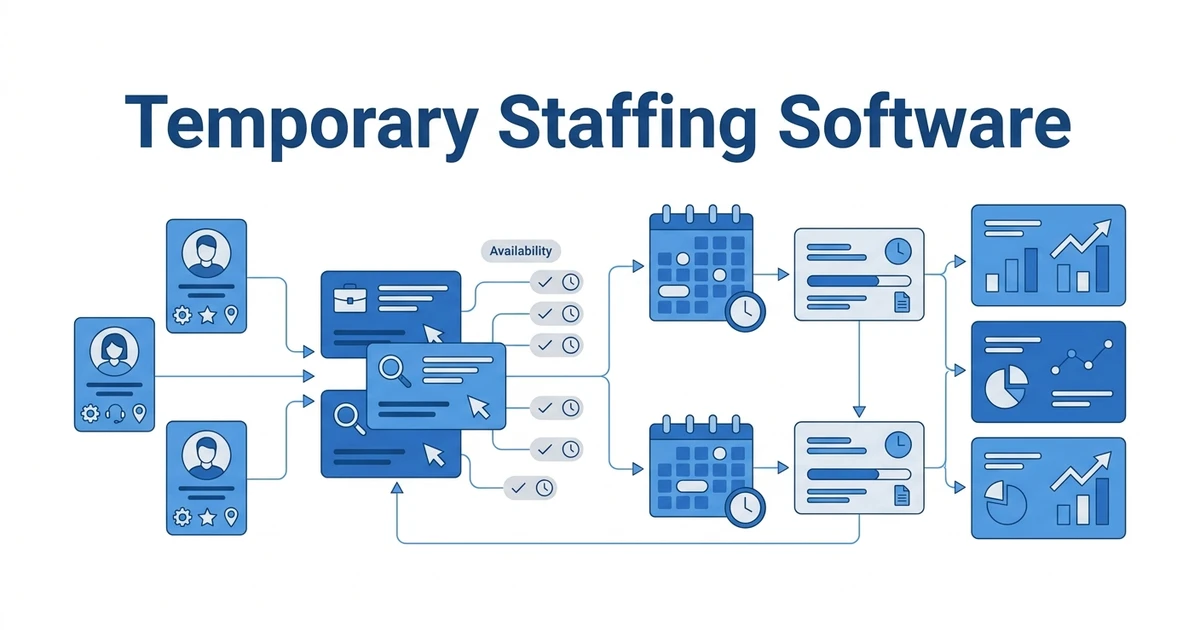
Imagine an agency serving a warehouse client that requests five workers for Monday. In this example, the account manager enters the client, worksite, role, pay and bill terms, required credentials, start time, and order owner. A recruiter searches for available candidates, checks who is already assigned or recently declined, and records contact and consent for each proposed worker.
The recruiter sends a shortlist and records the client’s selection. Before the start, the team confirms identity and role-specific requirements using the appropriate processes. The operational owner then receives assignment dates, rate and worksite details, and a clear method to capture and approve hours. At the end of the week, the worker’s approved time moves into payroll and client billing. If the client extends the order, the team updates the assignment. When it ends, availability and follow-up dates feed redeployment.
The most important handoff is often the least visible in a product demo. Make the hiring team state which record is authoritative when a shift changes: the ATS, the scheduling system, the timesheet, or the payroll platform. Define who can change the start date or rate, how the change is approved, and when the worker and client receive an updated confirmation. A candidate record can be correct while payroll is wrong if those systems use different assignment identifiers. Ask the vendor to demonstrate a correction after an assignment has already begun, not just a clean first placement.
Worker information also has a lifecycle. The recruiter needs enough detail to match and communicate, but not every recruiter needs access to identity documents, pay data, or a screening report. Separate recruiting notes from restricted operational records. Decide how a candidate can correct an outdated availability or contact detail, how long inactive records are retained, and how a former worker becomes eligible for redeployment. These decisions affect both product configuration and the agency’s day-to-day process.
Now run this scenario in the software you are evaluating. Can you complete it without copying the same name, dates, and rate into several systems? Can another recruiter see why a worker was unavailable? Can the account manager tell whether all five positions were filled and which workers are awaiting confirmation? Can operations reconcile approved hours to payroll without relying on a forwarded email? A good demo should expose the awkward handoffs, not hide them.
For US work, Department of Labor guidance explains wage-and-hour records employers must keep, while OSHA’s temporary-worker guidance describes shared safety responsibilities between staffing agencies and host employers. Software does not transfer those obligations. Define the owner of each record and handoff in the client agreement and operating process.
The contract staffing playbook gives related guidance for longer assignments and renewals. For a temp agency, the key is to preserve the candidate’s history across repeat orders rather than starting every booking from scratch.
Use your next live order as the trial script. Explore ATZ CRM’s temporary staffing workflow and check the exact steps your recruiting team can complete before deciding what operational tool should handle hours, pay, and invoices.
What to verify before you buy
Prepare a short, evidence-based scorecard. Give each vendor the same sample order, sample candidate records, and an anonymized example of an extension or timesheet exception. Have the recruiter, account manager, and operations owner each complete their part. A product can look fast for a single recruiter and still create extra work for the person who pays workers.
| Question | Evidence to request |
|---|---|
| Can recruiters search by availability, skill, location, and assignment status? | Live search using your sample records, including an unavailable candidate |
| Can one order fill several openings? | Multi-worker submission and placement demo |
| What happens after placement? | Assignment dates, extension, end date, and redeployment workflow |
| How are hours approved? | Native timesheet demonstration or documented handoff to another system |
| How does payroll receive correct data? | Export or integration specification, data owner, and exception handling |
| How are client and candidate records protected? | Permissions, audit history, retention settings, and migration plan |
| What is the complete cost? | Seats, setup, integrations, communications, support, and operational add-ons |
Ask how the system handles an error: a worker is double-booked, the client changes a shift, a timesheet is disputed, or a candidate’s credential expires. These are normal workflow tests. They reveal whether reminders and statuses are trustworthy and whether the back office can see changes in time.
Score each demo on the same scale. Give the greatest weight to the tasks that currently delay a placement or payment, such as finding available candidates, preventing duplicate outreach, or approving hours. Mark a function as “demonstrated” only when the vendor completes it with your sample data. Keep “on the roadmap,” “possible through an API,” and “available through a partner” in separate columns. Those answers have different implementation costs. Ask a recruiter and an operations colleague to score independently, then compare the disagreement; it often exposes an attractive recruiter interface paired with an awkward back-office handoff.
Run a small migration rehearsal before signing. Import a handful of candidate, client, and order records with duplicates, missing dates, and old notes. Check whether search results remain useful, permissions are preserved, and previous submissions can be reconstructed. Ask who cleans source data, how long the migration will take, and what happens if the first import is wrong. A platform can pass the new-order demo yet still fail the agency if years of candidate history arrive as unsearchable attachments.
Finally, name an implementation owner before making the purchase. That person should decide which fields are required at order intake, who updates candidate availability, who approves a submission, and which system records an extension. Schedule a review after the first live orders and compare the new workflow with the old spreadsheet process. Did the team reduce duplicate contact and missing details, or merely move them to another screen? Adjust permissions, templates, and training early while the data set is still manageable. A startup gets more value from a consistently used core workflow than from a long feature list nobody maintains.
Avoid claiming a feature is included because it appears in a broad marketing description. Verify the plan, country, integration, and rollout date. Request a written answer for anything your payroll or compliance process depends on. If a dedicated operations system is needed, include its subscription, integration work, and ownership in the decision.
Temporary staffing software FAQs
What is temporary staffing software?
It helps an agency manage client orders, candidate availability, outreach, submissions, placements, assignments, and follow-up. Some products also cover timekeeping, payroll, and billing; many recruiting systems need a separate operations tool for those tasks.
Can a startup use free temporary staffing software?
A startup can use spreadsheets and eligible free posting channels to validate a niche. Check whether any free tier or trial covers the active-worker workflow you need, and document the upgrade trigger before placements scale.
How is temporary staffing software different from a normal CRM?
A normal CRM tracks contacts and sales activity. A temp agency also needs candidates tied to job orders, availability, submissions, assignment dates, client approvals, and handoffs to timekeeping or pay and bill systems.
Does ATZ CRM handle payroll for temporary workers?
Do not assume an ATS and CRM replaces payroll. Ask ATZ CRM to demonstrate the exact data it stores and the integration or export available on your plan, then test the handoff with the system that will process hours and pay.
When should a temp agency replace spreadsheets?
Replace them when two recruiters cannot trust the same candidate status, client orders lack clear ownership, or assignment and timesheet details are repeatedly copied. The trigger is unreliable execution, not a fixed worker count.
A practical first shortlist
If your agency is validating a new niche, use a disciplined free stack while defining candidate, client, and assignment fields that can be migrated. If recruiting has become the bottleneck, shortlist agency ATS and CRM products and run the sample order above. If active-worker administration is already the bottleneck, include a full temp operations platform and the payroll owner in the buying team.
The best temporary staffing software is the one that keeps the next order and the current workforce visible without promising coverage it does not have. Request an ATZ CRM demo focused on candidate availability, multiple openings, assignment context, and the handoff to your timekeeping and payroll process.