EN
EN DE
DE ES
ES FR
FR NL
NL PT
PT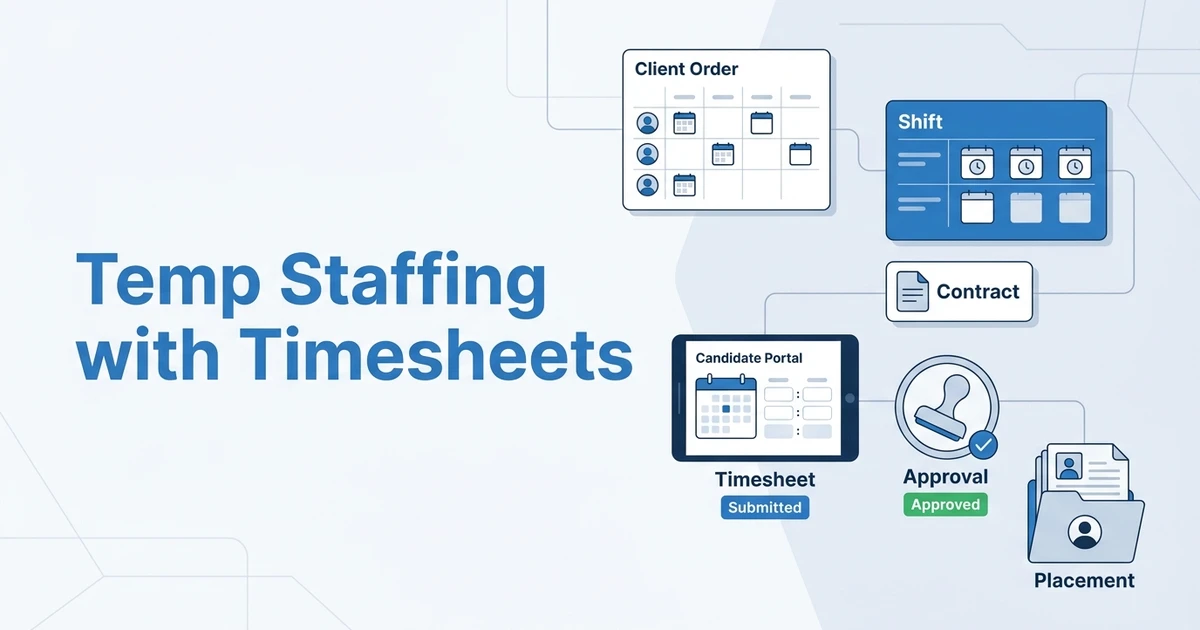



Quick Answer: The best temp staffing software with timesheets helps agencies manage client orders, contracts, shifts, candidate time submission, client approvals, and placement visibility. The right platform should connect timesheets to the recruitment workflow, not leave them in a separate spreadsheet or payroll-only tool.
Temp staffing is operationally heavier than permanent recruitment. You still source and place candidates, but after the start date you also manage shifts, contracts, timesheets, approvals, client changes, and redeployment.
That is why buyers searching for temp staffing software with timesheets are usually not looking for a simple ATS. They need a workflow that keeps the whole assignment visible.
Staffing remains a large workforce channel. The American Staffing Association says staffing provided job and career opportunities for about 11 million employees in 2024, and nearly 2.2 million temporary and contract employees worked for America’s staffing companies during an average week in 2024 according to its staffing industry statistics. In Q4 2025, U.S. staffing companies employed an average of two million temporary and contract workers per week according to ASA’s quarterly update.
What Is Temp Staffing Software with Timesheets?
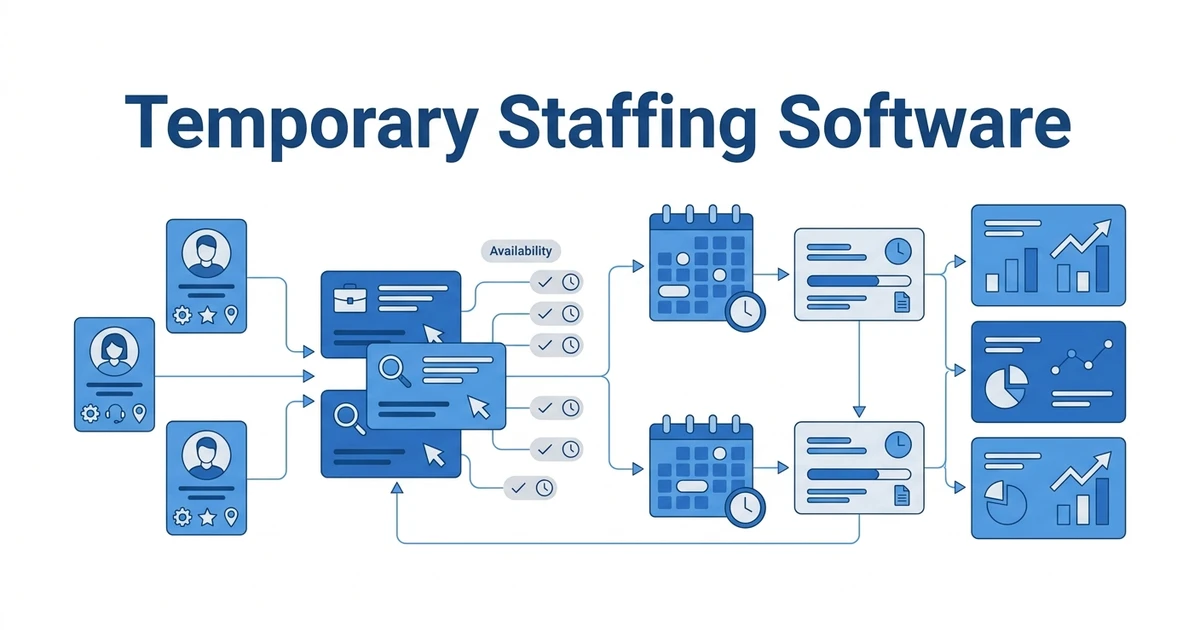
This type of staffing platform helps agencies manage temporary job orders, candidate assignment details, shift activity, submitted hours, and client approvals. It should give recruiters and operations teams one place to see what has been requested, filled, worked, submitted, approved, and ready for payroll or billing handoff.
A generic applicant tracking system can manage applications and hiring stages. A generic CRM can manage client contacts. Temp staffing software has to go further because the agency remains involved after placement.
The useful test is simple: can your team see the candidate, client, job, shift, contract, timesheet, and approval status without opening multiple systems? If not, the workflow will rely on memory, inbox searches, and manual follow-up.
Why Agencies Need More Than a Permanent Recruitment ATS
Permanent recruitment usually ends when the candidate accepts, starts, or clears the guarantee period. Temporary staffing continues through the active assignment. Your team still has to manage schedule changes, timesheet questions, client approvals, extension reminders, and redeployment.
That creates different software requirements. A permanent recruitment ATS can be strong at pipeline stages and CV submissions, but weak at post-start operations. A temp desk needs assignment visibility.
For example, a logistics client may need extra warehouse cover this week, fewer workers next week, and different shift times after a delivery change. If those updates sit outside your recruitment system, your recruiters cannot trust the record.
Features to Look For in Temp Staffing Timesheet Software
The best temp staffing tools do not treat timesheets as an isolated feature. They connect time capture to the assignment and client workflow.
Use this checklist when comparing platforms:
- Temp order and job requisition tracking
- Contract and assignment details
- Shift start, end, and placement visibility
- Candidate portal timesheet submission
- Client portal review and approval
- Availability and redeployment notes
- Compliance document visibility
- Billing or invoicing handoff
- Reporting by client, job, shift, and recruiter
- Permanent and temporary recruitment support in one database
If a tool only solves one part of this list, you may still need spreadsheets around it. That is where hidden admin returns.
Temp Staffing Software Comparison: What Different Tool Types Miss
Most agencies do not start with one perfect system. They usually add tools as problems appear. That works for a small desk, but every extra tool creates another handoff.
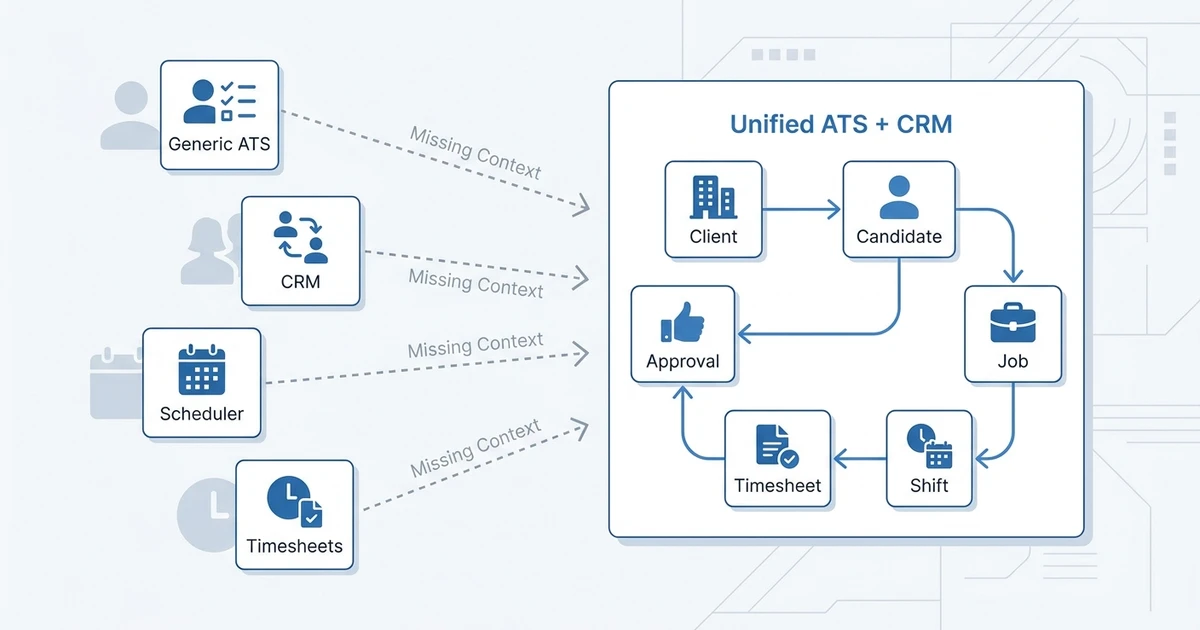
Here is the practical difference:
| Tool type | Where it helps | Where it breaks for temp staffing | Best buyer fit |
|---|---|---|---|
| Generic ATS | Candidate pipelines and applications | Weak shift, contract, and timesheet visibility | Permanent-heavy agencies |
| Generic CRM | Client contacts and follow-ups | No candidate assignment or approval workflow | Sales-led teams |
| Scheduling app | Shift planning and coverage | Limited recruiting context | Operations-only teams |
| Timesheet app | Time entry and approvals | Separate from jobs and candidate records | Agencies with a fixed back office |
| Unified staffing ATS + CRM | Client, candidate, job, shift, and timesheet context | Needs correct setup and adoption | Agencies running temp plus perm desks |
If your agency already manages permanent recruitment, a temp-only operations app may create a second source of truth. A unified platform is usually cleaner when recruiters need both client relationship history and assignment detail.
ATZ CRM’s temporary staffing software is built for that mixed workflow, including shift and contract tracking, candidate portal timesheets, and redeployment follow-up.
If your temp desk is split between spreadsheets, an ATS, and a separate timesheet tool, book a demo of ATZ CRM and walk through contracts, shifts, candidate portal timesheets, and client approvals in one workflow.
How ATZ CRM Supports Temp Staffing Teams
ATZ CRM combines applicant tracking and customer relationship management, so your team can manage candidates, clients, jobs, placements, and follow-up activity from the same workspace. For temp staffing, that matters because every shift has two sides: client demand and candidate availability.
ATZ CRM supports contracts, shifts, timesheets, and invoicing workflow visibility, plus tools to manage shifts and timesheets. That keeps recruiters closer to the operational status instead of waiting for someone else to update a spreadsheet.
The platform also supports candidate portal workflows and recruitment client portal software. For a temp agency, that means candidates can submit information from one side while clients review or approve activity from the other.
ATZ CRM is especially useful when your agency already handles permanent recruitment and is growing temp or contract revenue. You do not have to choose between a recruitment database and a temp operations workflow.
Is ATZ CRM Right for Your Temp Staffing Desk?
ATZ CRM is a strong fit if your agency manages permanent recruitment plus temporary or contract roles. It also fits teams that want candidate, client, job, shift, and approval activity connected instead of scattered across separate tools.
It may be less urgent if you only need a punch-clock app, if payroll outsourcing is your only priority, or if your agency has no active temp or contract workflow. In those cases, a narrower timekeeping or payroll tool may be enough.
The best way to decide is to map your real workflow. Start with a client order, then follow it through contract setup, shift tracking, candidate timesheet submission, client approval, reporting, and redeployment.
Frequently Asked Questions
What software helps agencies manage temp timesheets?
A temp staffing timesheet platform helps agencies manage temporary assignments and collect candidate hours for client approval. The strongest systems connect timesheets to the job, candidate, client, shift, and placement record.
Can a regular ATS manage temporary staffing timesheets?
Some ATS platforms can track placements, but many do not manage candidate time submission or client approvals. If your agency runs temporary or contract staffing, check whether timesheets are part of the live staffing workflow.
Should timesheets be connected to a candidate portal?
Yes, because candidates need an easy way to submit hours and see what has been sent. A portal also reduces the chance that timesheets disappear into email threads or arrive in inconsistent formats.
Do clients need a portal to approve temp staffing timesheets?
Clients can approve by email, but a portal creates a cleaner process. It gives clients a controlled space to review hours and gives your agency better visibility into pending approvals.
Can ATZ CRM support permanent and temporary recruitment in one system?
Yes. ATZ CRM supports ATS, CRM, contracts, shifts, candidate portal timesheets, client portal workflows, and reporting, so agencies can run permanent and temporary recruitment from one connected platform.
Choose Software That Connects the Whole Temp Workflow
Timesheets only work well when they are connected to the rest of the temp staffing workflow. If your recruiters cannot see the job, candidate, shift, client, and approval status together, your team will keep chasing updates.
The safer choice is software that gives your temp desk one operating record. That is how you reduce handoffs, protect client service, and keep recruiters focused on filling work instead of finding missing information.
See whether ATZ CRM fits your mixed permanent and temp recruitment desk. Compare pricing or request a demo using your real workflow.