
The Account Snapshot Report gives you a concise visual view of candidates, jobs, and deals across key stages.
Quick Answer
Open Reports > Account Snapshot Report to view candidate pipeline distribution, job status breakdown, deal volume breakdown, and deal value distribution.
Access the Report
- Navigate to Reports.
- Select Account Snapshot Report.
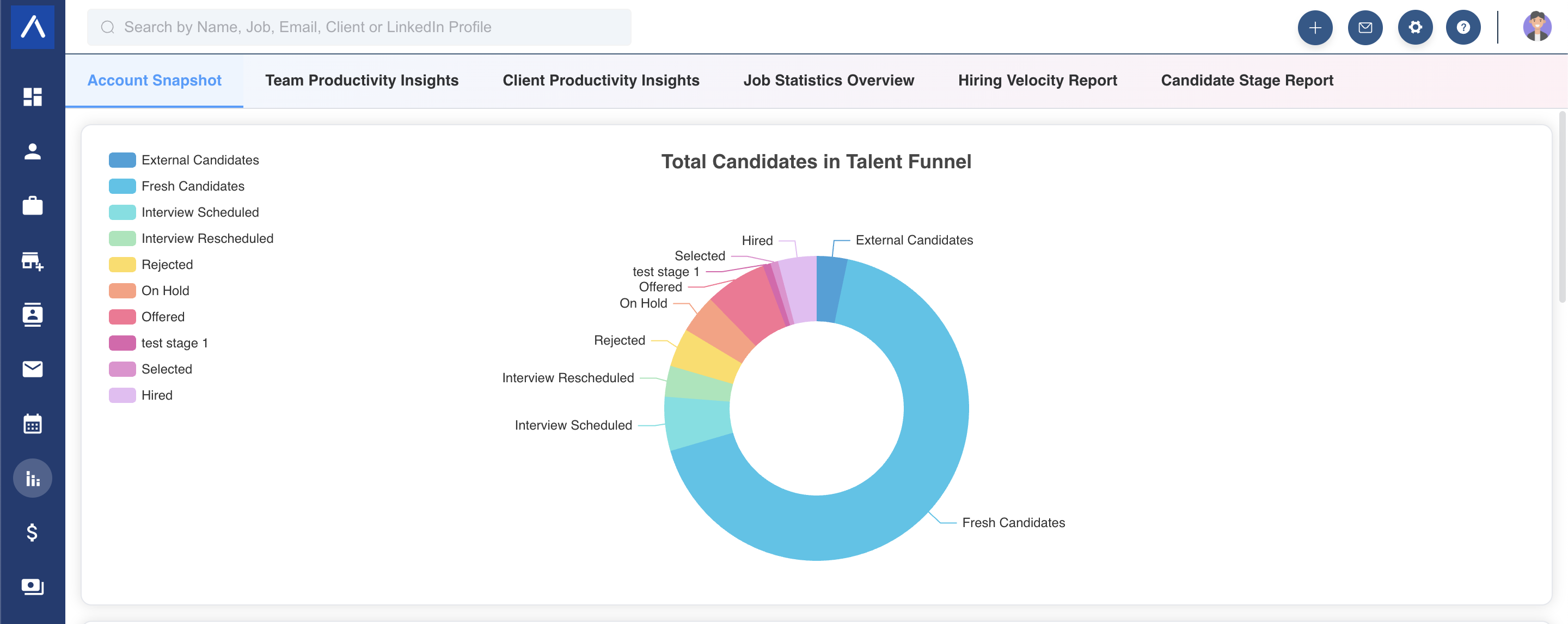
Candidate Pipeline Distribution
This chart shows current candidate-and-job assignments across hiring stages. A candidate assigned to two jobs can contribute to two stage totals, so these figures are application positions rather than a unique-candidate count.
Job Status Breakdown
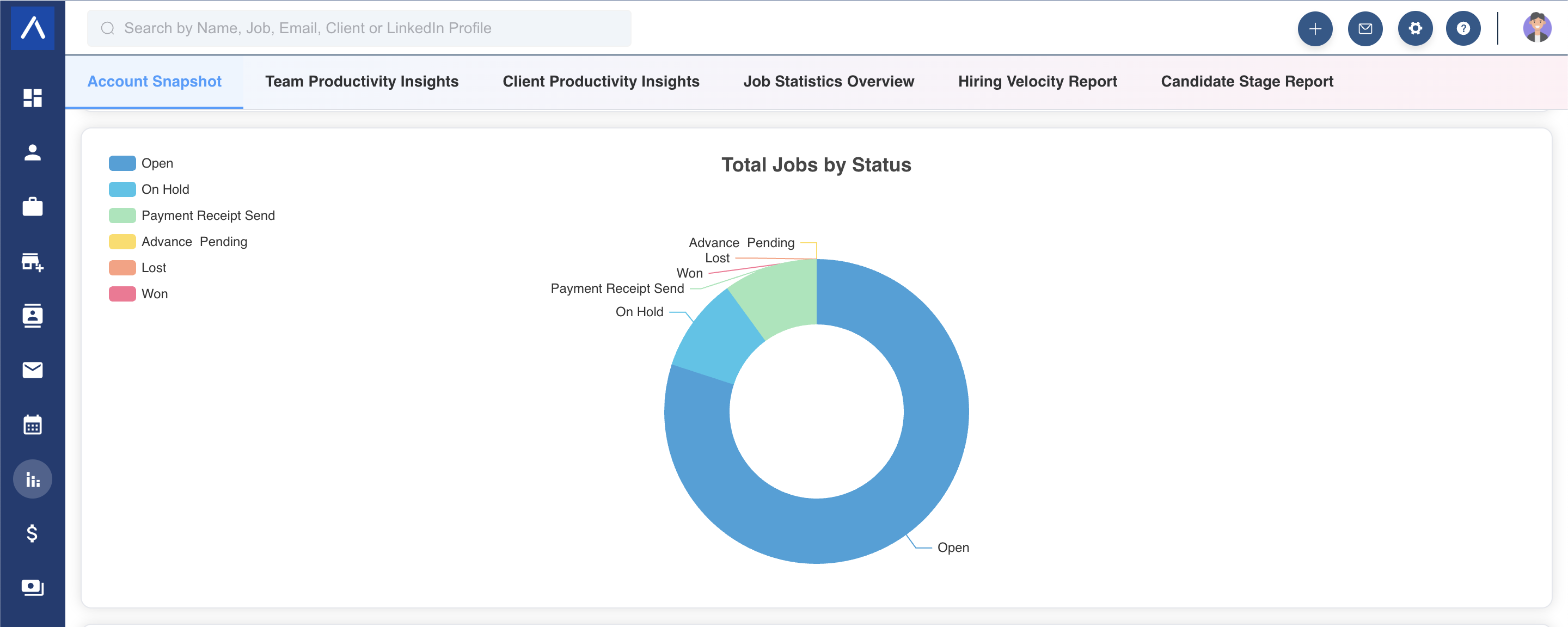
This graph shows non-deleted jobs in each current status. Archived jobs remain part of this account-level snapshot.
Deal Volume Breakdown
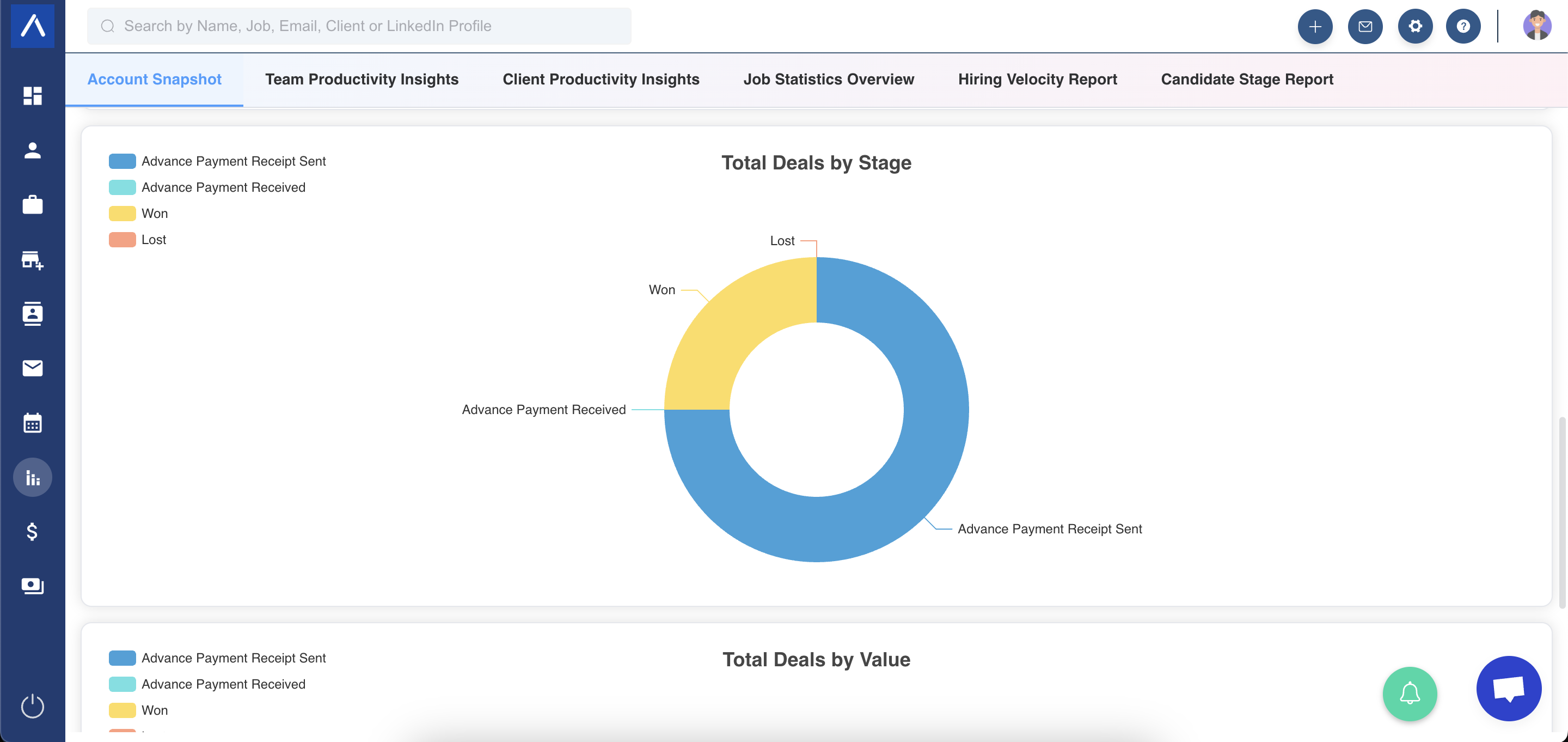
This graph shows the percentage of deals in each stage.
Deal Value Distribution
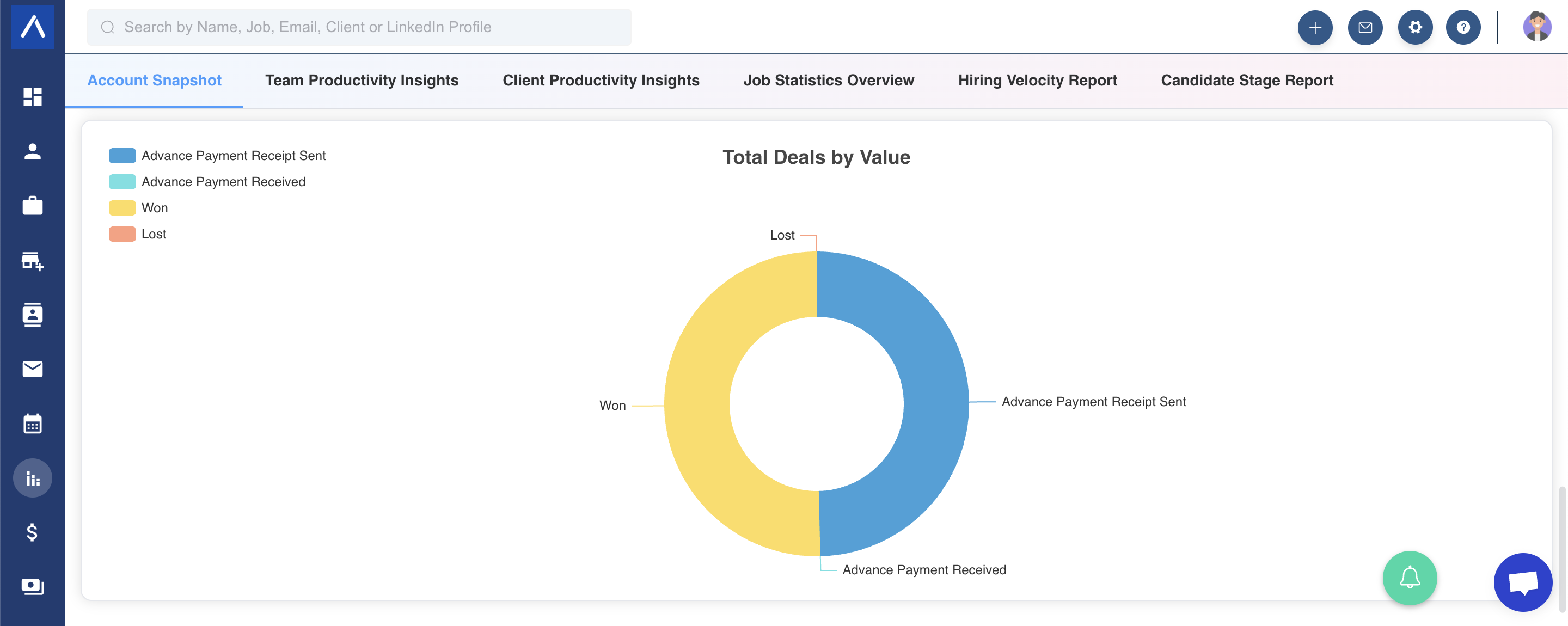
This chart shows the spread of deal value across stages. ATZ CRM weights active-stage value by the probability configured for that stage. The Lost stage shows its recorded amount rather than a weighted forecast.
Export Graphs
Export any generated chart by clicking the icon in the top-right corner of the graph.
Understand the Snapshot
Account Snapshot does not use a date-range filter. It reads the account’s current pipeline assignments, current job statuses, and current deal stages when the report loads. Use a dated report when you need activity that occurred during a particular period.
Use Snapshot Reports Alongside Home
The personalized Home dashboard also offers current pipeline, job-status, and deal-value views alongside dated activity reports.
Use Customize Dashboard Widgets and Filters to choose which views appear and configure each report separately. Your Home layout does not change this report for other users.
A current-stage distribution is different from the number of applications entering a stage during a historical period. Likewise, weighted deal value is not an unpaid invoice total or a confirmed payment.
Before comparing figures, check the metric, filters, and record access. See Understand Home Dashboard Reports for the individual definitions.
Use Cases
Executive Snapshot
Use the report for a quick view of overall recruiting, job, and deal health.
Pipeline Balance Review
Identify whether too many candidates, jobs, or deals are concentrated in one stage.
Deal Forecast Context
Compare deal volume and deal value distribution across stages.
Troubleshooting
A Segment Looks Empty
Check whether your account has records in the relevant candidate, job, or deal stages.
Chart Does Not Export
Try the chart export icon again and check browser download permissions.
Numbers Need More Detail
Use specific reports such as Client Productivity Insights or Job Statistics Overview for deeper analysis.
FAQs
What does Account Snapshot Report include?
It includes candidate pipeline distribution, job status breakdown, deal volume breakdown, and deal value distribution.
Where do I access the report?
Go to Reports and select Account Snapshot Report.
Can I export graphs?
Yes. Use the icon in the top-right corner of each graph.
Is this report detailed or summary-level?
It is a summary-level snapshot. Use other reports for deeper analysis.
Does it include deals?
Yes. It includes deal volume and deal value distribution.
Can I use it for leadership updates?
Yes. It is useful for high-level pipeline and account health reviews.