
The Client Job Report gives a client contact a current view of the jobs connected to them and the candidates in client-visible hiring stages. It is a private report link, not a client portal, and the contact does not need to sign in.
Before You Start
Check the following before sharing a report:
- The person is saved as the Primary contact or a Secondary contact on the relevant jobs.
- Each job has the correct status. In this report, a job with the Won status is counted as filled.
- The job’s talent funnel contains the stages you want the client to see.
- The contact has an email address if you want to send the report from ATZ CRM.
Only stages marked as shared with the client appear in the report.
Open the Client Job Report
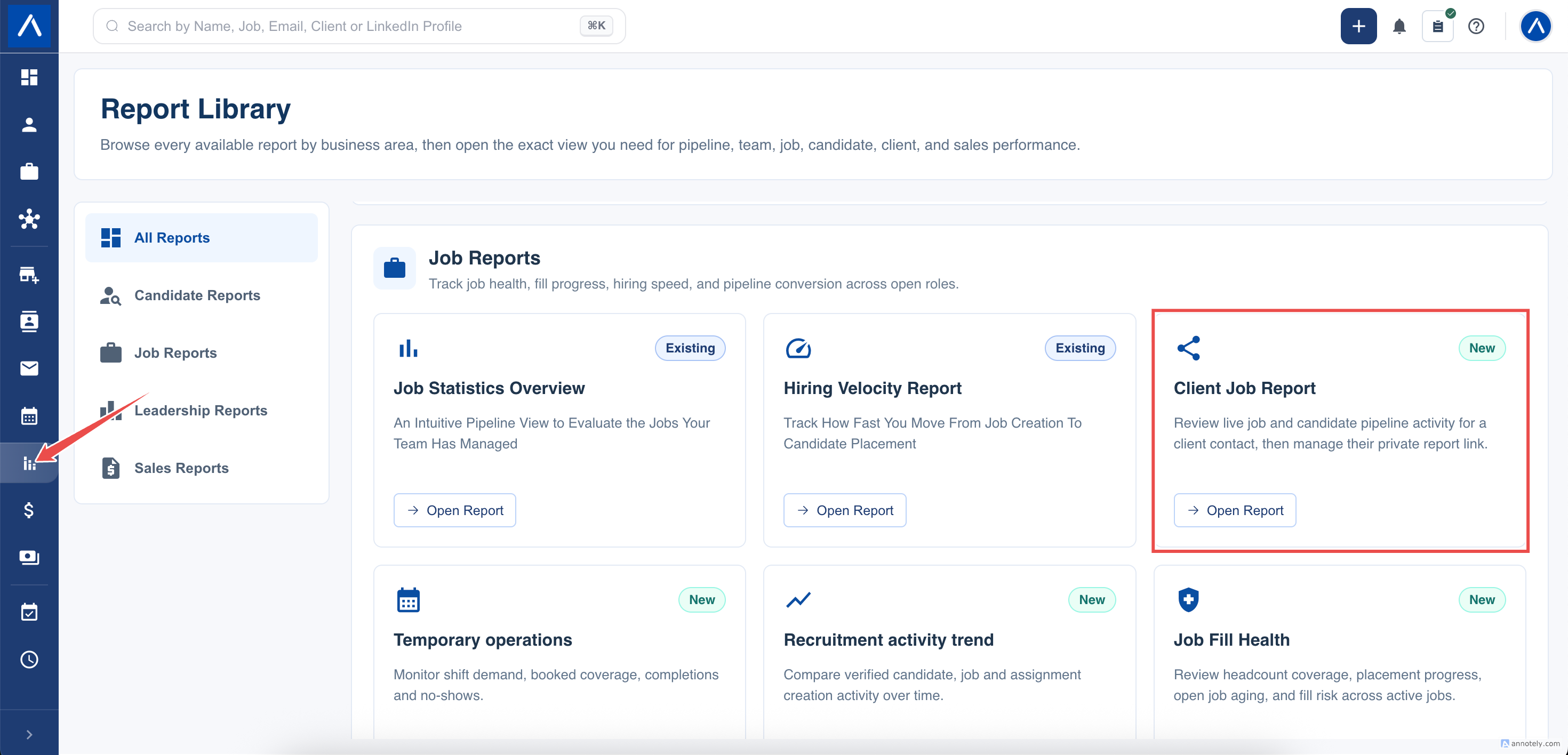
- Open Reports.
- In the job reports section, select Client Job Report.
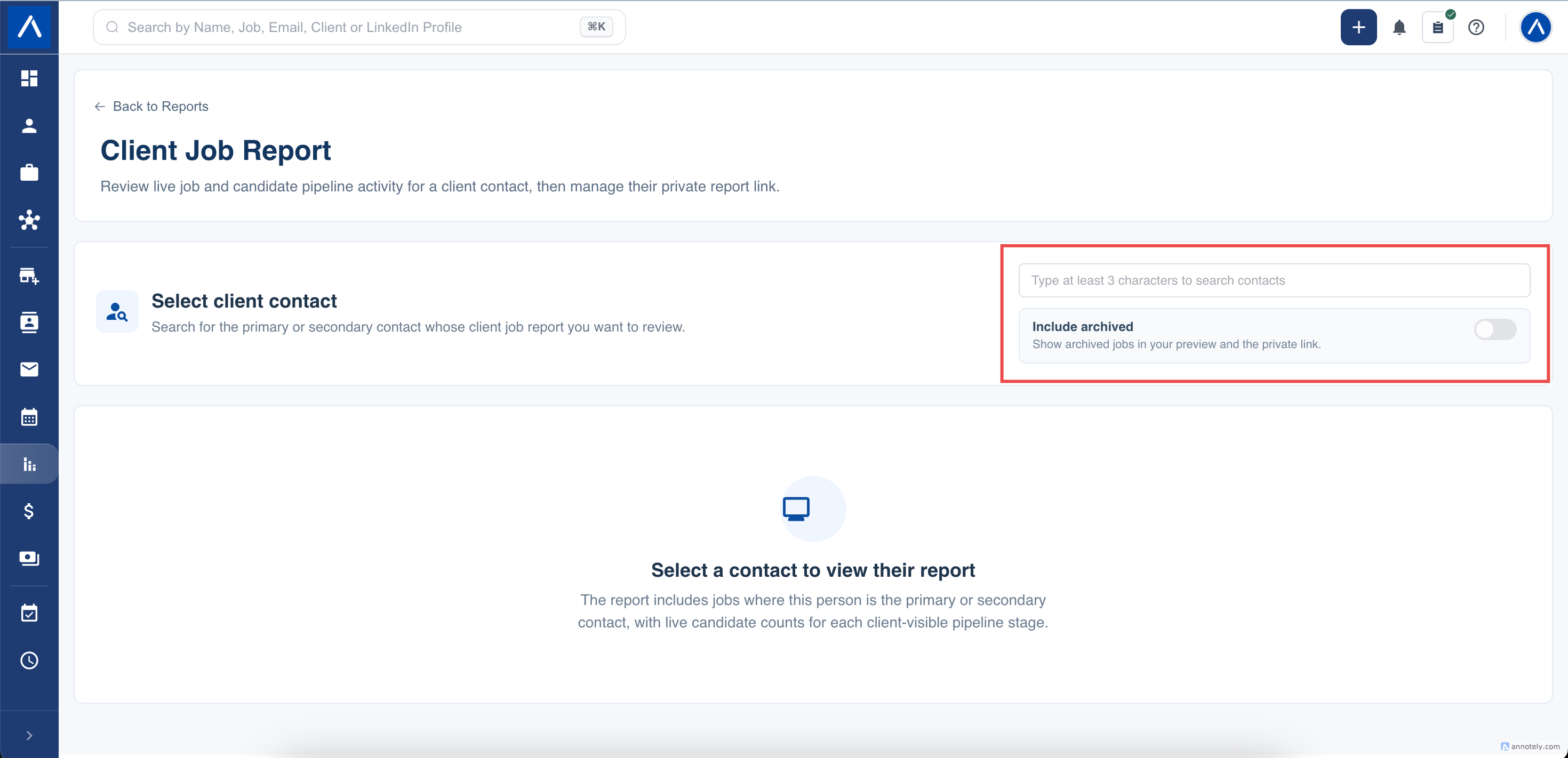
- In Select client contact, type at least three characters from the contact’s name or email address.
- Use the displayed name, email address, and company to choose the correct person.
The report then shows the jobs where that person is the primary or secondary contact.
Choose Whether to Include Archived Jobs
Include archived is off by default. Leave it off to show only jobs that have not been archived.
Turn it on when the client needs historical jobs included. If a private link is already active, changing this option updates what the contact sees through the same link; it does not create a replacement link.
Review the Report Before Sharing
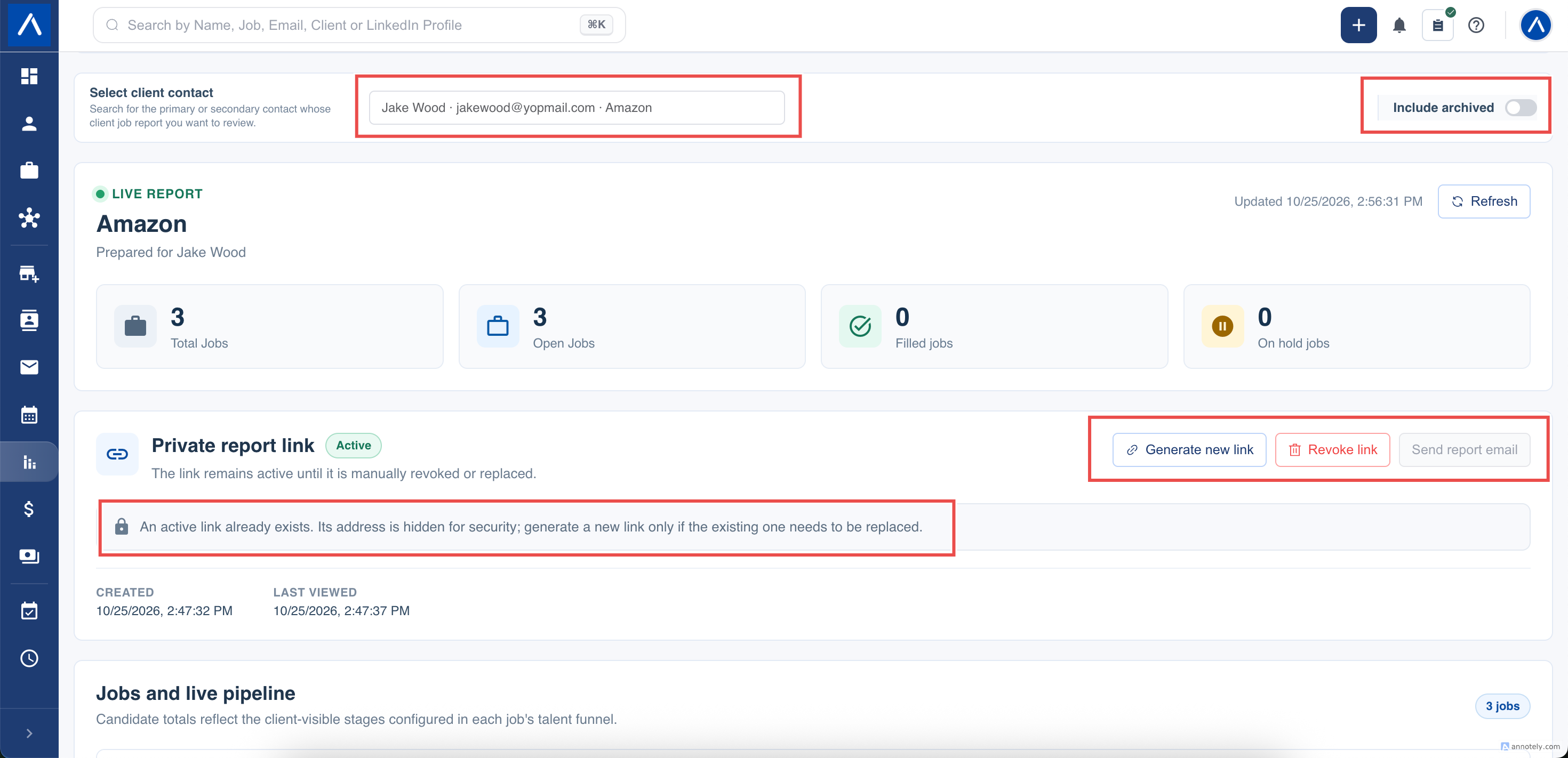
The summary shows:
- Total jobs included for the contact
- Open jobs
- Filled jobs, based on the current Won status
- On hold jobs
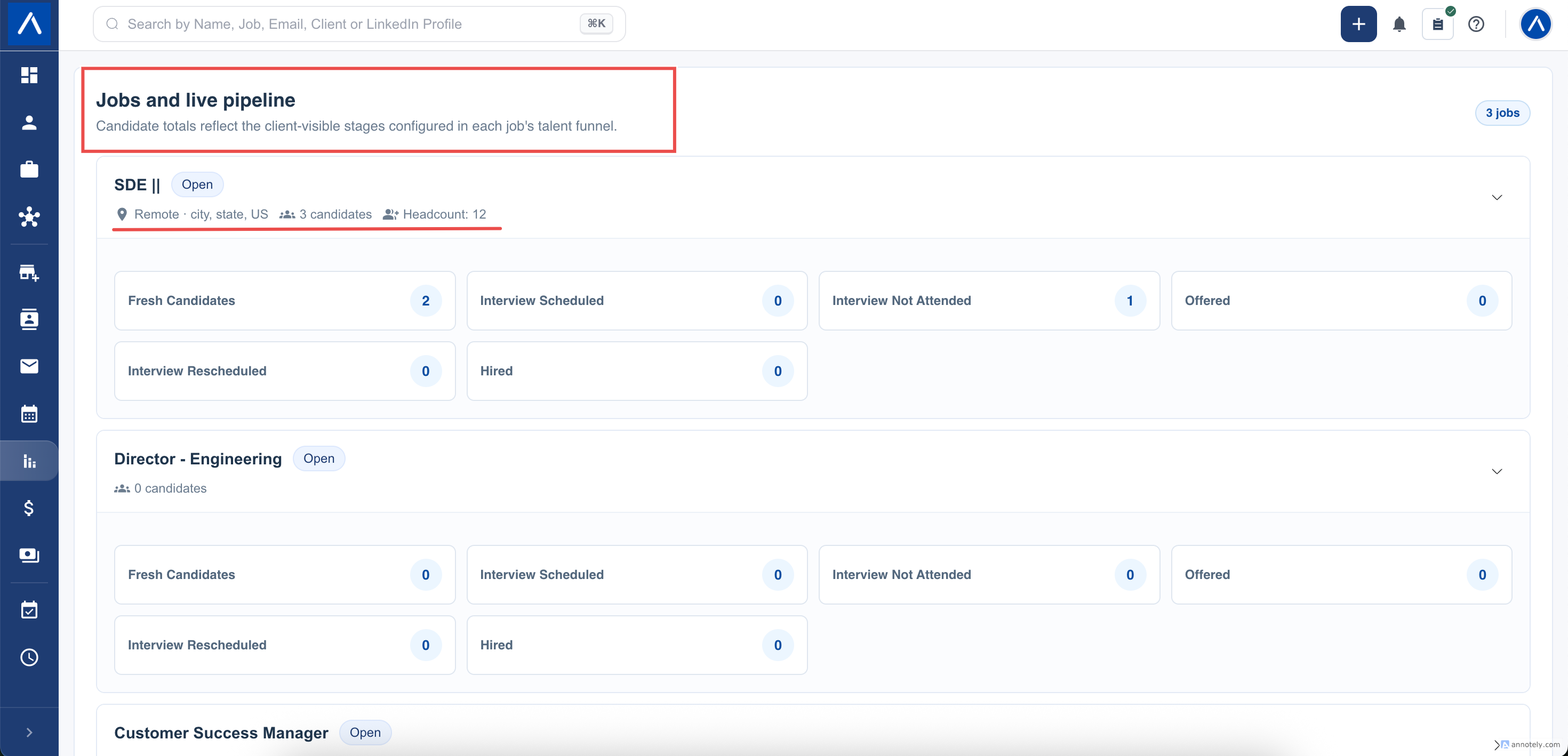
Open a job to review its client-visible talent funnel stages and live candidate counts. Location and headcount appear only when those details are present on the job.
Candidate totals reflect the current stage of each candidate. Refresh the report if you have just changed a candidate’s stage or updated a job.
Generate and Copy a Private Link
- Review the report and the Include archived setting.
- Select Generate private link.
- Copy and save the displayed link.
For security, ATZ CRM displays the full link only when it is generated. If you leave the page and later need the full link again, generate a new one. Generating a new link immediately makes the previous link unavailable.
The private link remains active until you revoke it or replace it. Anyone who has the link can open the report, so share it only with the intended contact.
Send the Report by Email
After generating the private link, select Send report email.
ATZ CRM opens the standard email composer with:
- The selected contact as the recipient
- A suggested subject containing the company name
- The contact name, company name, and private report link in the message
Review and edit the recipient, subject, and message before sending. The email composer follows your account’s normal email connection and communication rules.
If Send report email is unavailable, confirm that the contact has an email address and that you generated a private link during the current page visit.
Revoke or Replace Access
Select Revoke link when the contact should no longer have access. The existing link stops working immediately.
Select Generate new link when you want to replace the link. Confirming the action immediately revokes the old link and displays a new one for you to copy or email.
Revoking or replacing a link does not delete jobs, candidates, contacts, or reporting data.
What the Contact Sees
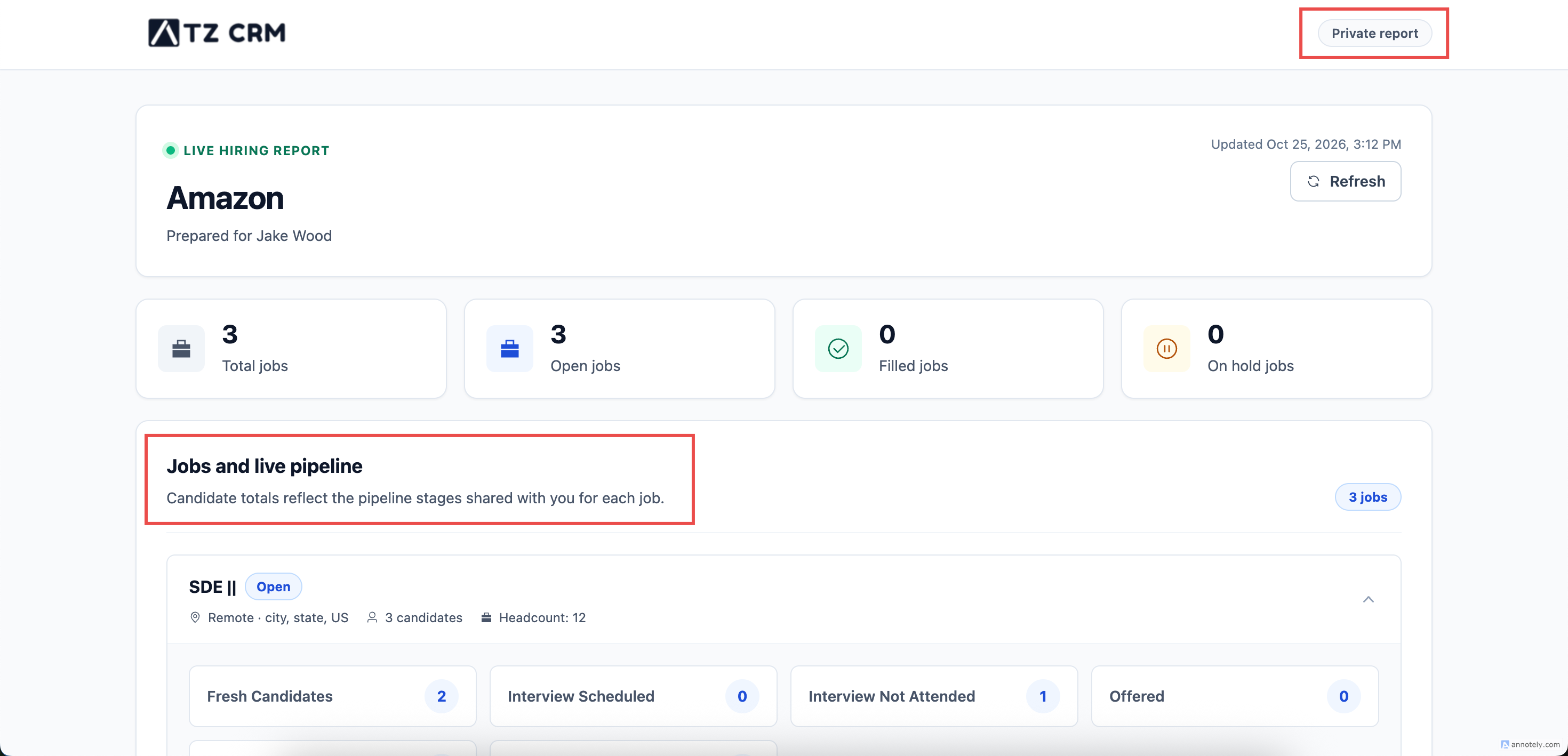
The contact sees a responsive, read-only report containing:
- The client and contact names
- Job totals by current status
- Each linked job’s title and status
- Location and headcount when available
- Live candidate counts in client-visible talent funnel stages
The page refreshes its figures while it remains open. The ATZ CRM name in the page footer opens the ATZ CRM website in a new browser tab.
Troubleshooting
A Job Is Missing
Confirm that the selected person is the job’s primary or secondary contact. If the job is archived, turn on Include archived.
A Funnel Stage Is Missing
Check that the stage belongs to the job’s talent funnel and is shared with the client. Stages that are not client-visible are intentionally excluded.
The Candidate Count Looks Out of Date
Select Refresh and confirm the candidate’s current job and talent funnel stage.
The Email Option Is Unavailable
Confirm that the contact has an email address and generate a private link. The full link is available to the email composer only during the page visit in which it was generated.
The Contact Cannot Open the Link
The link may have been revoked or replaced. Return to the report and generate a new private link if access should be restored.
FAQs
Does the client need an ATZ CRM login?
No. The contact opens the private report link without signing in to ATZ CRM.
How long does the private link remain active?
It remains active until a recruiter manually revokes it or generates a replacement.
Which jobs are included?
Jobs where the selected person is the primary or secondary contact are included. Archived jobs are excluded by default.
What does Filled mean?
Filled is the number of included jobs whose current status is Won.
Can the contact edit anything from the report?
No. The report is read-only.