
Candidate Source Performance helps you compare where candidates came from and whether each source is contributing meaningful pipeline activity.
Generate the Report
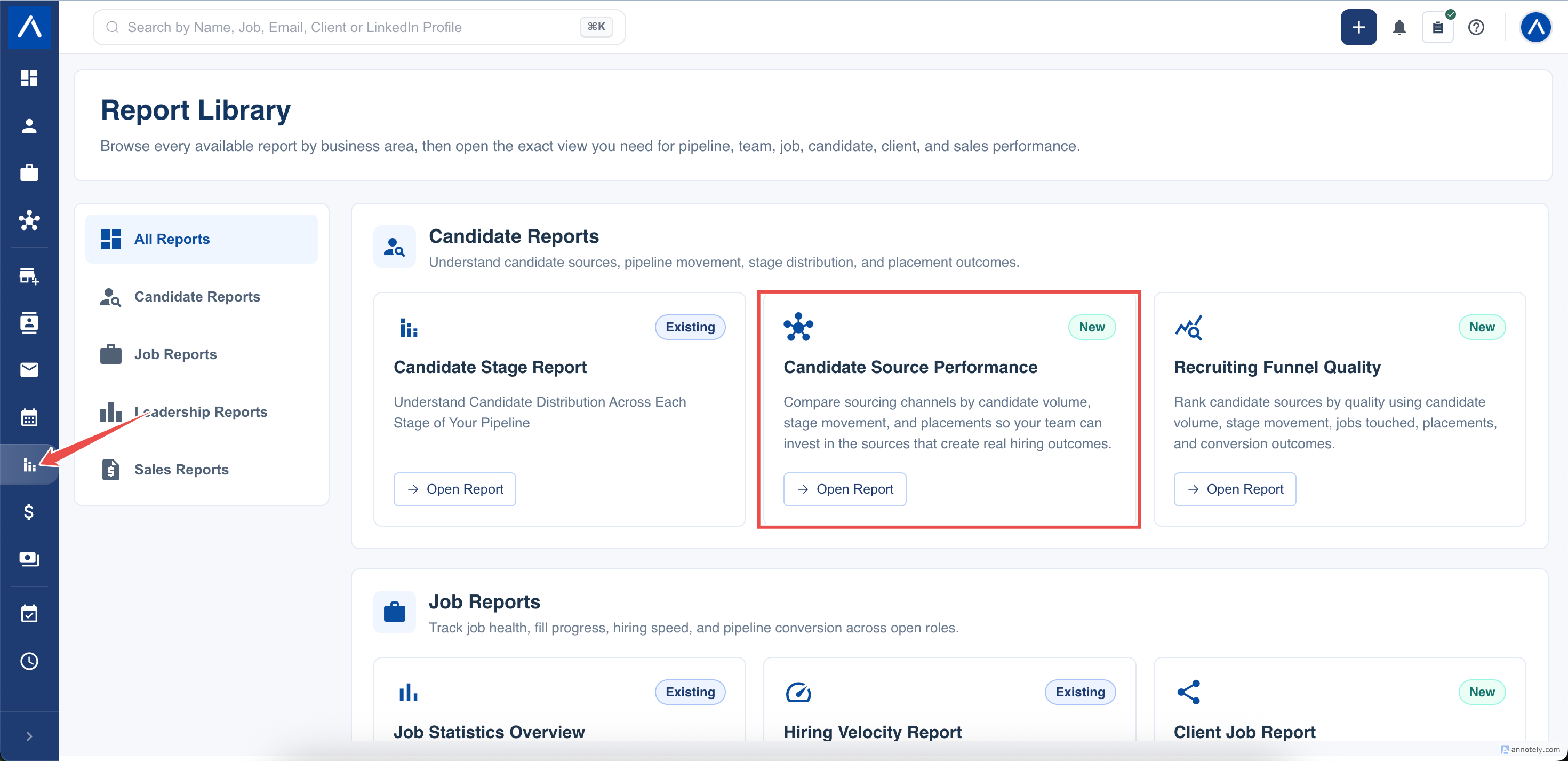
- Open Reports > Candidate Source Performance.
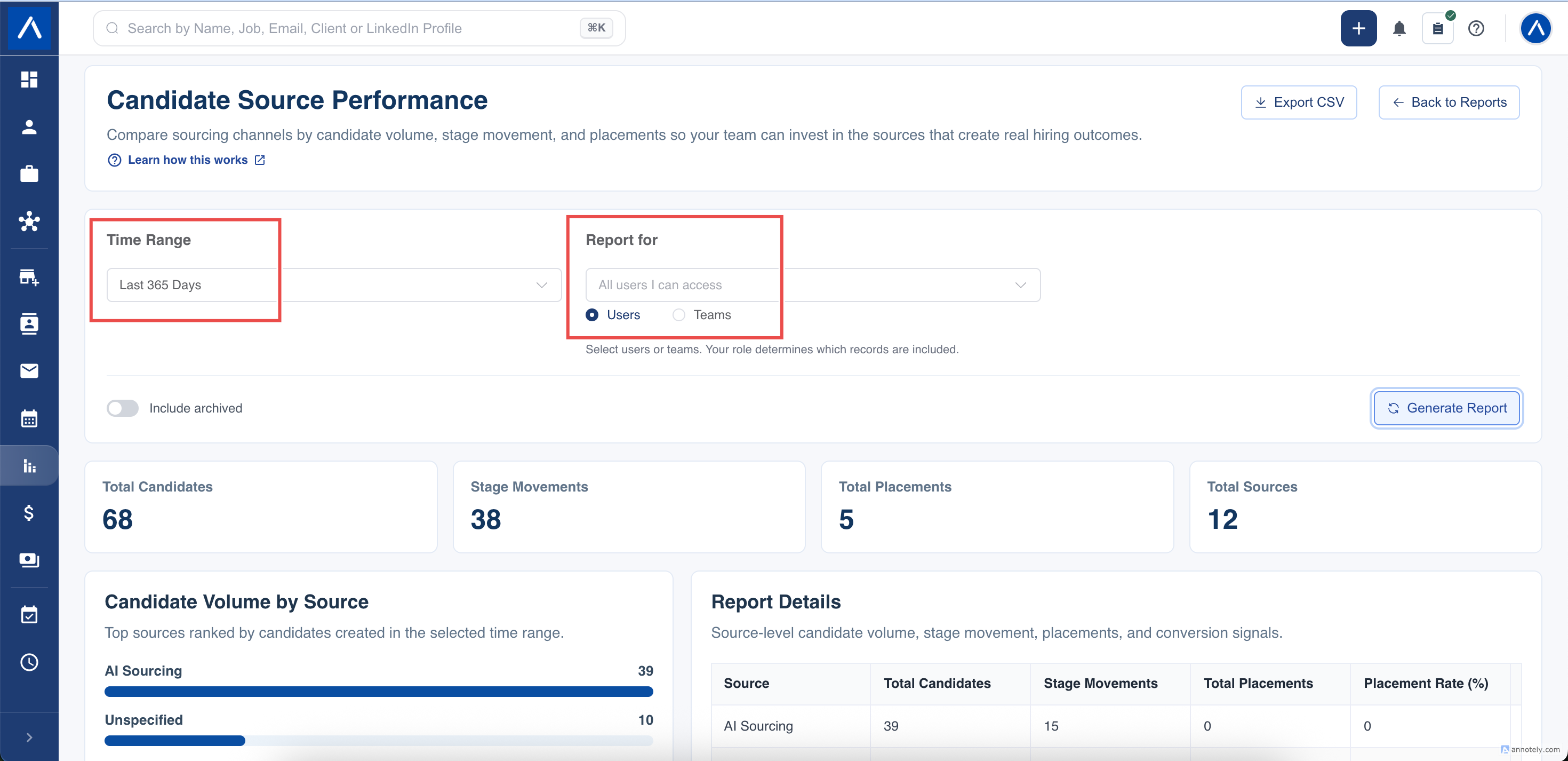
- Choose the date range.
- Apply a recruiter or team filter if you want to narrow the result.
- Turn on Include archived only when archived candidates or jobs should be included.
- Select Generate Report.
Read Each Measure
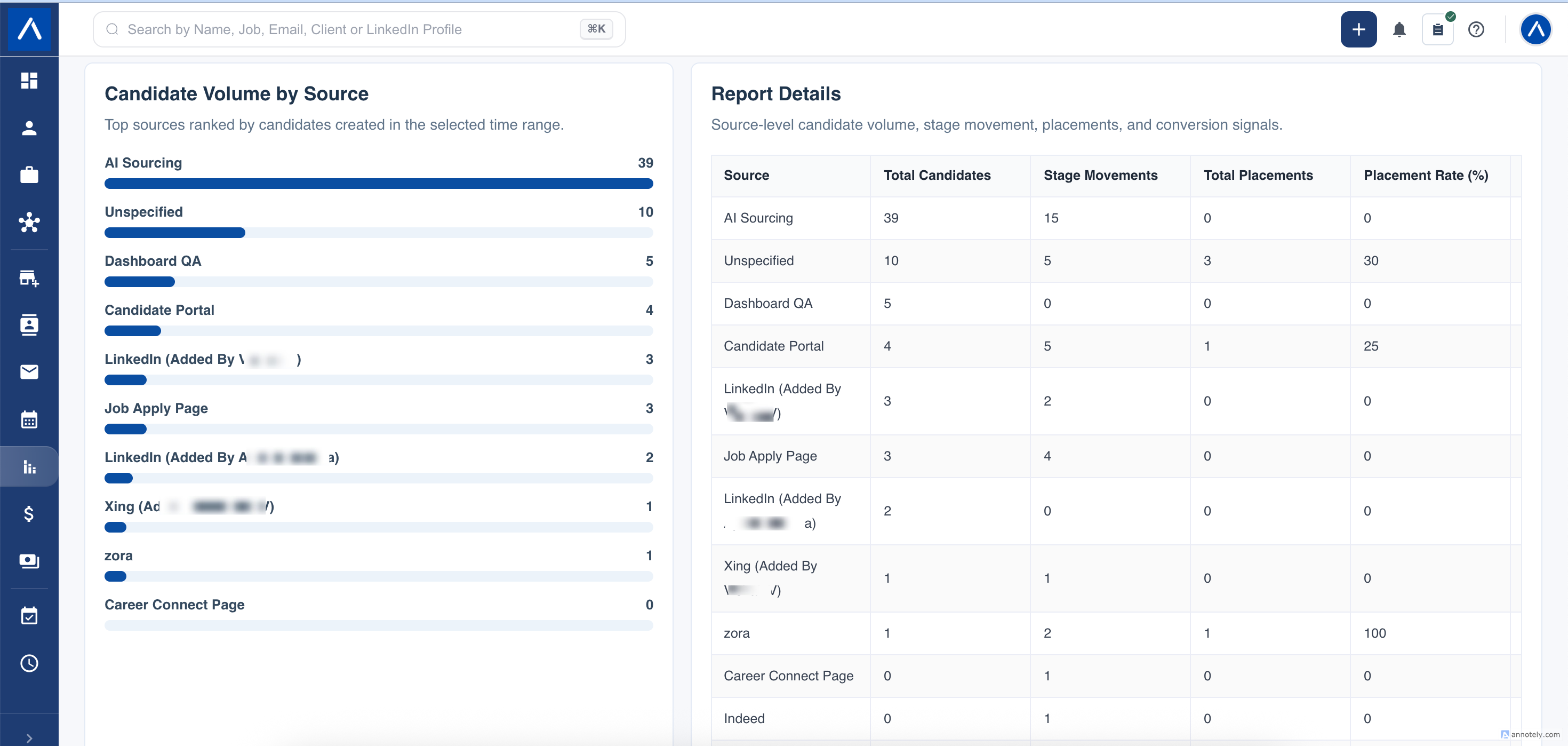
- Total candidates counts candidate records created during the selected period.
- Stage movements counts recorded moves through job pipeline stages during the period. One candidate can contribute several movements.
- Jobs touched counts the distinct jobs associated with those stage movements.
- Placements counts distinct candidate-and-job applications that entered a stage mapped as Hired during the period.
- Placement rate compares placements with candidates created for that source during the period.
- Movement rate compares stage movements with candidates created for that source during the period.
Candidates with no source are grouped under Unspecified rather than being left out.
Understand the Date Range
The report combines two types of activity:
- Candidate volume uses the date the candidate record was created.
- Stage movements and placements use the date the pipeline movement was recorded.
These events do not always describe one fixed group of candidates. A candidate created before the selected period can still move stages or reach a Hired stage during it. For that reason, movement and placement rates can exceed 100% and should be read as period activity indicators.
Use the People and Archive Filters
Recruiter and team filters respect the records you are allowed to view. Pipeline activity must also be within your permitted candidate and job scope.
Archived candidates and jobs are excluded by default. Include them only when you are intentionally reviewing historical work, and use the same archive setting when comparing this report with another view.
Use the Results in a Review
Start with candidate volume, then check whether the same source is creating stage activity and Hired outcomes. A high-volume source with little movement may need better targeting or screening, while a smaller source with stronger outcomes may justify more attention.
Do not use this report as a candidate-quality score. It measures recorded source activity and outcomes, which also depend on accurate source values and consistent pipeline updates.
FAQs
Why is a source shown as Unspecified?
The contributing candidate records do not have a source value. Updating source data improves future reporting.
Why can a rate be higher than 100%?
Some stage events can belong to candidates created before the selected period. The numerator and denominator are therefore not always the same candidate group.
What counts as a placement?
A distinct candidate-and-job application that entered a stage mapped as Hired during the selected period.