
User Performance brings together recruitment work attributed to one active ATZ CRM user. It is most useful when period activity and current responsibility are read as separate types of information.
Generate the Report
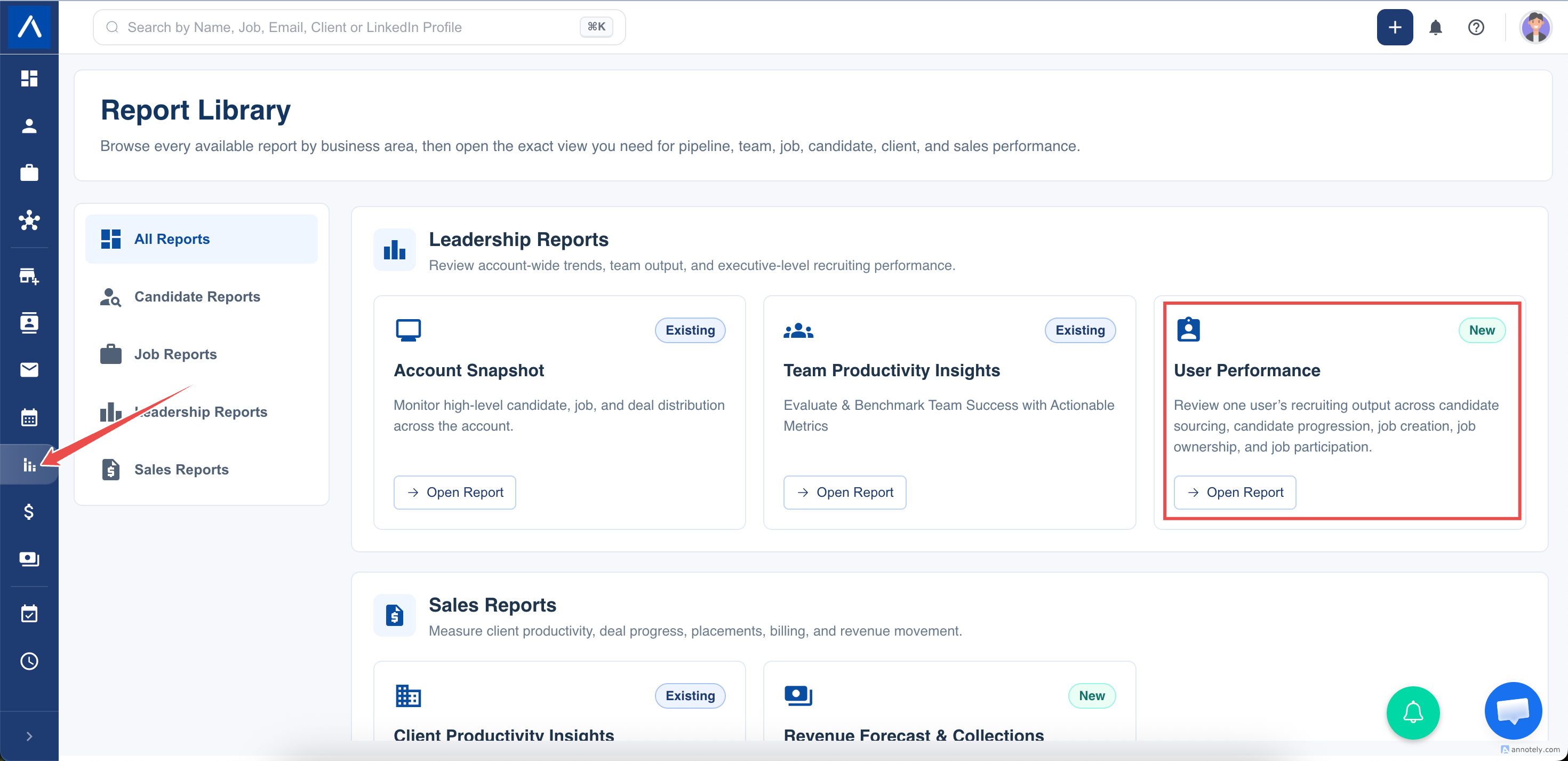
- Open Reports > User Performance.
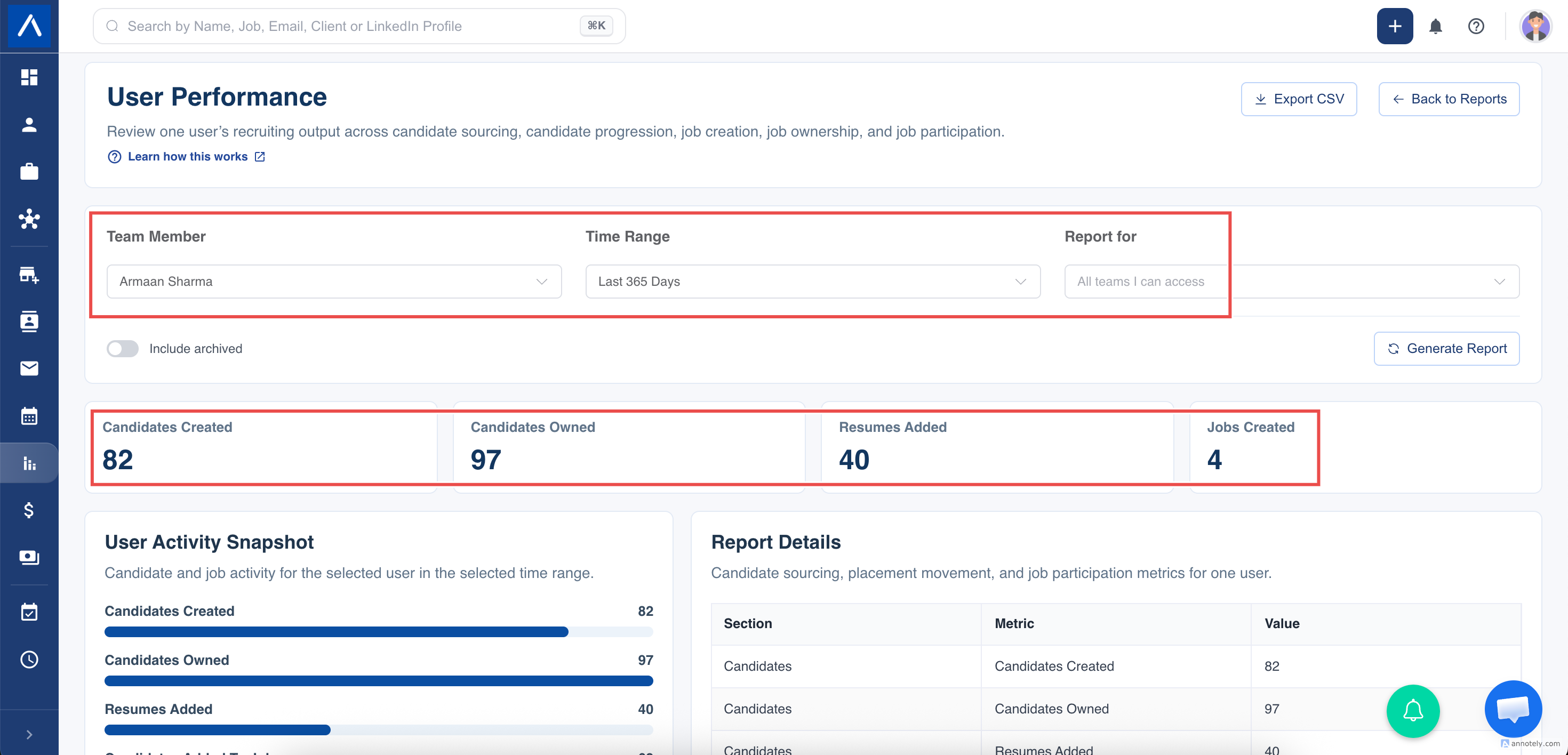
- Select the active user you want to review.
- Choose the date range.
- Apply an available team scope if required.
- Choose whether archived candidates and jobs should be included.
- Select Generate Report.
The selected user must be active and within your permitted report scope.
Measures That Use the Date Range
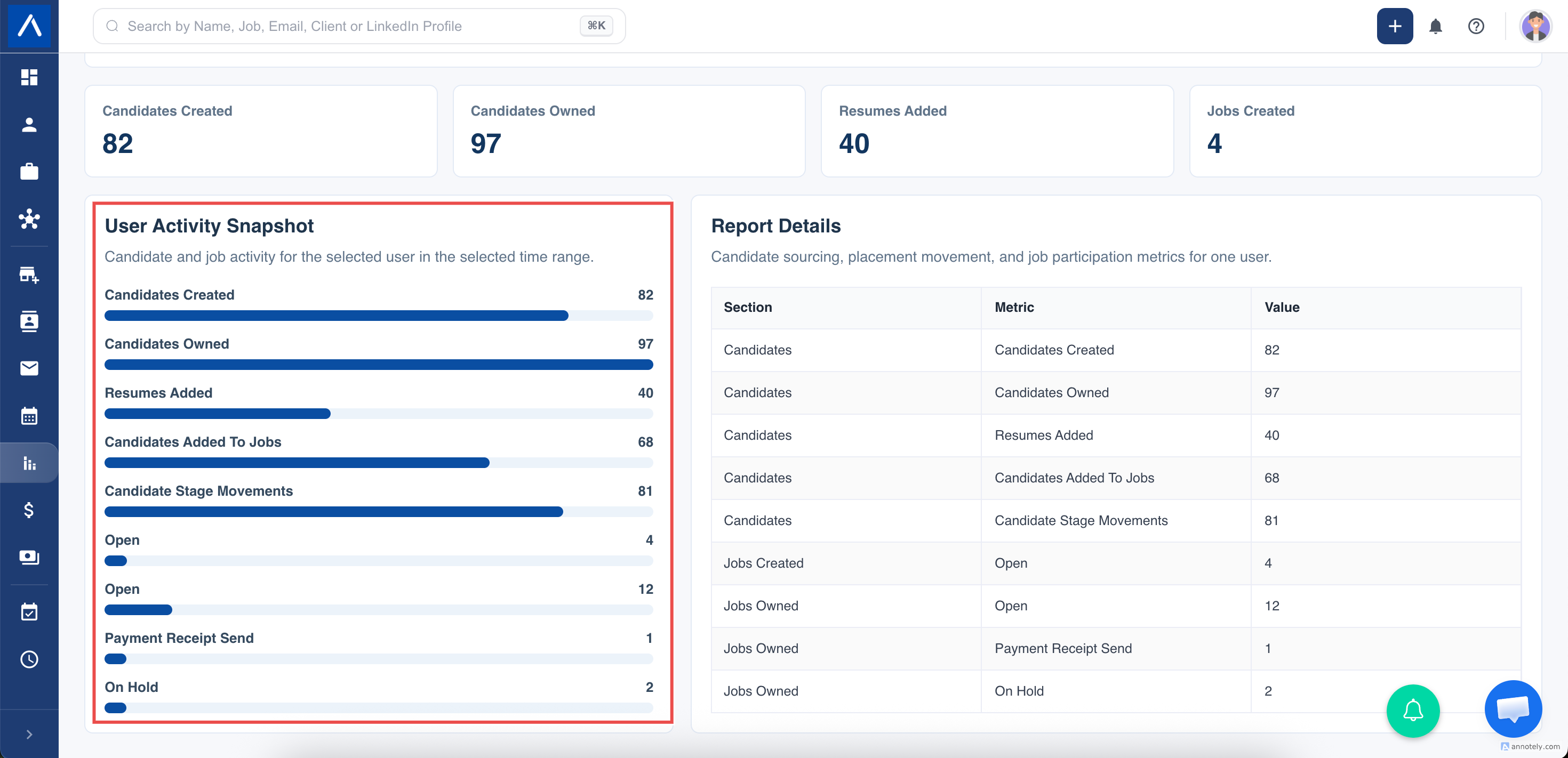
- Candidates Created counts candidate records created by the selected user during the period.
- Resumes Added counts candidates whose resume was added during the period and where the selected user is the creator or current owner.
- Candidates Added To Jobs counts distinct candidate-and-job applications where the selected user recorded pipeline movement during the period.
- Candidate Stage Movements counts the individual pipeline movement records made by the selected user during the period. One application can have several movements.
- Jobs Created counts jobs created by the selected user during the period and groups them by current job status.
These figures are activity measures tied to recorded dates.
Current Snapshot Measures
- Candidates Owned counts candidates currently owned by the selected user.
- Jobs Owned counts jobs currently owned by the selected user, grouped by current status.
- Jobs Participating counts jobs where the user is currently listed as a collaborator, grouped by current status.
These figures do not use the selected date range. Reassignment or collaborator changes can alter the totals without adding a new historical activity.
Understand Scope and Archived Records
The report respects your candidate, job, team, and role permissions. Metrics that expose both a candidate and job must be allowed on both sides of that relationship.
Archived candidates and jobs are excluded by default. Enable Include archived only when comparing historical responsibility or activity, and keep that choice consistent across reviews.
Use the Report Fairly
Use period activity to discuss work completed during the selected dates. Use ownership and participation to understand the recruiter’s current workload. Do not combine the two as if every currently owned record was created during the period.
Recorded activity also depends on consistent working practices. Pipeline changes or resume updates made outside ATZ CRM cannot appear in the report.
FAQs
Which measures use the selected date range?
Candidates created, resumes added, candidate-to-job activity, stage movements, and jobs created. Ownership and participation are current snapshots.
What does Candidates Added To Jobs mean?
Distinct candidate-and-job applications where the selected user recorded pipeline movement during the period.
Why did an ownership total change without new activity?
Current assignment changes affect snapshot totals without creating a new historical event.